
A lightweight, batteries-included terminal IDE with managed language servers, tree-sitter syntax highlighting, tabs, ripgrep search, and markdown preview — no setup required.
At a Glance
Fully free and open source under the MIT license. Download and use without cost.
Engagement
Available On
Alternatives
Listed Sep 2026
About toast
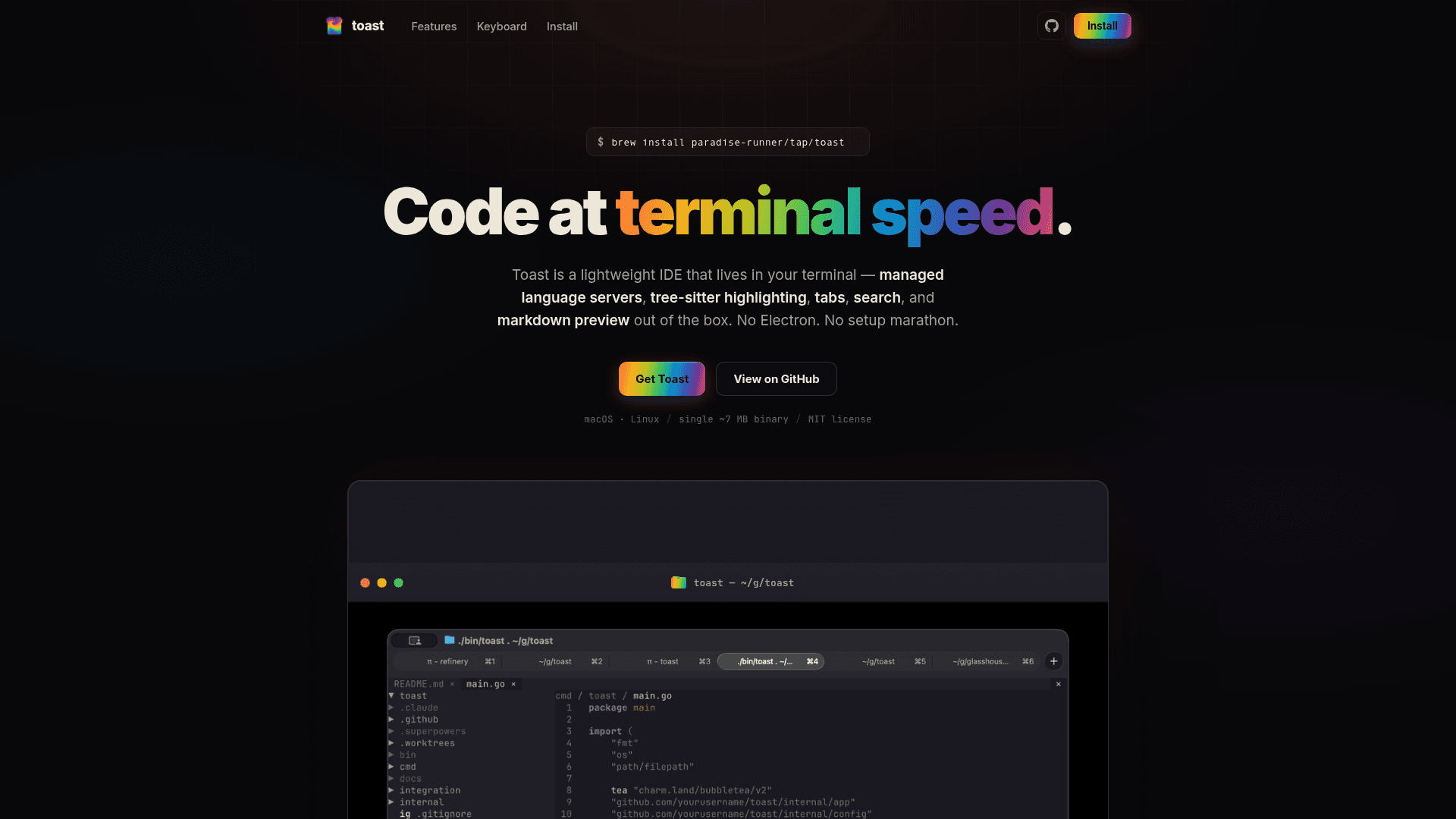
Toast is a lightweight IDE that runs entirely in your terminal, built in Go and released under the MIT license. It ships with managed language servers, tree-sitter syntax highlighting, multi-buffer tabs, project-wide ripgrep search, and markdown preview out of the box — no Electron, no plugin marathon, no telemetry. The project is in early development (v0.9.0 as of August 2026) and explicitly positions itself as a no-AI, no-telemetry alternative to editors like VS Code and Zed.
What It Is
Toast is a terminal UI (TUI) code editor that fills the gap between minimal editors like vim/neovim — which require extensive configuration to become a full IDE — and heavyweight GUI editors like VS Code. It installs as a single ~28 MB binary via Homebrew or a direct download, and opens a working IDE immediately without any post-install configuration. The project is written in Go and uses the bubbletea TUI framework, tree-sitter for syntax parsing, and ripgrep for search.
Core Feature Set
Toast ships with a deliberately curated set of IDE features:
- Managed language servers: automatically offers to install gopls, rust-analyzer, pyright, typescript-language-server, and harper (Markdown spell check) using the toolchain already on
$PATH - Tree-sitter syntax highlighting: accurate, incremental coloring for Go, Python, JavaScript, TypeScript, Rust, CSS, HTML, YAML, Bash, and Markdown
- Multi-buffer tabs: with unsaved-changes indicators, mouse-close buttons, and quit confirmation
- Project-wide search: powered by ripgrep, with in-file find/replace including match-case and whole-word options
- Markdown preview: renders
.md,.markdown, and.mdxfiles side by side with the editor - Git-aware file tree: shows modified/new file markers, dims ignored files, and displays the current branch in the status bar
- Go to definition: via
Ctrl+click orF12 - Command palette: fuzzy search over every action with keybinding hints and MRU ordering
- Theme system: built-in
system(derived from terminal colors),toast-dark,toast-light, plus a VSCode theme importer
Philosophy and Tradeoffs
The README explicitly compares Toast to vim, emacs, VS Code, and Zed, and highlights that it has no AI features and no telemetry as deliberate design choices. The MIT license even includes an informal clause stating that adding AI agents, AI chat, or telemetry would entitle users to "kick the maintainer's ass." This positions Toast squarely for developers who want a capable terminal editor without cloud connectivity or AI assistance baked in.
Setup Path
Installation is a single Homebrew command on macOS and Linux:
brew install paradise-runner/tap/toast
Alternatively, pre-built binaries are available for macOS (Apple Silicon and Intel) and Linux (amd64) as zip downloads from the releases page. An experimental macOS .app bundle wraps toast in a libghostty terminal window for users who prefer a native app experience, though the project notes it has more bugs than the terminal version. Building from source requires Go 1.25.2+.
Configuration lives in a single JSON file at ~/.config/toast/config.json and covers theme, keybindings, LSP servers, sidebar behavior, auto-save delay, and ignored file patterns. All keybindings are remappable or can be unbound entirely.
Update: v0.9.0
The latest release is v0.9.0, published on August 29, 2026. The repository was last pushed to on September 11, 2026, indicating active development. The project has 206 GitHub stars and 4 forks, with 20 open issues. GitHub topics tag it as a neovim-alternative and TUI IDE. The project self-describes as being in early development and encourages bug reports and feature requests via GitHub Issues.
Community Discussions
Be the first to start a conversation about toast
Share your experience with toast, ask questions, or help others learn from your insights.
Pricing
Open Source
Fully free and open source under the MIT license. Download and use without cost.
- Managed language servers
- Tree-sitter syntax highlighting
- Multi-buffer tabs
- Project-wide ripgrep search
- Markdown preview
Capabilities
Key Features
- Managed language servers (gopls, rust-analyzer, pyright, typescript-language-server, harper)
- Tree-sitter syntax highlighting for 10+ languages
- Multi-buffer tabs with unsaved-changes indicators
- Project-wide search powered by ripgrep
- In-file find and replace with match-case and whole-word options
- Markdown preview for .md, .markdown, and .mdx files
- Git-aware file tree with status indicators
- Go to definition via Ctrl+click or F12
- Command palette with fuzzy search and MRU ordering
- Theme system with VSCode theme importer
- Auto-save with configurable inactivity delay
- Fuzzy file quick-open
- Spell checking via harper in Markdown files
- Mouse support
- Fully remappable keybindings via JSON config
- No AI features
- No telemetry
- Single binary install (~28 MB)