
Up.computer
Open-source desktop app that orchestrates coding agents like Claude Code and Codex, turning chats into background tasks run by workers.
At a Glance
Free, open source desktop app (MIT licensed) for macOS, Windows and Linux. Users pay their own agent providers; Up.computer adds no markup.
Engagement
Available On
Alternatives
Listed Nov 2026
About Up.computer
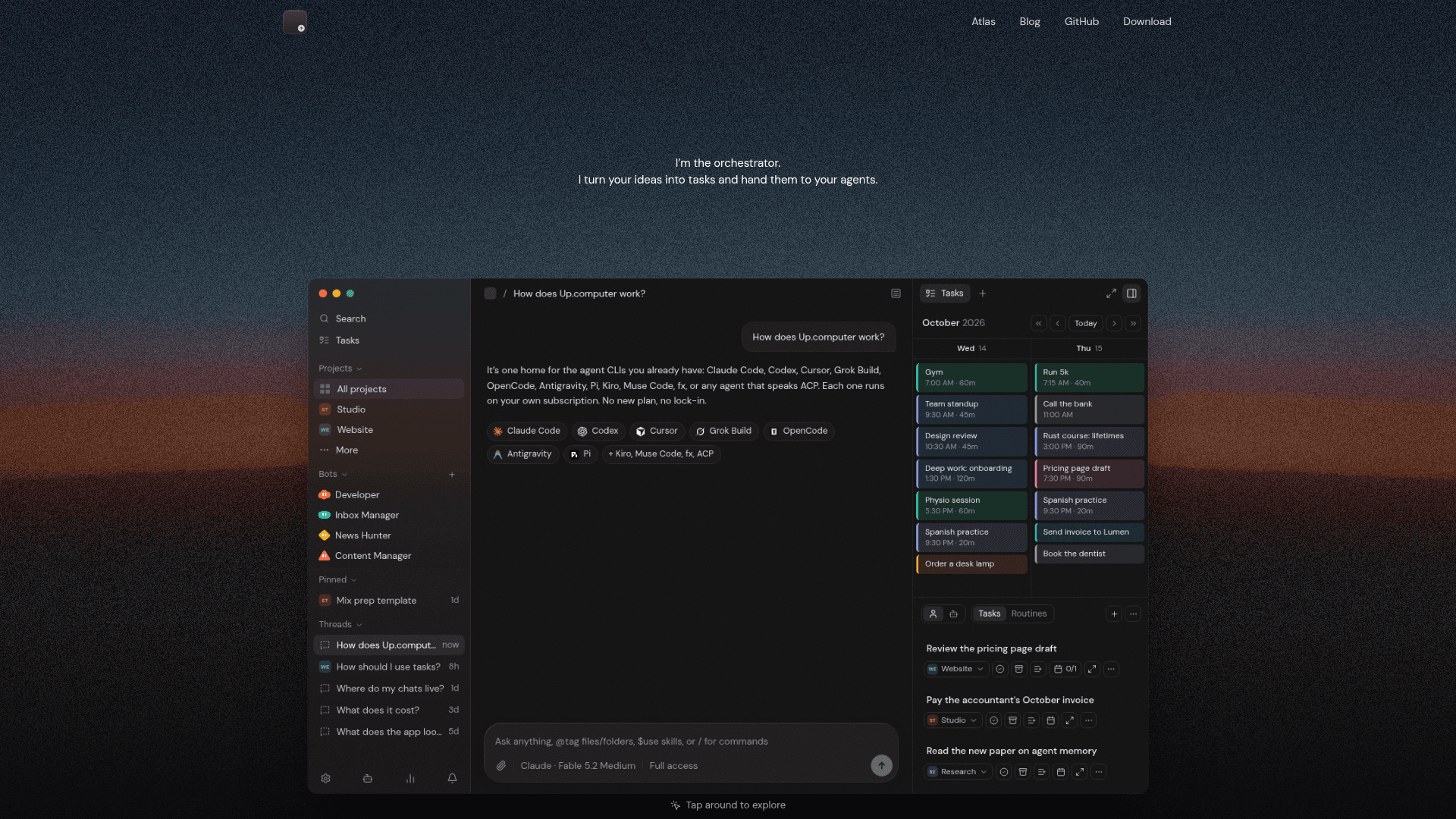
Up.computer is a desktop app that gathers the coding agent CLIs a user already has into one window. Users talk through ideas in chat, which become tasks that background workers pick up. It is open source under the MIT license and builds are available for macOS, Windows and Linux.
What It Is
Up.computer is a control plane for coding agents. It connects agents such as Claude Code, Codex, Cursor, Grok Build, OpenCode, Antigravity, Pi, Kiro, Muse Code and fx, plus any agent that speaks ACP, and each runs on the user's own subscription. Per the README, it is a fork of the open-source T3 Code, with its own product, UI and workflow layer built on top.
Tasks, Workers and Bots
A task has a title, a status and tags. A worker is a saved setup of agent, model and instructions that picks up tasks by status and tag, and workers can hand off to each other, for example one writes code and another reviews it. Automations create tasks on a schedule. Bots are permanent chats with their own long-lived memory that can do work themselves or pass bigger jobs to workers. A planner shows the user's own tasks and routines next to the workers' tasks.
Local Data and Computer Use
Threads, tasks and settings live on the user's machine, and code and prompts go directly to the agent's provider. Agents get a managed browser and can see and control the desktop. Remote access is available through UpComputer Connect, a local network or Tailscale. The app sends basic product usage events, never prompts, replies or file contents, and this can be turned off.
Setup Path
The app is downloaded from the website or GitHub releases, and it updates itself from GitHub releases. If no agent is set up, the desktop app installs OpenCode on first launch and uses a free OpenCode Zen model. Additional providers are configured in Settings, Providers. The Windows installer is not yet signed, so SmartScreen warns on first launch.
Community Discussions
Be the first to start a conversation about Up.computer
Share your experience with Up.computer, ask questions, or help others learn from your insights.
Pricing
Free
Free, open source desktop app (MIT licensed) for macOS, Windows and Linux. Users pay their own agent providers; Up.computer adds no markup.
- Free and open source, MIT licensed source code
- Runs Claude Code, Codex, Cursor, Grok Build, OpenCode, Antigravity, Pi, Kiro, Muse Code, fx or any ACP agent
- Tasks, workers, bots, automations and planner
- Computer use with managed browser
- Local chat database
Capabilities
Key Features
- Run multiple coding agents side by side from one sidebar
- Tasks and workers that run in the background
- Worker handoff, such as code then review
- Scheduled automations that create tasks
- Bots with permanent chats and long-lived memory
- Planner for personal tasks and routines
- Computer use with managed browser and desktop control
- Diffs, commit, push and repository publishing from the app
- Remote access via UpComputer Connect, local network or Tailscale
- Local storage of threads, tasks and settings
- Add ACP agents through the ACP Registry or a local command
- In-chat theme changes