
usage
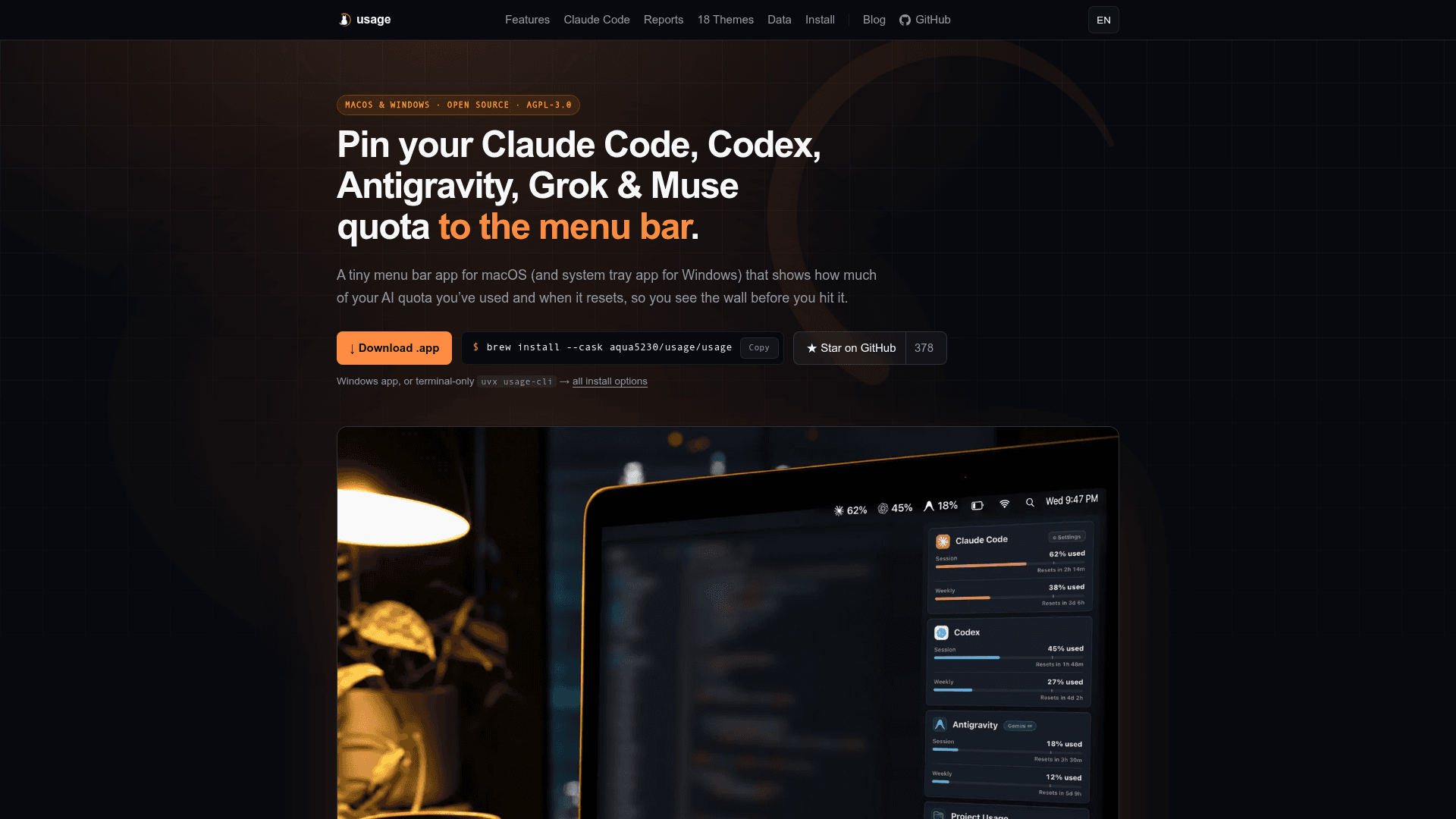
Menu bar and system tray app that shows Claude Code, Codex, Antigravity, Grok CLI and Muse Code 5-hour and weekly quota with reset countdowns.
At a Glance
Free, open-source quota monitor for Claude Code, Codex, Antigravity, Grok and Muse in the macOS menu bar or Windows system tray, licensed under AGPL-3.0.
Engagement
Available On
Listed Nov 2026
About usage
usage is an open-source (AGPL-3.0) app by aqua5230 that pins AI coding quota to the macOS menu bar or Windows system tray. It shows 5-hour session and weekly limits with reset countdowns for Claude Code, Codex, Antigravity, Grok CLI and Muse Code, and turns a quota red as it nears its limit. The latest release listed on GitHub is v0.35.2.
What It Is
usage is a quota monitor for AI coding CLIs. It reads data already on your machine: Claude Code, Codex, Grok CLI and Muse Code tokens and cost come from local logs, while Antigravity quota comes from its own CLI or Google's official endpoint using the sign-in the CLI already stores. Muse quota comes from muse usage --json. The project states it has no telemetry, no accounts and no uploads.
Monitoring and Reports
The panel shows session and weekly usage per tool, per-project token counts and estimated cost, and outage banners read from the public Claude and Codex status pages. Optional notifications fire at thresholds you choose. HTML reports cover daily and weekly token trends, project rankings and cost, and can be exported as .html, .csv or .png offline. usage status --json passes quota data to Starship, tmux or scripts, and uvx usage-cli runs a terminal interface that also works on Linux.
Helpers Inside Claude Code
A Claude Code status line shows quota, reset countdowns, context usage and prompt-cache warnings, nudging a /clear or /compact at 70% context. Optional, off-by-default helpers include a side pane for quotas, conversations and background jobs, Token Saver for shorter replies, Progress Concierge to resume where you left off, Beginner Mode, Quota-Aware Mode and an auto-start 5-hour timer.
Setup Path
Install with Homebrew (brew install --cask aqua5230/usage/usage), download the macOS .app or Windows zip from GitHub Releases, or run uvx usage-cli. Claude Code users click Set Up Status Line in the popover and restart Claude Code. It needs data from at least one supported tool or a running Claude Desktop app. There are 18 panel themes, and the UI follows the system language (English, Traditional or Simplified Chinese, Japanese, Korean).
Community Discussions
Be the first to start a conversation about usage
Share your experience with usage, ask questions, or help others learn from your insights.
Pricing
Open Source (AGPL-3.0)
Free, open-source quota monitor for Claude Code, Codex, Antigravity, Grok and Muse in the macOS menu bar or Windows system tray, licensed under AGPL-3.0.
- macOS menu bar app and Windows system tray app
- Terminal-only via uvx usage-cli
- Claude Code, Codex, Antigravity, Grok CLI and Muse Code quota tracking
- Outage alerts
- Reports and 18 themes
Capabilities
Key Features
- 5-hour and weekly quota with reset countdowns
- Claude Code, Codex, Antigravity, Grok CLI and Muse Code support
- Per-project token and cost breakdown
- Outage alerts from public status pages
- Quota threshold notifications
- Claude Code status line with context and prompt cache warnings
- Claude Code side pane
- Token Saver, Beginner Mode, Quota-Aware Mode and Progress Concierge helpers
- HTML, CSV and PNG usage reports
- usage status --json for scripts
- 18 panel themes
- Local-first with no telemetry