
Warp Code
An open-source agentic development environment built from the terminal, letting developers prompt, plan, and ship production code with AI agents across multiple models and repos.
At a Glance
For developers who want a modern terminal with support for agentic coding
Engagement
Available On
Alternatives
Updated Jul 2026
About Warp Code
Warp Code is the agentic coding surface of Warp's broader development environment, designed to let developers write rich prompts, let agents scope and plan work, review output inline, and ship to production — all without leaving the terminal. The platform is built by Warp, whose terminal client is open-source under AGPL-3.0 and has accumulated over 63,000 GitHub stars. Warp says the platform is used by over 800,000 developers and thousands of engineering teams.
What It Is
Warp Code is the coding-focused layer of Warp's Agentic Development Environment (ADE). It combines a modern terminal, a native file editor, codebase indexing, and AI agent orchestration into a single surface. Rather than switching between a code editor, a terminal, and a separate AI chat tool, developers stay in one interface: prompt an agent, review its plan, edit inline, and push to a PR. The underlying terminal client is written in Rust and is open-source; the cloud agent orchestration layer (called Oz) is a separate hosted platform.
How the Workflow Works
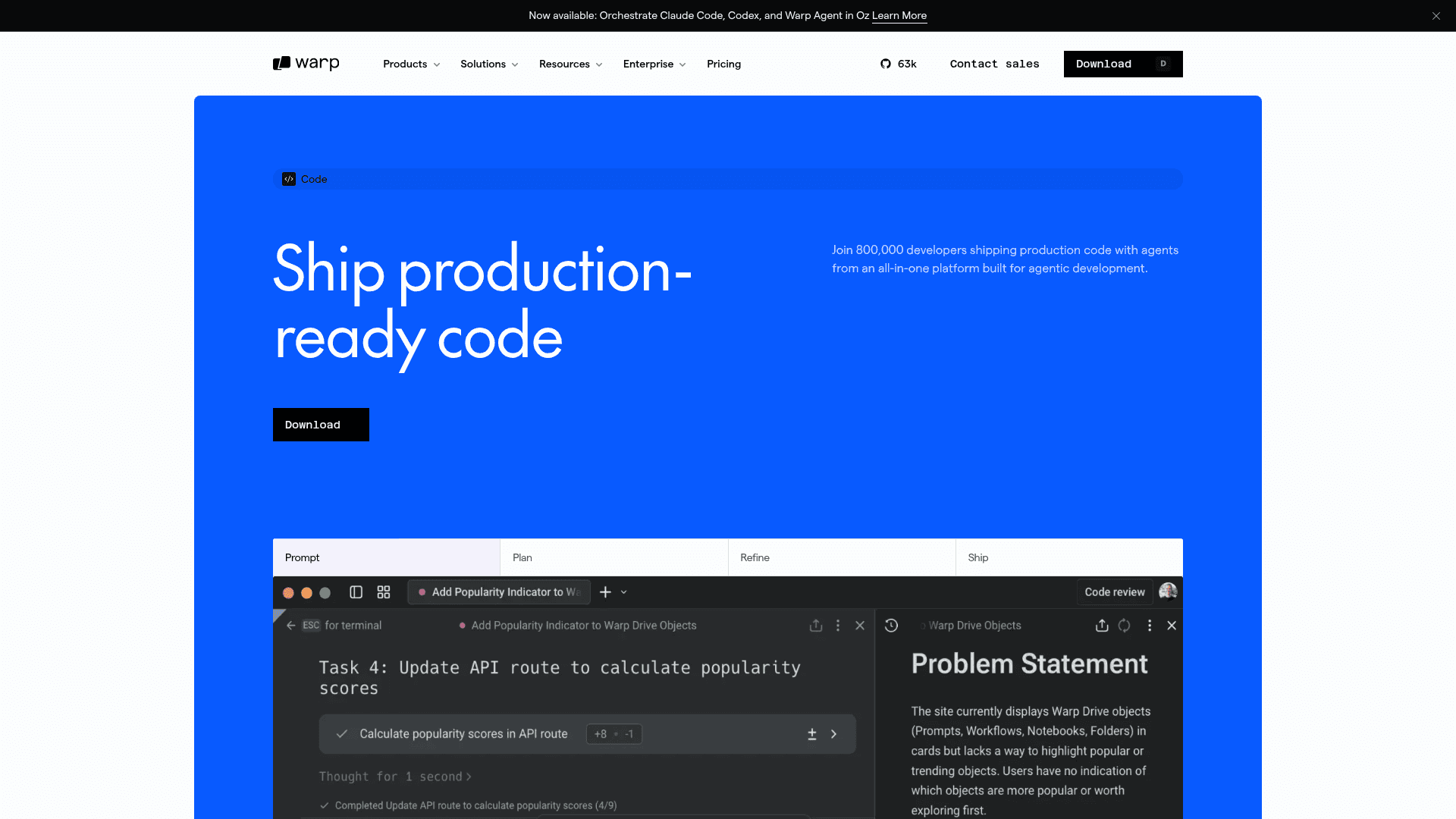
The core loop in Warp Code follows four stages the product page labels Prompt → Plan → Refine → Ship:
- Prompt: Write rich prompts with file references, images, and voice-to-text (via Wispr Flow integration).
- Plan: Agents scope the work, surface tradeoffs, and produce an editable plan before writing code.
- Refine: Review agent output inline, leave comments, and re-prompt with one click without breaking flow.
- Ship: Stay in the terminal from prompt to PR; open, edit, and save files in Warp's native file editor.
Multi-Model and Multi-Repo Architecture
Warp Code is multi-model by default. It provides instant access to frontier models from OpenAI, Anthropic, Google, and xAI, plus open-source models such as GLM 5.2 hosted on Fireworks AI in the US. A mixed-model routing mode called Auto selects the best model per step. The Oz agent layer supports multi-repo awareness, letting agents coordinate cross-team changes such as client-server contract updates or internal documentation across repositories. Oz agents also have Full Terminal Use (running interactive terminal commands) and Computer Use (verifying changes end-to-end).
Privacy and Security Controls
Warp Code includes a layered set of controls aimed at enterprise and security-conscious teams:
- Tunable agent autonomy from step-by-step approval to full autonomy, configurable at individual and org level
- Zero Data Retention agreements with supported LLM providers (Anthropic, OpenAI, Google, xAI, Fireworks AI)
- Secret redaction with custom regexes so sensitive values never reach a model
- Password manager integrations with 1Password and LastPass
- SAML-based SSO and role-based access control on higher-tier plans
- SOC 2 Type II attestation, with a public Trust Center
- One-click analytics and telemetry opt-out; real-time Network Log for transparency
MCP and Integrations
Warp Code supports the Model Context Protocol (MCP), allowing users to connect external services directly into the agent context. The product page lists Linear, Figma, Slack, and Sentry as examples of MCP-connected services. Codebase indexing supports large professional codebases with real-time indexing, and users can supply Rules, images, docs, and URLs to tailor agent responses.
Update: Open-Source Launch and Oz Multi-Harness Orchestration
Warp announced that Warp Terminal is now open-source, with the client codebase published under AGPL-3.0 (UI framework crates under MIT) on GitHub. The latest stable release is v0.2026.06.03.09.49.stable_00, published June 3, 2026. Separately, Warp launched multi-harness orchestration in Oz, enabling users to orchestrate Claude Code, Codex, and the Warp Agent together in cloud environments — mixing and matching agent harnesses across workflows. OpenAI is noted as the founding sponsor of the open-source repository, and the agentic management workflows in the repo are powered by GPT models according to the GitHub README.
Community Discussions
Be the first to start a conversation about Warp Code
Share your experience with Warp Code, ask questions, or help others learn from your insights.
Pricing
Free
For developers who want a modern terminal with support for agentic coding
- State-of-the-art modern terminal
- Bring your own AI inference
- Limited cloud agents access
- Use any harness in the cloud (beta)
- Individually configured data controls
Build
For developers who want flexible access to AI that scales with their usage
- Everything in Free
- 1,500 credits ($20 of included agent usage at API rates)
- Full Warp Agent access (frontier and open-source models)
- Reload credits with volume-based discounts, auto-reload, and team-wide spend cap
- Extended cloud agents access
- Highest codebase indexing limits (40 codebases, 100,000 files each)
- Unlimited Warp Drive objects and collaboration
- Unlimited cloud conversation storage
- Private email support
- 20 concurrent cloud agents
- 2 vCPU, 4 GiB RAM cloud agent compute
Max
For developers who need maximum AI capacity with all the flexibility of Build
- Everything in Build
- 18,000 credits (12× the included usage of Build)
- Reload credits with volume-based discounts, auto-reload, and team-wide spend cap
- 4 vCPU, 8 GiB RAM cloud agent compute
- 20 concurrent cloud agents
Business
For teams scaling AI-powered development (up to 25 seats)
- Everything in Build
- 1,500 credits per seat ($20 of included agent usage at API rates)
- Team usage metrics
- Admin-configurable data controls
- SAML-based SSO
- Up to 25 team members
- 80 concurrent cloud agents
- 8 vCPU, 16 GiB RAM cloud agent compute
- 80 indexed codebases
- Per-user and team aggregate usage reporting
- Team-wide spend cap
Enterprise
For organizations needing advanced control, security, and scale
- Everything in Business
- Unlimited seats
- Custom shared credit pools and usage terms
- Advanced spend controls
- Enterprise admin controls
- Enterprise data governance
- Enterprise Analytics API
- Multi-admin support
- Bring your own LLM
- Self-hosted cloud agents on your infrastructure
- Custom codebase indexing
- Cross-harness agent memory (Research Preview)
- White-glove onboarding and implementation engineer support
- Dedicated account manager and shared Slack channel
Capabilities
Key Features
- Multi-model AI agent support (OpenAI, Anthropic, Google, xAI, open-source models)
- Oz cloud agent orchestration with Full Terminal Use and Computer Use
- Multi-repo awareness for cross-team changes
- Native file editor for inline code edits
- Real-time codebase indexing
- MCP integrations (Linear, Figma, Slack, Sentry, and more)
- Rich prompt editor with file references, images, and voice-to-text
- Inline code review and re-prompting without breaking flow
- Tunable agent autonomy controls
- Secret redaction with custom regexes
- Password manager integrations (1Password, LastPass)
- SAML-based SSO and RBAC
- Zero Data Retention agreements with LLM providers
- SOC 2 Type II certified
- Bring your own API key or custom inference endpoint
- Multi-harness orchestration (Claude Code, Codex, Warp Agent)
- Warp Drive shared workflows and notebooks
- Session sharing and collaboration
- Team usage metrics and spend caps
- Self-hosted cloud agents (Enterprise)