
Yardlet
A free, open-source native macOS app that runs the real Claude Code, Codex, OpenCode and other coding agent CLIs side by side with their existing sign-ins.
At a Glance
Free and open source native macOS app under the MIT License, with no Yardlet account or subscription.
Engagement
Available On
Listed Nov 2026
About Yardlet
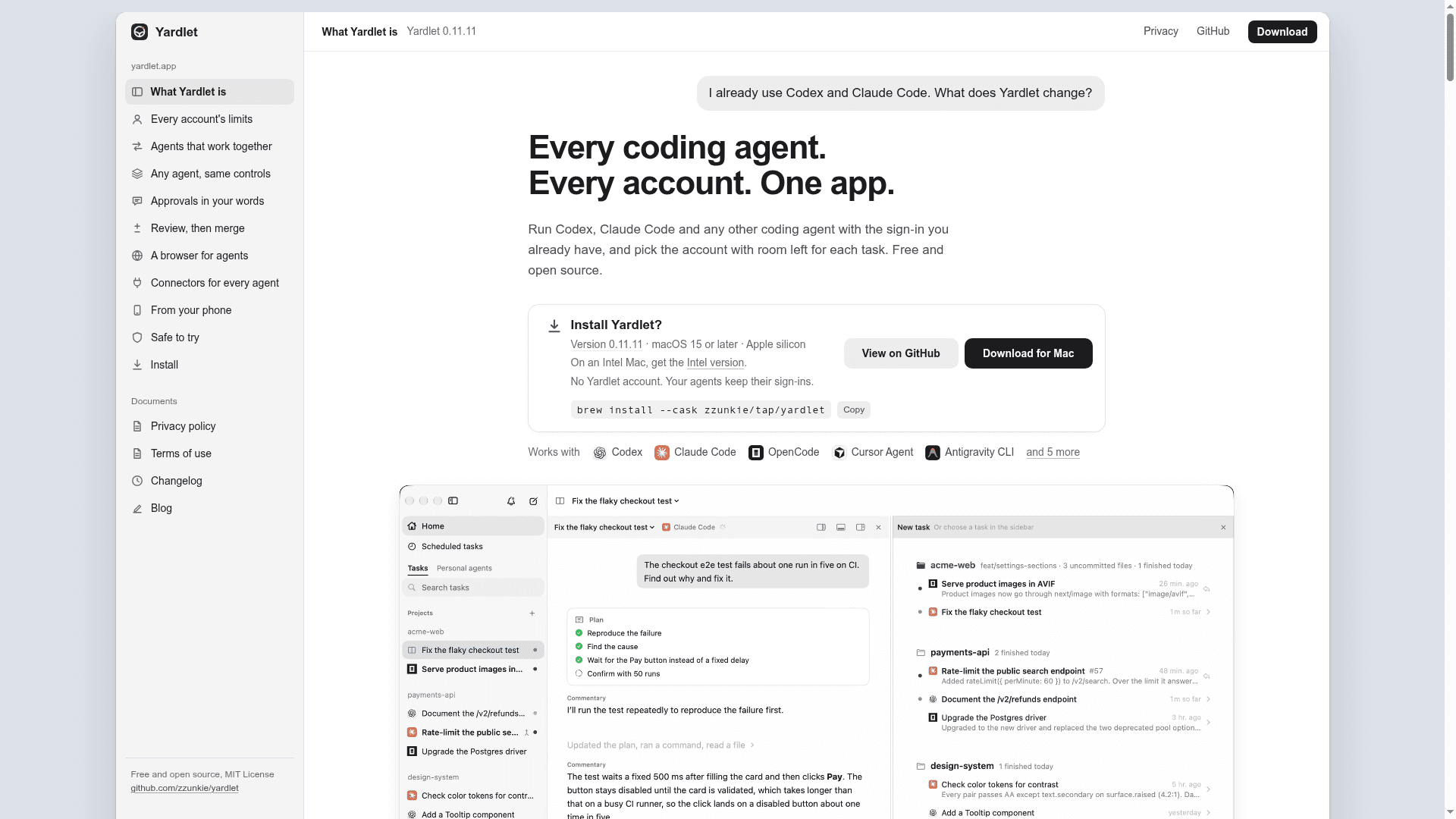
Yardlet is a free, open-source native macOS app, written in Swift and SwiftUI and released under the MIT License by zzunkie. It starts the real CLIs of coding agents such as Codex, Claude Code and OpenCode in one window of projects and tasks. Each agent keeps its own agent loop, sign-in and session history, and Yardlet writes nothing into the agents' settings.
What It Is
Yardlet is an agent workbench for people who use several coding agents and accounts. It gives agents like Codex, Claude Code, OpenCode, Cursor Agent, Antigravity CLI, Kimi Code, Grok Build, Hermes Agent, Muse Code and Pi a shared sidebar, conversation view, composer and approval cards. It requires at least one agent CLI to be installed and signed in. Sessions stay in each agent's own store, so a session started in Yardlet can resume in the original app or CLI and the other way round.
Accounts, handoffs and review
Yardlet shows each account's session and weekly limits, supports more than one account per provider, and can start a new task on the account with the most room left. Codex, Claude Code and agents that use ACP get session tools that let one task read, message or start another, run a subagent on a different agent, wait for results, and schedule work while Yardlet is open. When one agent passes your approval to another, your own words travel with it and Yardlet refuses to send quotes that are not in your messages. For review, it offers diffs of the last turn, file restore and fork, a terminal, a files pane, and a pull request card that follows checks through your own gh and offers Fix CI.
Browser, connectors and phone
A built-in Chromium panel lets agents drive a browser while you watch, filling saved sign-ins from Yardlet's vault without seeing the password. Connectors for Gmail, Google Calendar, Google Drive and Apple Calendar, Reminders and Contacts run through a built-in MCP server on your Mac, and GitHub, Slack and other remote MCP services connect with one sign-in. An Android companion app, documented as in testing, pairs by QR code to answer approvals and start tasks over end-to-end encrypted messages.
Privacy and setup
Yardlet states it has no analytics and no server that receives your work; its online services are a daily update check and, if you pair a device, an encrypted relay. It requires macOS 15 or later on Apple silicon or Intel, and can be installed from a notarized disk image or Homebrew. Windows and Linux are not supported yet.
Community Discussions
Be the first to start a conversation about Yardlet
Share your experience with Yardlet, ask questions, or help others learn from your insights.
Pricing
Free
Free and open source native macOS app under the MIT License, with no Yardlet account or subscription.
- MIT License
- No Yardlet account or subscription
- Runs real agent CLIs (Claude Code, Codex, OpenCode, Cursor Agent, Antigravity CLI and others) side by side
- Multiple accounts per provider with limit display
- Agents' own plans and terms are paid separately to those providers (external cost)
Capabilities
Key Features
- Runs real coding agent CLIs side by side in one window
- Per-account session and weekly limit display with automatic account selection
- Session tools for tasks to read, message, start and schedule other tasks
- Approval quoting verified against your own messages
- Diff review, file restore, fork, terminal and files pane
- Pull request card with checks via gh and Fix CI
- Built-in Chromium browser agents can drive with a credential vault
- Connectors via built-in MCP server and remote MCP services
- Git worktree per task
- Token usage tracking from local transcripts
- Keep tasks working with lid closed option
- Android remote app for approvals and starting tasks
- Mailbox view for Gmail, Outlook and IMAP