
Ara
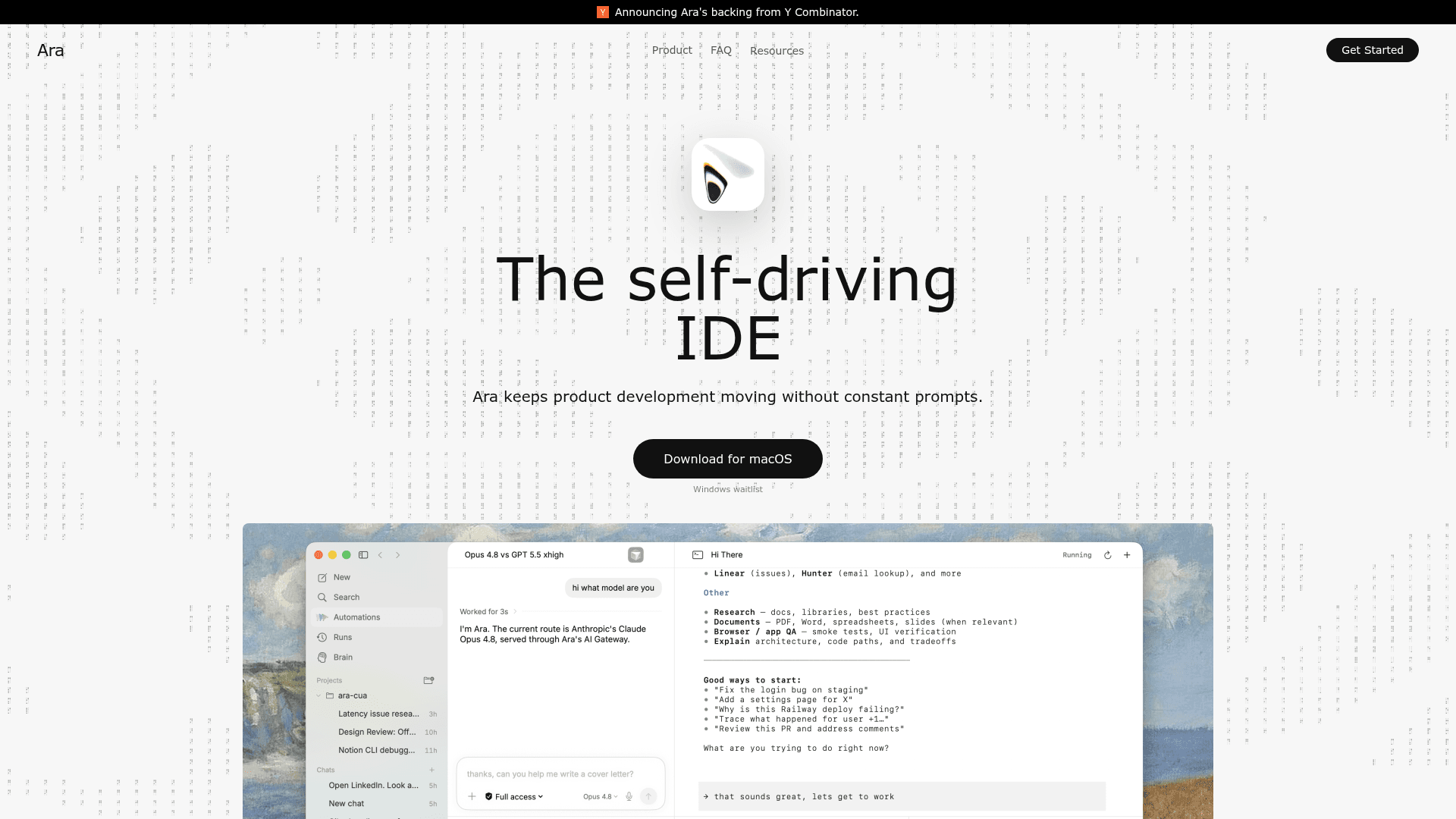
Ara is a self-driving IDE for macOS that keeps product development moving through scheduled agents, background workflows, and recurring development loops without constant prompts.
At a Glance
About Ara
Ara is a macOS desktop IDE built by Ara Software, a Y Combinator-backed company, that positions itself as a "self-driving IDE" — one that keeps product development moving without requiring constant user prompts. It is currently available for macOS, with a Windows waitlist open. The company describes its mission as re-thinking how humans interact with computers, with agents as the next evolution beyond the keyboard.
What It Is
Ara is an AI-powered integrated development environment that turns product work into autonomous agents capable of running scheduled tasks, background workflows, and recurring development loops. Rather than waiting for the next prompt, Ara is designed to act continuously — scheduling work, learning from workflows, and using memory to improve subsequent runs. The product targets developers and builders who want to reduce manual steering in their day-to-day coding and product workflows.
How the Agent Infrastructure Works
Ara's agent capabilities are built around several core components:
- Hermes Cron: Schedules agents to run recurring product-development loops automatically.
- Hermes Skills: Captures learned workflows as reusable "skills" so future runs start with more context and sharper instructions.
- Memory: A persistent memory graph that helps Ara understand the codebase and remember results across sessions.
- Mac computer use: Allows Ara to act directly in local macOS native apps, closing the loop between instruction and execution.
Together, these components form what the product page calls "mission control" — a unified workspace spanning chats, files, browsers, terminals, and review panes.
The Self-Improving Development Loop
A distinctive design principle in Ara is the skills system. When Ara learns a workflow, it can preserve the method as a skill, so the next run starts with accumulated context and reduced manual steering. The product page describes this as making "the development loop self-improving." This is paired with memory that persists across agent runs, giving Ara a growing understanding of a project over time.
Platform and Deployment Model
Ara is a native macOS desktop application. The About page explains the team started with Mac because their target users "live in macOS native apps," with iPhone, Windows, and Linux described as future phases. The product roadmap outlined on the About page follows three phases: voice-first dictation, agent capabilities, and ubiquity across every device and surface. The company is backed by Y Combinator, with investors described as founders of YC, Stripe, Anthropic, and OpenAI.
Current Status and Availability
Ara is actively available for download on macOS. A Windows waitlist is open. The FAQ states that every new account receives $100 of free usage credits with no credit card required to start. The company publishes regular news and research posts, with entries dated as recently as February 2026, indicating active product development. The team is also actively hiring engineers, designers, and researchers.
Community Discussions
Be the first to start a conversation about Ara
Share your experience with Ara, ask questions, or help others learn from your insights.
Pricing
Free Credits
Every new Ara account gets $100 of free usage credits to try real Mac workflows before paying. No credit card required.
- $100 free usage credits
- No credit card required
- Agent runtime, tool work, and model calls covered by credits
- Real-time usage visibility
Usage-Based
Credits cover Ara usage including agent runtime, tool work, and model calls. Usage is shown in-product as you go.
- Agent runtime
- Tool work
- Model calls
- Shared team policies
- Centralized roles
- Audit visibility
Capabilities
Key Features
- Scheduled agent workflows via Hermes Cron
- Reusable skills system for self-improving development loops
- Persistent memory graph for codebase understanding
- Mac computer use for acting in local native apps
- Mission control workspace with chat, files, browser, terminal, and review panes
- Multi-agent support with background workflows
- Shared team policies, centralized roles, and audit visibility
- No training on user data
- $100 free usage credits for new accounts
- No credit card required to start