
BRAVO
BRAVO is an AI-powered employee recognition and rewards platform that automates peer-to-peer appreciation, tracks performance milestones, and delivers engagement analytics for distributed teams.
At a Glance
About BRAVO
BRAVO is an AI-powered employee recognition and rewards platform built by WorkHub Platform Inc., headquartered in Campbell, California. The platform targets organizations ranging from small startups to large enterprises, offering tools for peer-to-peer recognition, rewards redemption, pulse surveys, goal tracking, and AI-driven engagement analytics. It is actively available as a web and mobile application with native integrations for Slack and Microsoft Teams.
What It Is
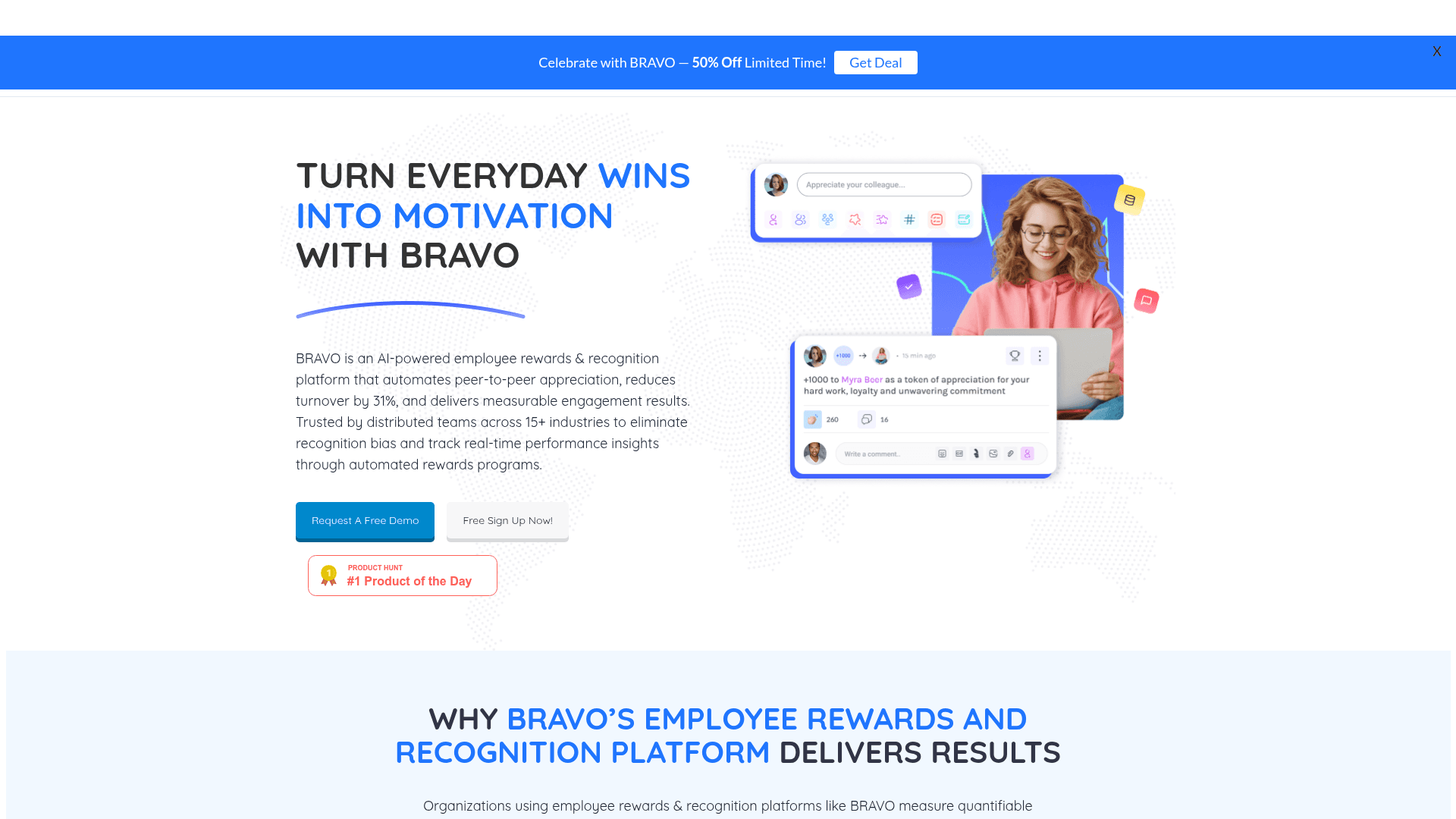
BRAVO sits in the employee recognition and engagement software category. Its core job is to make workplace appreciation systematic and measurable — replacing ad-hoc manager shout-outs with an automated, data-backed recognition program. The platform issues BRAVO Points that employees earn through recognition and redeem from a global rewards catalog spanning gift cards, merchandise, charitable donations, and custom company perks. A social recognition feed makes appreciation visible company-wide, while AI-driven nudges prompt managers and peers before recognition moments are missed.
How the AI Layer Works
BRAVO's AI capabilities are central to its differentiation from manual recognition programs. According to the product site, the AI engine:
- Detects performance milestones across connected tools (Slack, Microsoft Teams, Jira, Salesforce) and auto-suggests timely recognition prompts
- Runs sentiment analysis to identify recognition gaps and flag underappreciated team members
- Monitors bias-free distribution, alerting admins when recognition is disproportionately concentrated in certain departments or locations
- Generates smart reward-amount recommendations based on achievement significance
- Powers eNPS and pulse survey analysis, flagging declining engagement scores for manager intervention
Platform Architecture and Integrations
BRAVO is delivered as a cloud-based web application with iOS and Android mobile apps. The platform connects natively with Slack and Microsoft Teams so employees can send and receive recognition without leaving their primary communication tools. The FAQ page lists integrations with Workday, BambooHR, SAP SuccessFactors, Jira, Salesforce, LinkedIn, and Zapier, with the homepage claiming 60+ HR tool integrations total. Single sign-on (SSO) support and automated employee data sync are listed as enterprise-tier capabilities. Setup for Slack and Teams integrations is described as taking under 10 minutes.
Rewards Catalog and Global Reach
Employees accumulate BRAVO Points and redeem them through a marketplace the site describes as covering 40+ countries. Redemption options include:
- Digital gift cards (Amazon, Starbucks, Visa, Target)
- Merchandise and experiences (event tickets, spa days)
- Donations to 1,000+ charities
- Custom internal rewards such as extra PTO or parking spots
The site states average redemption time is 48 hours. Admins control reward budgets through monthly caps, real-time spend tracking, and automatic alerts.
Target Audience and Deployment Model
BRAVO's product page segments its audience into three groups: small teams and startups (culture-building from day one), mid-sized companies (AI automation to reduce HR workload), and enterprises (60+ integrations with global analytics). The platform is positioned as a standalone recognition tool that does not require a full performance management suite, which the site contrasts with competitors like Lattice. The vendor claims implementation takes under two hours.
Recognition Signals and Awards
The BRAVO homepage and features page display third-party recognition badges from Capterra, G2 (Spring 2025 SMB), GetApp Leaders 2025, SoftwareAdvice FrontRunners 2025, Crozdesk Quality Choice and Happiest Users 2025, SourceForge 2024, TrustRadius, Trustpilot, and a ProductHunt Golden Kitty Award. These are vendor-displayed badges and represent third-party review platform designations rather than independently verified rankings.
Community Discussions
Be the first to start a conversation about BRAVO
Share your experience with BRAVO, ask questions, or help others learn from your insights.
Pricing
Starter Trial
7-day free trial of the Starter plan for up to 10 employees.
- Up to 10 employees
- Full 360-degree recognition
- Extensive North American rewards option
- Custom Reward options
Starter
Recognition platform for up to 10 employees with a one-time setup cost.
- Up to 10 employees
- Full 360-degree recognition
- Extensive North American rewards option
- Custom Reward options
Growth
Recognition platform for up to 20 employees with surveys and analytics.
- Up to 20 employees
- Full 360-degree recognition
- Extensive North American rewards option
- Custom Reward options
- Employee engagement surveys
- Analytics & insights
Enterprise
Custom pricing for teams of more than 20 employees with full feature access including TV display view.
- More than 20 employees
- Full 360-degree recognition
- Extensive North American rewards option
- Custom Reward options
- Employee engagement surveys
- Analytics & insights
- TV-display view
Capabilities
Key Features
- AI-powered recognition suggestions
- Peer-to-peer recognition
- BRAVO Points rewards system
- Social recognition feed
- Gamification and leaderboards
- Achievement badges
- Pulse surveys and eNPS tracking
- Anonymous feedback
- Goal and OKR-linked recognition
- Employee milestone tracking (anniversaries, birthdays)
- Manager enablement weekly reports
- Bias detection and recognition distribution tracking
- Sentiment analysis for engagement gaps
- Global rewards marketplace (40+ countries)
- Digital gift cards and merchandise redemption
- Charitable donation rewards
- Custom internal rewards (PTO, parking)
- BRAVO Wallet with real-time balance tracking
- Analytics and reporting dashboards
- Retention and ROI analytics
- Mobile app (iOS and Android)
- Slack and Microsoft Teams native integration
- SSO support
- Automated employee data sync with HRIS
- TV display view (Enterprise)