
Cotlet
Cotlet is a hosted MCP server and REST API that lets AI agents work in apps that have no API, using a cloud browser you sign in to yourself.
At a Glance
7 days with 2,000 credits on every new account, access to every app.
Engagement
Available On
Listed Nov 2026
About Cotlet
Cotlet, run by Take Group sp. z o.o. in Katowice, Poland, gives AI agents access to apps that have no usable API or MCP server. Users sign in to each app once in their own cloud-hosted Chrome, enable it for agents, and the agent then works in that account through one hosted MCP server or a REST API. The catalog on the homepage lists 306 apps, and the GitHub README lists 259 apps in 11 categories.
What It Is
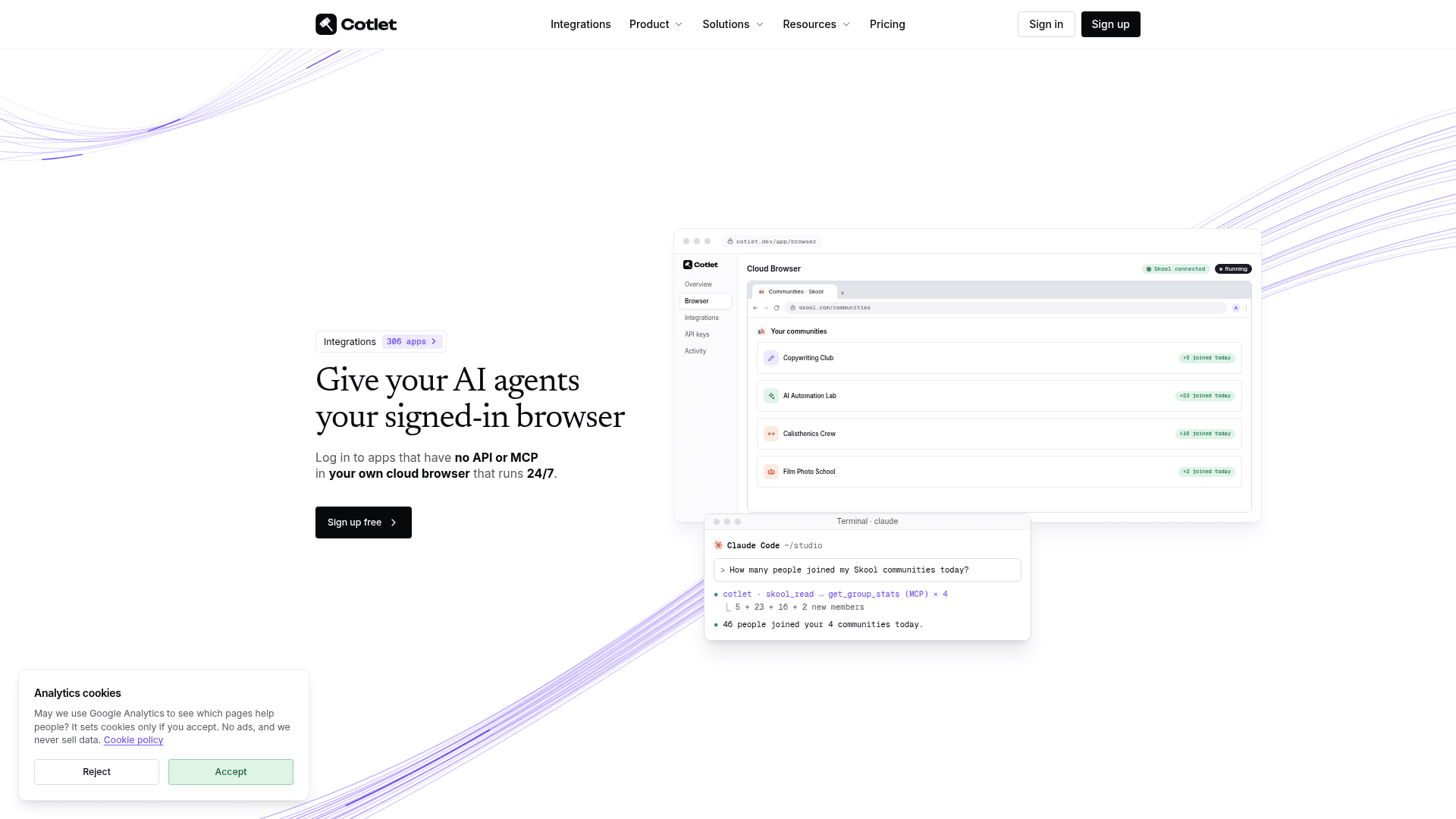
Cotlet is a hosted bridge between AI agents and signed-in web apps. Each user gets a Cloud Browser, a personal Chrome instance in the cloud, one per app, on a residential IP in the country they choose. The user logs in there personally, passes any CAPTCHA or MFA checks, and presses Enable for agents as read only or read and write. Cotlet says it never saves passwords and stores the signed-in profile encrypted.
Cotlet builds and maintains the tools for each app in its catalog. Each app is exposed as a read tool and a write tool over MCP, such as skool_read and skool_write, and the same operations are available as REST endpoints.
How the Workflow Runs
A user signs up, picks apps, signs in to them in the Cloud Browser, and adds the MCP URL to an agent, for example with a claude mcp add command. Agents can then ask for tasks such as counting new community members, moving bookings, sending invoices or pulling reports. Calls send the same requests the browser would, and each is listed in a Background activity log. When no tool covers a task, the agent can drive the Cloud Browser itself through MCP browser tools or Chrome DevTools sessions with Playwright or Puppeteer.
Access Controls and Reliability
API keys can be scoped to specific apps and to read-only or read-write access. Actions that reach other people, such as posts and messages, wait for user approval by default. Cotlet states it tests every integration every 6 hours, pauses ones that break, and does not charge for failed calls. It says it does not solve CAPTCHAs, bypass MFA, or automate LinkedIn, Instagram or unlicensed banks.
Clients and Integrations
The docs and README describe setup for Claude Code, Claude Desktop, ChatGPT, Cursor, Codex, Cline, n8n, Make, Zapier and any MCP client. Node.js and Python SDKs and a CLI are listed in the docs. The GitHub repository hosts documentation, and Cotlet also links self-hosted, noncommercial Python servers for some individual apps.
Community Discussions
Be the first to start a conversation about Cotlet
Share your experience with Cotlet, ask questions, or help others learn from your insights.
Pricing
Free trial
7 days with 2,000 credits on every new account, access to every app.
- 2,000 credits
- Try every app before you buy a pack
- Nothing to cancel
$29 credit pack
One-time credit pack, valid 12 months, $5.80 per 1,000 credits.
- $5.80 per 1,000 credits
- Valid 12 months
- Every app, MCP and REST with one key
- Packs stack
- 10 to 100 credits per successful call; 50 credits per Cloud Browser per day; 5 credits per minute of browser control
$79 credit pack
One-time credit pack, valid 12 months, $5.27 per 1,000 credits.
- $5.27 per 1,000 credits
- Valid 12 months
- Every app, no limit
- MCP and REST, one key
- Packs stack
$149 credit pack
One-time credit pack, valid 12 months, $4.66 per 1,000 credits.
- $4.66 per 1,000 credits
- Valid 12 months
- Packs stack
$249 credit pack
One-time credit pack, valid 12 months, $4.15 per 1,000 credits.
- $4.15 per 1,000 credits
- Valid 12 months
- Packs stack
Enterprise
For more credits, a DPA or status webhooks.
- More credits
- DPA
- Status webhooks
Capabilities
Key Features
- Personal Cloud Browser that stays signed in 24/7
- Hosted remote MCP server (Streamable HTTP)
- REST API with the same operations as MCP
- Read and write tools per app with scoped API keys
- Approval step for actions that reach other people
- Background activity log of every request
- Agent-driven browser control via MCP browser tools or Chrome DevTools
- Catalog of 300+ apps with integrations tested every 6 hours
- Node.js and Python SDKs and CLI
- Encrypted browser profile with password saving disabled