
Eva
Open-source, self-hosted platform that runs coding agents in cloud sandboxes to plan, build, verify and open pull requests on your repositories.
At a Glance
MIT-licensed, self-hosted Eva core. No managed cloud version; you run it on your own infrastructure.
Engagement
Available On
Listed Oct 2026
About Eva
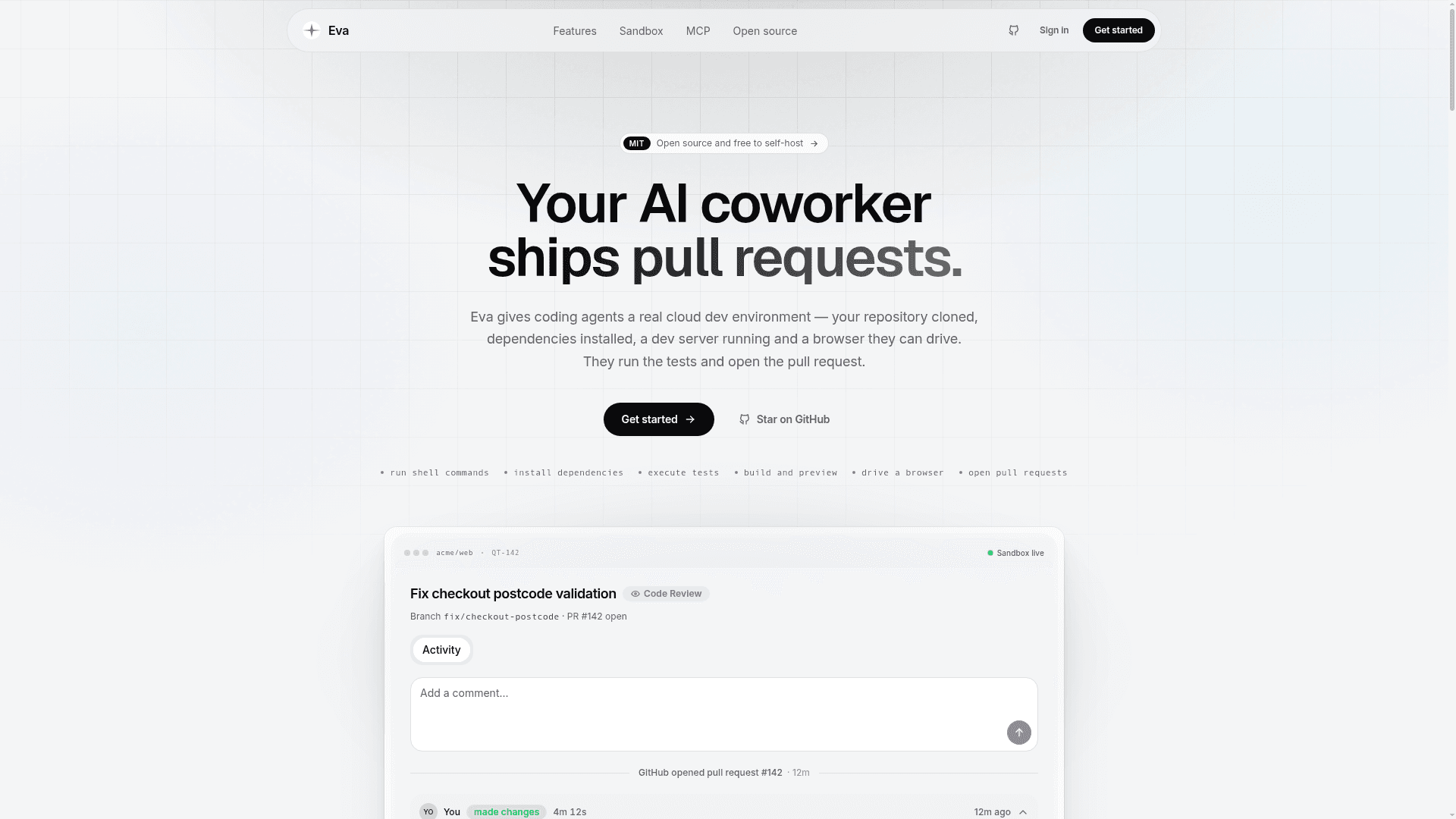
Eva is an MIT-licensed, self-hosted platform that gives coding agents a real cloud dev environment: a VM with the repository cloned, dependencies installed, a running dev server and a browser they can drive. Agents run shell commands and tests, build the app and open pull requests. Eva is developed by Vedant Bhopatrao, and there is no managed cloud version.
What It Is
Eva orchestrates sandboxed agents that run remotely and in parallel while you work. You connect a GitHub repository, build a sandbox snapshot for fast startup, start a live session or a quick task, then review the diff and preview and open a PR. It works with agent CLIs including Claude Code, Codex, opencode and Cursor, running on Vercel Sandbox.
Plan, Build, Verify, Operate
Planning covers collaborative documents (PRDs and specs agents read during tasks) and projects with kanban, timeline, list and table views. Building offers Sessions, a live sandbox with preview, terminal, file tree, editor and an agent-controlled browser, and Quick Tasks for parallel self-contained changes. Verification includes Reviews with an AI recap posted as a sticky PR comment, a Testing Arena that evaluates the codebase against document requirements, configurable Audits, and screenshot or video proof. Operations include cron-scheduled Automations (report-only or auto-fix), Snapshots, Skills synced from .agents/skills, Stats, Inbox and Teams.
Sandbox Environment
Snapshots bundle the OS, Node 24, pnpm, Docker Engine, git, gh, ripgrep, ffmpeg, a desktop with Google Chrome, agent CLIs, Convex and Supabase CLIs, and optional database seeds. Snapshot builds normally take about six minutes, and a missing snapshot falls back to a fresh clone and tooling install.
MCP Integration
Eva acts as both MCP server and client. External clients such as Claude Desktop connect over OAuth 2.1 to around 25 tools, including read-only Convex and Postgres queries, task creation, document access and PR recaps. Every sandbox also launches Eva as an MCP server so agents can call back mid-task. Eva can host agent-built HTML dashboard artifacts, and a Chrome extension provides an on-page toolbar for annotating apps and filing tasks.
Self-Hosting Setup
Self-hosting requires Node.js 20+, pnpm 10, and Convex, Clerk, Vercel (with Sandbox API access) and GitHub App accounts. The stack is Vite, TanStack Router, React 19, Tailwind, Convex and SendGrid for email.
Community Discussions
Be the first to start a conversation about Eva
Share your experience with Eva, ask questions, or help others learn from your insights.
Pricing
Self-hosted (MIT)
MIT-licensed, self-hosted Eva core. No managed cloud version; you run it on your own infrastructure.
- MIT licensed
- Self-hosted only; no managed cloud version
- Requires your own Convex, Clerk, Vercel Sandbox and GitHub App accounts (external costs)
- Plan, build, verify and operate features including sessions, quick tasks, reviews, automations, snapshots
- MCP server and client, Chrome extension
Capabilities
Key Features
- Cloud sandbox VMs with repo cloned and dev server running
- Live sessions with preview, terminal, file tree, editor and agent-controlled browser
- Parallel quick tasks
- Collaborative documents and projects
- PR reviews with AI recap sticky comments
- Testing Arena for requirement gap analysis
- Audits and proof via screenshots and video
- Cron-scheduled automations
- Prebuilt sandbox snapshots
- Agent skills sync
- MCP server and client
- Hosted HTML artifacts
- Chrome extension toolbar
- Teams and monorepo support
- Self-hosted under MIT license