
EveryDev.ai
Subscribe
Home
Tools

3,076+ AI tools

  • New
  • Trending
  • Featured
  • Compare
  • Arena
Categories
  • Agents2063
  • Coding1441
  • Infrastructure665
  • Marketing524
  • Projects470
  • Research437
  • Design408
  • Analytics371
  • MCP268
  • Security265
  • Testing255
  • Data249
  • Integration183
  • Prompts183
  • Communication172
  • Learning166
  • Extensions163
  • Voice146
  • Commerce132
  • DevOps115
  • Web84
  • Finance24
AI Tools by Topic
  • AI Coding Assistants
  • Agent Frameworks
  • MCP Servers
  • AI Prompt Tools
  • Vibe Coding Tools
  • AI Design Tools
  • AI Database Tools
  • AI Website Builders
  • AI Testing Tools
  • LLM Evaluations
Follow Us
  • X / Twitter
  • LinkedIn
  • Reddit
  • Discord
  • Threads
  • Bluesky
  • Mastodon
  • YouTube
  • GitHub
  • Instagram
Get Started
  • About
  • Editorial Standards
  • Corrections & Disclosures
  • Community Guidelines
  • Advertise
  • Contact Us
  • Newsletter
  • Submit a Tool
  • Start a Discussion
  • Write A Blog
  • Share A Build
  • Terms of Service
  • Privacy Policy
Explore with AI
  • ChatGPT
  • Gemini
  • Claude
  • Grok
  • Perplexity
Agent Experience
  • llms.txt
Theme
With AI, Everyone is a Dev. EveryDev.ai © 2026
    1. Home
    2. Tools
    3. Glow
    Glow icon

    Glow

    Command Line Assistants

    A terminal-based markdown reader and TUI for the CLI that renders markdown with styling, paging, and local file discovery.

    Visit Website

    At a Glance

    Pricing
    Open Source

    Fully open-source under the MIT License. Free to use, modify, and distribute.

    Engagement

    Available On

    Windows
    macOS
    Linux
    Android
    API

    Resources

    WebsiteDocsGitHubllms.txt

    Topics

    Command Line AssistantsDocumentationProductivity Extensions

    Alternatives

    Clean ClodemqHelix
    Developer
    CharmNew York, NYEst. 2019$10000000 raised

    Listed May 2026

    About Glow

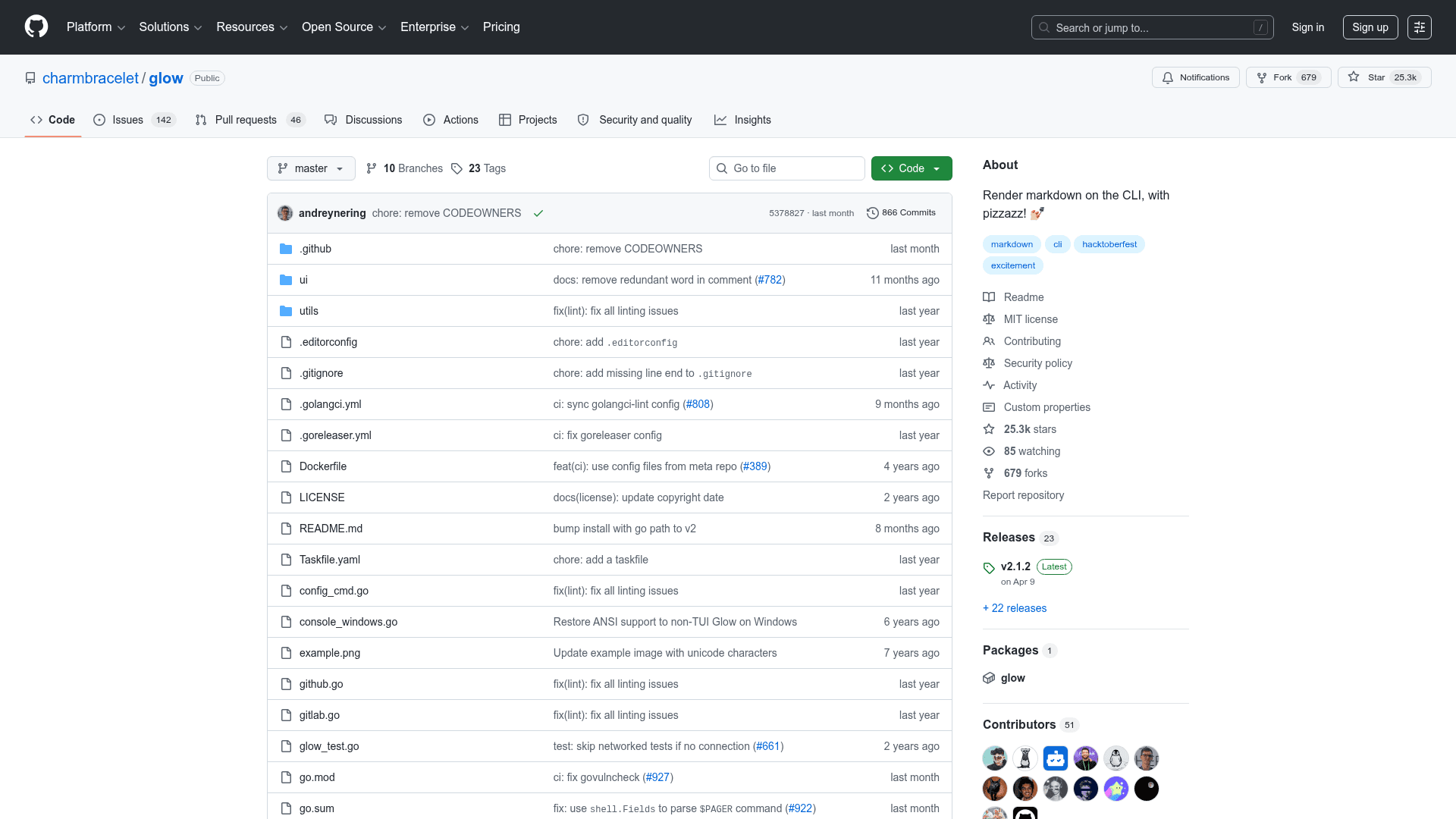
    Glow is an open-source, terminal-based markdown reader built by Charm, written in Go and released under the MIT License. It renders markdown directly in the command line with rich styling, making documentation and markdown files readable without leaving the terminal. The project has accumulated over 25,000 GitHub stars since its creation in November 2019.

    What It Is

    Glow is a CLI tool and textual user interface (TUI) for reading and browsing markdown files in the terminal. It belongs to the category of command-line document viewers, sitting alongside tools like bat and less but focused specifically on markdown rendering with visual polish. The core job is transforming raw markdown syntax into a styled, readable format directly in your shell — no browser or GUI required.

    How It Works

    Glow operates in two modes:

    • TUI mode: Run glow without arguments to launch an interactive browser that discovers markdown files in the current directory, subdirectories, or the root of a local Git repository. Files open in a high-performance pager with familiar less-style keybindings.
    • CLI mode: Pass a file path, stdin, a GitHub/GitLab repo URL, or any HTTP URL to render markdown directly. Supports word-wrap control (-w), pager output (-p), and custom styles (-s).

    Glow uses the Glamour library for styling, which supports dark and light themes as well as custom JSON stylesheets. It auto-detects terminal background color to choose the appropriate theme automatically.

    Installation and Platform Support

    Glow is available across a wide range of platforms and package managers:

    • macOS/Linux: Homebrew, MacPorts, Nix, Snap, Debian/Ubuntu APT, Fedora/RHEL YUM, Arch Linux pacman, Void Linux, Solus
    • Windows: Chocolatey, Scoop, Winget
    • Android: Termux
    • FreeBSD/OpenBSD: pkg
    • Go install: go install github.com/charmbracelet/glow/v2@latest (requires Go 1.21+)
    • Pre-built binaries for macOS, Linux, Windows, FreeBSD, and OpenBSD — including ARM builds — are available on the GitHub releases page.

    Configuration

    Glow supports a glow.yml config file (opened via glow config) for persisting flags like style, pager mode, word-wrap width, mouse support, line numbers, and hidden file visibility. This avoids repeating flags on every invocation.

    Update: v2.1.2

    The latest release is v2.1.2, published on April 9, 2026. The repository was last pushed to on April 26, 2026, indicating active maintenance. The project is part of the broader Charm ecosystem of terminal UI tools and libraries.
    Glow - 1

    Community Discussions

    Be the first to start a conversation about Glow

    Share your experience with Glow, ask questions, or help others learn from your insights.

    Pricing

    OPEN SOURCE

    Free

    Fully open-source under the MIT License. Free to use, modify, and distribute.

    • Full markdown rendering in the terminal
    • Interactive TUI for file browsing
    • CLI mode for file, stdin, URL, and GitHub/GitLab inputs
    • Dark/light theme auto-detection
    • Custom JSON stylesheet support

    Capabilities

    Key Features

    • Render markdown in the terminal with rich styling
    • Interactive TUI for browsing local markdown files
    • Auto-discovers markdown files in directories and Git repos
    • High-performance pager with less-style keybindings
    • Read from file, stdin, GitHub/GitLab URLs, or HTTP URLs
    • Dark and light theme auto-detection based on terminal background
    • Custom JSON stylesheet support via Glamour
    • Word-wrap control with -w flag
    • Pager output with -p flag
    • Persistent configuration via glow.yml
    • Mouse wheel support in TUI mode
    • Line number display in TUI mode
    • ARM build support for macOS, Linux, FreeBSD, OpenBSD

    Integrations

    Homebrew
    MacPorts
    Nix
    Snapcraft
    APT (Debian/Ubuntu)
    YUM (Fedora/RHEL)
    pacman (Arch Linux)
    Chocolatey
    Scoop
    Winget
    Termux
    pkg (FreeBSD)
    Go modules
    GitHub
    GitLab
    Glamour (styling library)
    API Available
    View Docs

    Ratings & Reviews

    No ratings yet

    Be the first to rate Glow and help others make informed decisions.

    Developer

    Charm

    Charm builds tools and libraries that make the command line delightful. The team creates popular open-source projects including Bubble Tea, Lip Gloss, Glow, and other terminal UI frameworks used by developers worldwide. Charm focuses on bringing beauty and functionality to terminal interfaces.

    Founded 2019
    New York, NY
    $10000000 raised
    18 employees

    Used by

    Individual developers and teams…
    Read more about Charm
    WebsiteGitHubX / Twitter
    2 tools in directory

    Similar Tools

    Clean Clode icon

    Clean Clode

    A free, open-source browser tool that transforms messy Claude Code and Codex terminal output into clean, human-readable text — entirely client-side with no data collection.

    mq icon

    mq

    A jq-like command-line tool written in Rust that lets you query, filter, map, and transform Markdown documents using a familiar syntax.

    Helix icon

    Helix

    A post-modern modal text editor written in Rust, featuring multiple selections, built-in language server support, and tree-sitter syntax highlighting for the terminal.

    Browse all tools

    Related Topics

    Command Line Assistants

    AI-powered command-line assistants that help developers navigate, search, and execute terminal commands with intelligent suggestions and context awareness.

    175 tools

    Documentation

    AI-driven tools that automatically generate, maintain, and organize technical documentation, user guides, and project artifacts with context-aware content and intelligent updating.

    70 tools

    Productivity Extensions

    Extensions and plugins that improve workflow and productivity.

    78 tools
    Browse all topics
    Back to all toolsSuggest an edit
    ratings
    discussions
    16views