Google Colab
A free cloud-based Jupyter notebook environment that lets you write and execute Python code in your browser with access to GPUs and TPUs.
At a Glance
Basic access to Colab with free GPU usage
Engagement
Available On
Listed Feb 2026
About Google Colab
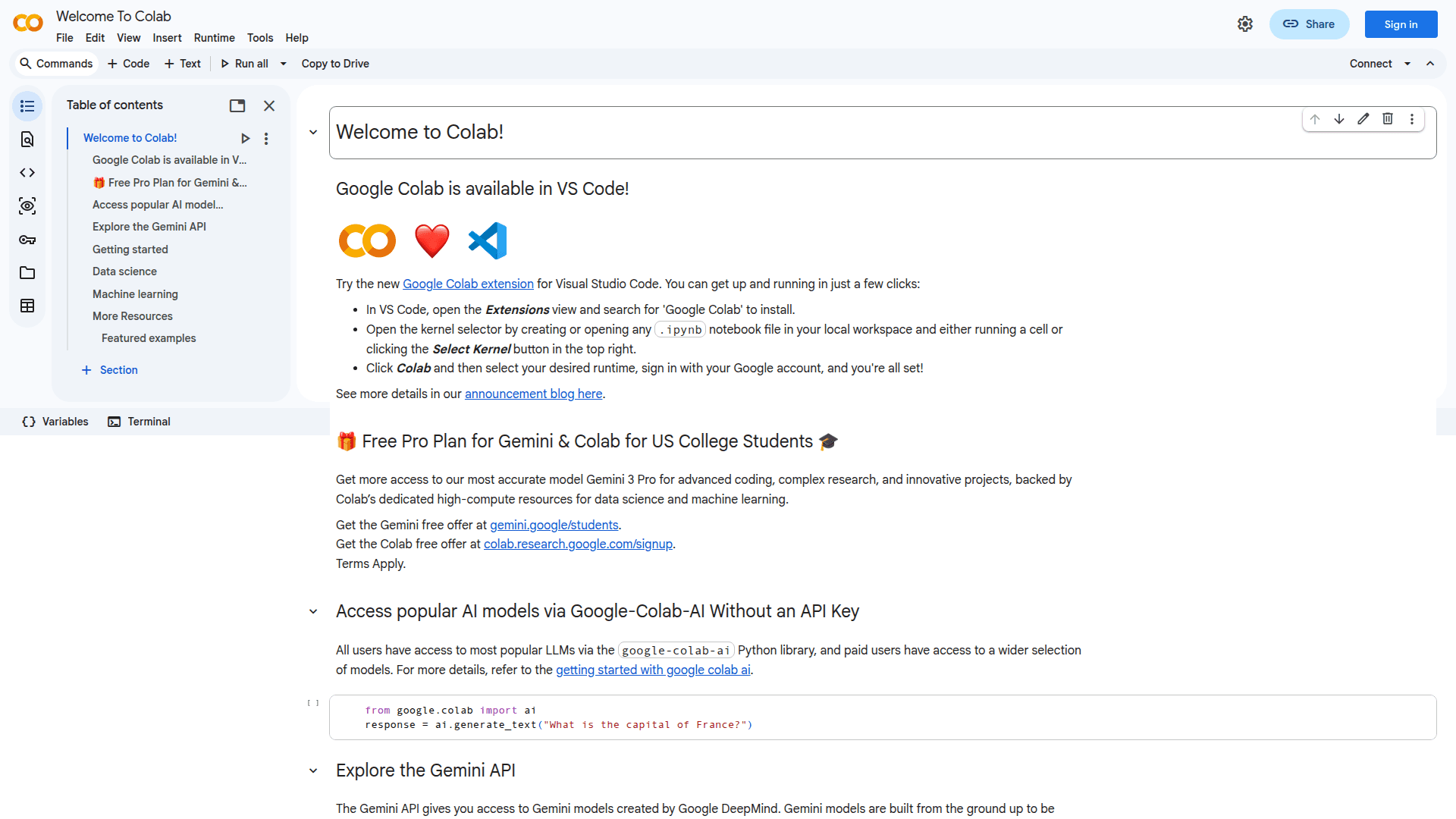
Google Colab (Colaboratory) is a free, cloud-hosted Jupyter notebook environment that enables users to write and execute Python code directly in their browser. It requires zero configuration, provides free access to GPUs and TPUs, and makes sharing notebooks effortless. Colab is widely used by students, data scientists, and AI researchers for machine learning, data analysis, and collaborative coding projects.
- Zero Configuration Required - Start coding immediately without any setup or installation; everything runs in the cloud on Google's servers.
- Free GPU and TPU Access - Leverage powerful hardware accelerators including GPUs and TPUs at no cost, enabling faster training of machine learning models.
- Google Drive Integration - Notebooks are automatically stored in your Google Drive account, making it easy to organize, access, and share your work.
- Easy Collaboration - Share notebooks with co-workers or friends, allowing them to comment on or edit your notebooks in real-time.
- Rich Text and Code Combination - Combine executable code with rich text, images, HTML, and LaTeX in a single document for comprehensive documentation.
- Popular Library Support - Full access to popular Python libraries like NumPy, Matplotlib, TensorFlow, and pandas for data science and machine learning tasks.
- Gemini AI Integration - Access AI-powered features including code generation, explanations, and the google-colab-ai Python library for accessing popular LLMs without an API key.
- VS Code Extension - Use Google Colab directly within Visual Studio Code through the official extension for a seamless development experience.
- Data Import Flexibility - Import data from Google Drive, spreadsheets, GitHub, and many other sources directly into your notebooks.
- RAPIDS cuDF Support - Accelerate pandas operations with zero code changes using GPU-powered libraries like RAPIDS cuDF.
To get started, simply visit colab.research.google.com and sign in with your Google account. Create a new notebook or open an existing one, and start writing Python code in code cells. Execute cells by clicking the play button or pressing Ctrl+Enter. Your notebooks are automatically saved to Google Drive, and you can share them with others using the Share button.
Community Discussions
Be the first to start a conversation about Google Colab
Share your experience with Google Colab, ask questions, or help others learn from your insights.
Pricing
Free
Basic access to Colab with free GPU usage
- Access to GPUs free of charge
- Google Drive storage
- Easy sharing and collaboration
- Access to popular Python libraries
- Basic AI features powered by Gemini
Colab Pro
Enhanced compute resources and features for power users
- Faster GPUs
- More memory
- Longer runtimes
- Background execution
- Access to wider selection of AI models via google-colab-ai
Capabilities
Key Features
- Cloud-based Jupyter notebooks
- Free GPU and TPU access
- Zero configuration required
- Google Drive integration
- Real-time collaboration
- Rich text and code combination
- Gemini AI-powered features
- VS Code extension support
- Data import from multiple sources
- RAPIDS cuDF acceleration
- Interactive forms and widgets
- GitHub integration
- BigQuery integration
- LaTeX support
- Image and HTML embedding
Integrations
Demo Video