EveryDev.ai
Subscribe
Home
Tools

5,901+ AI tools

  • Featured
  • Gems
  • Trending
  • New
  • Rate tools
  • Compare
  • Arena
Categories
  • Agents2972
  • Coding2248
  • Infrastructure1067
  • Projects818
  • MCP794
  • Research744
  • Analytics565
  • Marketing527
  • Design488
  • Testing476
  • Data442
  • Security412
  • Integration288
  • Communication284
  • Prompts283
  • Extensions238
  • Voice213
  • DevOps190
  • Commerce183
  • Web128
  • Learning123
  • Finance44
AI Tools by Topic
  • AI Coding Assistants
  • Agent Frameworks
  • MCP Servers
  • AI Prompt Tools
  • Vibe Coding Tools
  • AI Design Tools
  • AI Database Tools
  • AI Website Builders
  • AI Testing Tools
  • LLM Evaluations
Follow Us
  • X / Twitter
  • LinkedIn
  • Reddit
  • Discord
  • Threads
  • Bluesky
  • Mastodon
  • YouTube
  • GitHub
  • Instagram
Get Started
  • Users
  • Rate Tools
  • About
  • Editorial Standards
  • Corrections & Disclosures
  • Community Guidelines
  • Advertise
  • Contact Us
  • Newsletter
  • Submit a Tool
  • Start a Discussion
  • Write A Blog
  • Share A Build
  • Terms of Service
  • Privacy Policy
Explore with AI
  • ChatGPT
  • Gemini
  • Claude
  • Grok
  • Perplexity
Agent Experience
  • llms.txt
Theme
With AI, Everyone is a Dev. EveryDev.ai ©
    1. Home
    2. Tools
    3. Grokked Bot
    Grokked Bot icon

    Grokked Bot

    Autonomous Systems
    Featured

    Open-source bot harness that runs AI teammates with their own containerized desktop, browser and shell on your own Mac or Linux computer.

    Visit Website

    At a Glance

    Pricing
    Paid
    Self-Hosted, Pricing Unpublished: Custom/contact

    Engagement

    Available On

    macOS
    Linux
    Web
    API
    CLI

    Resources

    WebsiteDocsGitHubllms.txt

    Topics

    Autonomous SystemsBrowser AutomationAgent Harness

    Alternatives

    Browser Use DesktopAtlas fro. InsaneArtsPhone Harness
    Developer
    Alfred Nutilesee https://DailyAi.Studio or https://www.youtube.com/@Alfre…

    Listed Nov 2026

    About Grokked Bot

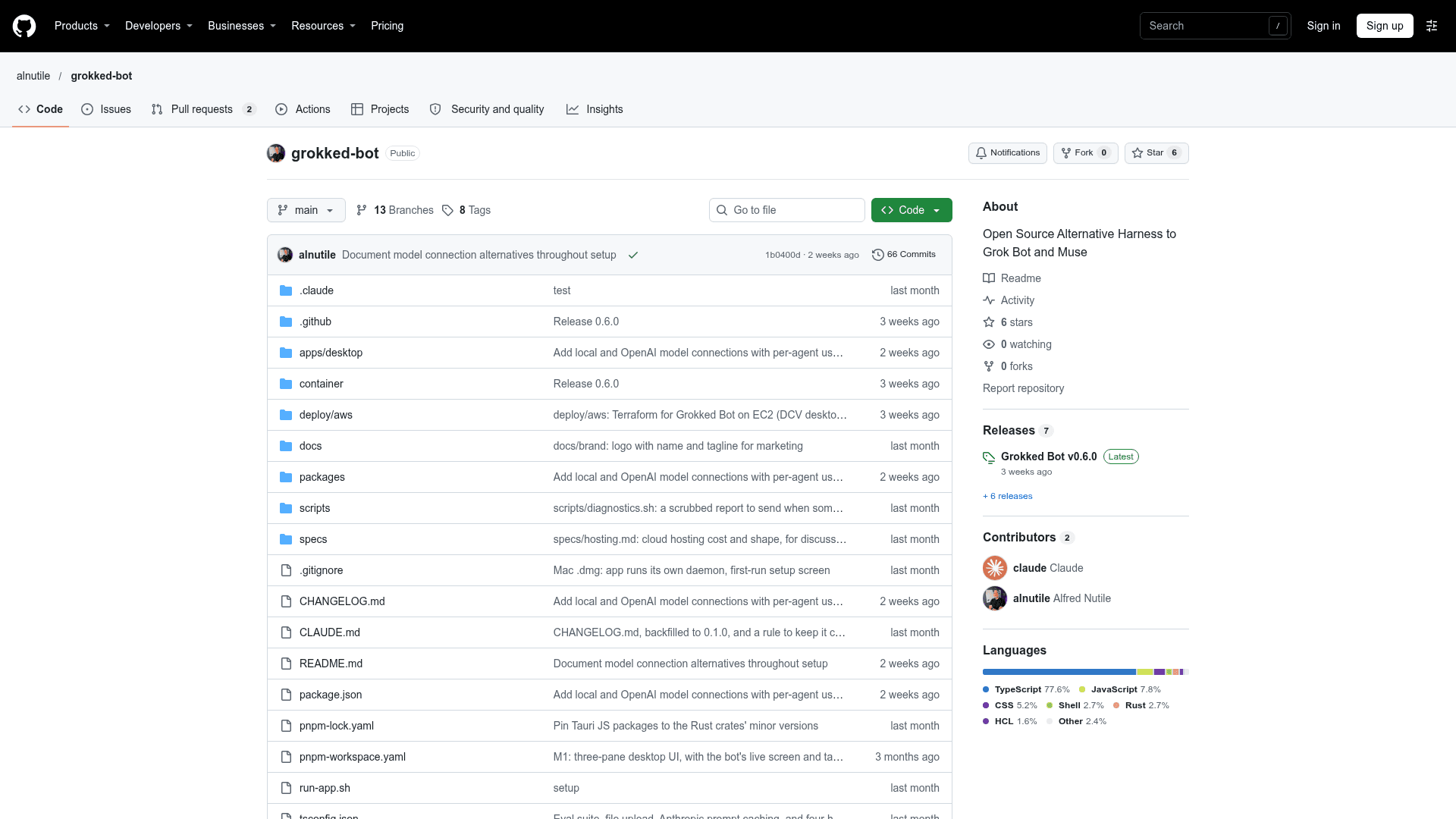
    Grokked Bot is an open-source bot harness published by GitHub user alnutile. It lets you message an AI bot like a colleague while the bot works in its own containerized computer, with a real desktop, a logged-in Chrome browser and a shell, on hardware you already own. The latest listed release is v0.6.0.

    What It Is

    Grokked Bot runs an agent loop in a local daemon and gives each bot its own Docker container containing Xvfb, openbox, Google Chrome, a terminal and a file manager. You pick the model through OpenRouter, a direct OpenAI key, or a local OpenAI-compatible server. The README says it is inspired by Grok Bot and Claude Cowork, but uses a container on your own machine instead of a rented cloud VM.

    You watch the bot's live screen, can take over the mouse and keyboard at any moment, and hand control back so it continues from the page you left.

    How a Bot Works

    Each bot has its own browser profile, logins, files and shell. Per-bot tabs cover details such as instructions, an enforced site allowlist, model and per-message limits, plus environment variables, Slack, SSH keys, triggers and media. The agent drives the browser by accessibility refs rather than pixel coordinates, and uses tools for browsing, shell and file editing, and schedules. It can stop and ask a human when it hits a login wall or CAPTCHA.

    Coding, Triggers and Automation

    A bot can clone a repository, install runtimes on demand, edit code, run tests, commit, push a branch, open a pull request and respond to CI failures when given a GitHub token. Bots can be started by webhooks or cron schedules, including schedules the bot creates itself on request. An HTTP and WebSocket API and a CLI are available, along with an eval suite of twelve tasks for comparing models.

    Safety and Setup

    The domain allowlist is enforced inside the container, page text is fenced as untrusted, and saved passwords are encrypted and typed by the daemon without the model seeing them. Spending, step and time caps limit runs. Docker and about 5 GB of disk for the bot's computer are needed. The README notes that approvals, persistent memory and learned routines are not built yet.

    Install Options

    Installers exist for macOS (Apple Silicon and Intel) and Linux (.deb and AppImage), or you can run from source as a systemd user service. A Terraform setup for AWS is also described.
    Grokked Bot - 1

    Community Discussions

    Be the first to start a conversation about Grokked Bot

    Share your experience with Grokked Bot, ask questions, or help others learn from your insights.

    Pricing

    Self-Hosted, Pricing Unpublished

    Grokked Bot publishes self-hosting instructions and downloads. The project hasn’t published a software price or license. Your own hardware and model usage may carry separate costs.

    Custom
    contact sales
    • Self-host on Mac or Linux
    • Use OpenRouter, OpenAI or a compatible local model server
    View official pricing

    Capabilities

    Key Features

    • Per-bot Docker container with headful Chrome, terminal and file manager
    • Live screen view with human take-over and hand-back
    • Model choice via OpenRouter, OpenAI or local OpenAI-compatible servers
    • Per-bot site allowlist enforced in the container
    • Saved logins encrypted and hidden from the model
    • Per-bot environment variables, SSH keys and Slack integration
    • Webhooks and cron schedules as triggers
    • Coding workflow with git, pull requests and CI handling
    • HTTP and WebSocket API and CLI
    • Usage and cost tracking by bot, provider, model and role
    • Eval suite of twelve tasks
    • Spending, step and time caps

    Integrations

    OpenRouter
    OpenAI
    Ollama
    LM Studio
    Docker
    Slack
    GitHub
    Tailscale
    Google Chrome
    Terraform
    AWS
    API Available
    View Docs

    Ratings & Reviews

    No ratings yet

    Be the first to rate Grokked Bot and help others make informed decisions.

    Rate other tools you’ve used

    Developer

    Alfred Nutile

    see https://DailyAi.Studio or https://www.youtube.com/@AlfredNutile No code, low code, automation, ai Consultant and Builder

    Read more about Alfred Nutile
    WebsiteGitHubLinkedInX / Twitter
    1 tool in directory

    Similar Tools

    Browser Use Desktop icon

    Browser Use Desktop

    A desktop app that runs a team of browser agents on your computer, porting your cookies into a fresh Chromium so agents are logged in everywhere you are.

    Atlas fro. InsaneArts icon

    Atlas fro. InsaneArts

    Open-source macOS tool that gives AI agents a hidden second desktop to click, type and test apps while you keep working.

    Phone Harness icon

    Phone Harness

    An open-source CLI harness that lets an LLM agent control a real iPhone via macOS iPhone Mirroring using screencapture, Vision OCR, and HID-level CGEvents — no jailbreak required.

    Browse all tools

    Related Topics

    Autonomous Systems

    AI agents that can perform complex tasks with minimal human guidance.

    567 tools

    Browser Automation

    AI-powered agents that autonomously navigate and interact with web applications to automate repetitive tasks, extract data, fill forms, and perform web-based workflows using intelligent understanding of page structure and content.

    208 tools

    Agent Harness

    Infrastructure, orchestrators, and task runners that wrap around LLM coding agents — covering session management, context delivery, worktree isolation, architecture enforcement, and issue-to-PR pipelines.

    475 tools
    Browse all topics
    Back to all toolsSuggest an edit
    ratings
    discussions