Kero
A native macOS terminal workspace with project-based session management, split panes, Git integration, and a built-in file tree — free and open-source under GPLv3.
At a Glance
Fully free to download and use, no subscription or account required. Source code available under GPLv3.
Engagement
Available On
Alternatives
Listed Aug 2026
About Kero
Kero is a native macOS terminal workspace built by egoist, available free and open-source under the GPLv3 license. It organizes terminal work around projects rather than windows, embeds Ghostty's terminal core (libghostty) for rendering, and ships with Git and file-tree panels so developers can review and ship without leaving the terminal.
What It Is
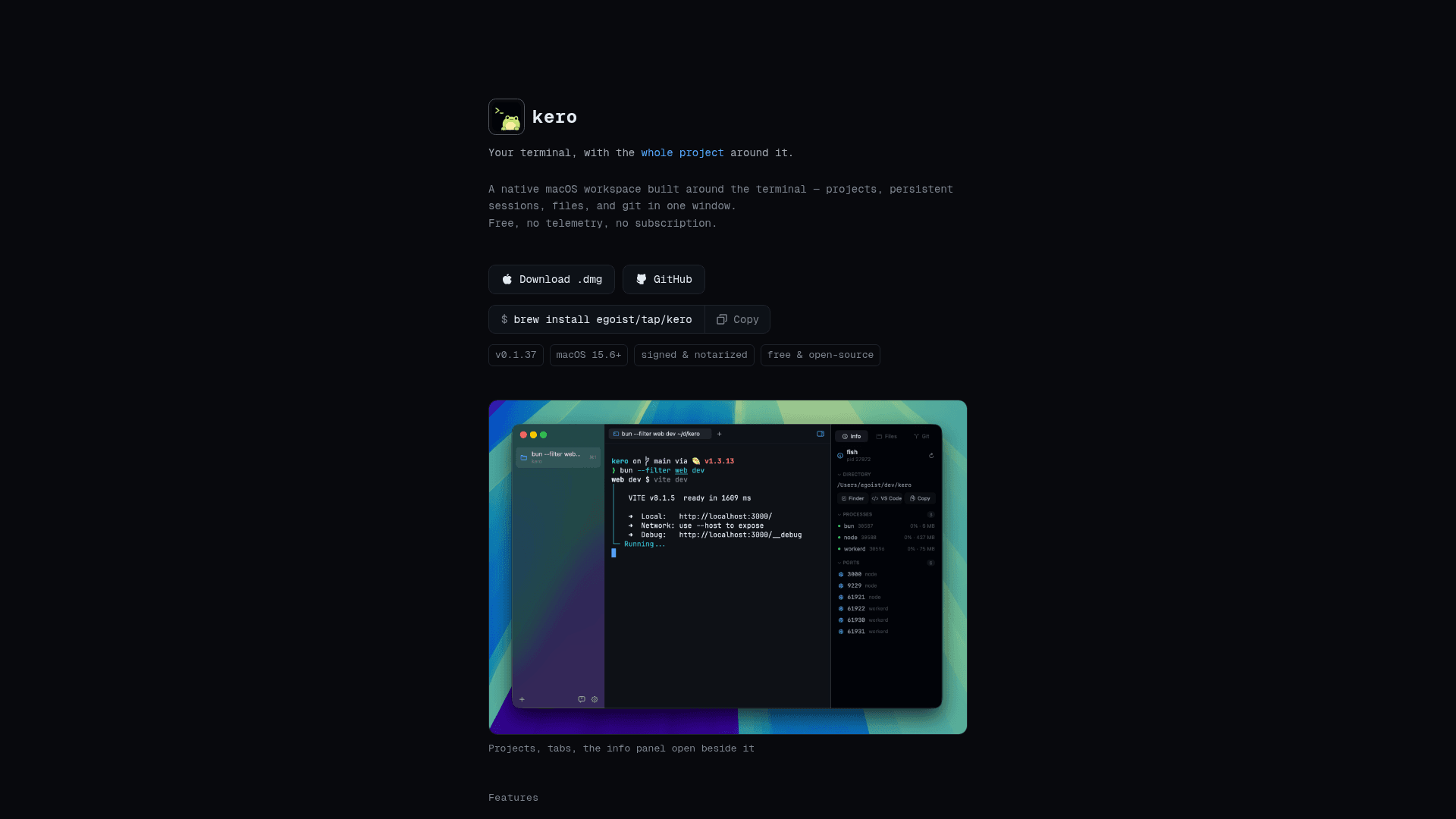
Kero is a macOS desktop terminal application that replaces the traditional window-per-session model with a project-centric sidebar. Each repository or working directory becomes a named project; within each project, users open as many terminal tabs as needed, split panes horizontally or vertically, and restore the full layout on relaunch. The terminal engine is libghostty — the same core used by the Ghostty terminal — embedded natively in a Swift application.
How the Project Model Works
The core organizational unit in Kero is the project, not the window:
- Sidebar navigation — Cmd+1–9 switches between projects; Cmd+N adds a new one.
- Sessions per project — Cmd+T opens a new tab; each tab has its own working directory and scrollback buffer.
- Split panes — Cmd+D splits right, Cmd+Shift+D splits down; Opt+Cmd+arrows moves focus between panes.
- Persistent layout — quitting and relaunching restores projects, tabs, and pane arrangement; each shell reopens fresh in its previous directory with prior scrollback visible above a "Session Contents Restored" divider.
- Command palette — Cmd+P jumps to any project, session, or command.
Git and Files Without Leaving the Terminal
Kero adds a Git panel (Cmd+Shift+G) that sits beside the active shell and supports staging, unstaging, discarding, committing, amending, branch switching, branch creation, fetch, fast-forward pull, push, upstream publishing, and stashing. Inline diffs open in place when a changed file is clicked. A separate Files panel (Cmd+Shift+E) browses the working tree with tree-sitter syntax highlighting and Cmd+S saving, and a Session Info panel (Cmd+Shift+I) shows running processes and the TCP ports they are listening on.
Terminal Fidelity and Shell Compatibility
Kero explicitly does not replace the user's shell. Zsh, fish, and bash run exactly as configured — prompt, aliases, and dotfiles are untouched. The libghostty rendering core handles OSC 9;4 progress bars (displayed as a slim bar above the terminal with error and pause states), desktop notifications for bell events and notification escapes, and font rendering with JetBrains Mono and Nerd Font symbols bundled by default. Any monospace family can be substituted.
Open-Source Deployment Model
The source code is hosted at github.com/egoist/kero under GPLv3. The project is written primarily in Swift and also supports an optional Alacritty backend in addition to the default libghostty backend. Builds are signed and notarized by Apple, distributed via a .dmg download from releases.kero.sh, and also installable via Homebrew (brew install egoist/tap/kero). Quiet background updates are handled by Sparkle. The project collects no telemetry and makes no network calls beyond the Sparkle update check.
Current Status: v0.1.37
The current release is v0.1.37, targeting macOS 15.6 and later. The GitHub repository was created in July 2026 and shows active development, with the last push recorded on August 1, 2026. The project has accumulated 726 stars and 59 forks on GitHub as of that date. The FAQ confirms the app is free to download with no subscription and no account required.
Community Discussions
Be the first to start a conversation about Kero
Share your experience with Kero, ask questions, or help others learn from your insights.
Pricing
Free & Open Source
Fully free to download and use, no subscription or account required. Source code available under GPLv3.
- All terminal workspace features
- Project-based session management
- Split panes
- Git panel
- Files panel
Capabilities
Key Features
- Project-based terminal organization with sidebar navigation
- Multiple terminal sessions (tabs) per project
- Split panes (horizontal and vertical)
- Persistent session and layout restore on relaunch
- Command palette (Cmd+P)
- Git panel: stage, unstage, discard, commit, amend, branch, fetch, pull, push, stash
- Inline file diffs
- Files panel with tree-sitter syntax highlighting and save support
- Session info panel showing running processes and TCP ports
- Built on libghostty (Ghostty terminal core)
- Optional Alacritty backend
- Shell-agnostic: zsh, fish, bash with full dotfile support
- OSC 9;4 progress bar support
- Desktop notifications for bell and notification escapes
- JetBrains Mono and Nerd Font symbols bundled
- Signed and notarized macOS builds
- Quiet background updates via Sparkle
- No telemetry, no analytics
- Homebrew installation support