
Local Commander
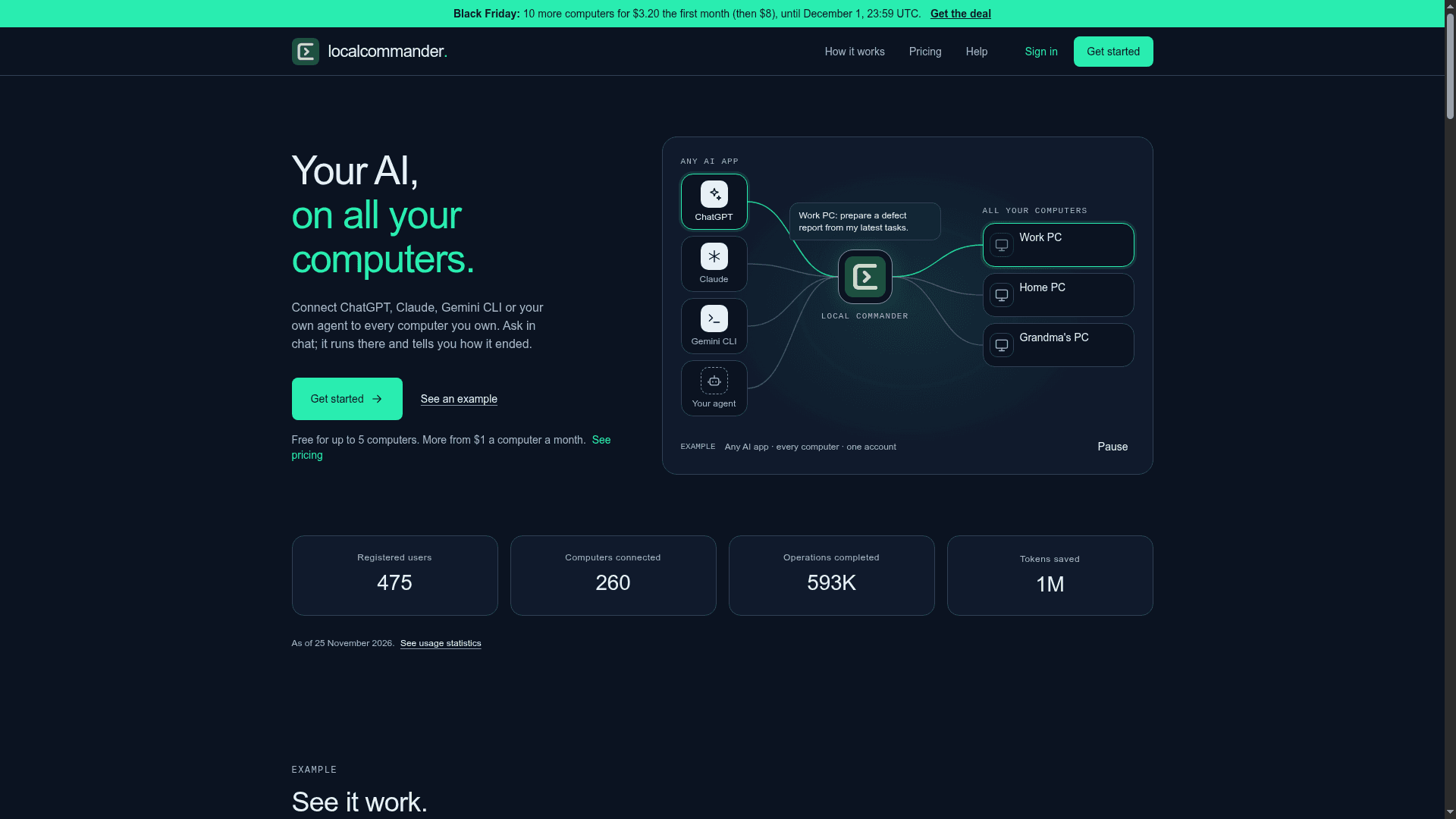
Connects ChatGPT, Claude, Gemini CLI or your own MCP-capable agent to your computers so requests made in chat run on the machine you choose.
At a Glance
Free for one person and up to 5 computers, for personal or work use. No card, no trial countdown.
Engagement
Available On
Listed Nov 2026
About Local Commander
Local Commander is maintained by Peter Mamrukov. It lets an AI app that supports remote MCP with OAuth send commands, file operations and scripts to computers you have paired, then reports how each request ended: done, failed or unknown.
What It Is
Local Commander is a bridge between AI chat apps and your own machines. You install a small agent on each computer, approve it in your browser, and add the MCP address to ChatGPT, Claude, Gemini CLI, Cursor or another MCP-capable client. From there you can ask the AI to work on a specific computer, for example to find files, run tests, prepare a report, check a VPN error or deploy a site.
How the workflow runs
Setup is one install command per computer (via npx) for Windows, macOS on Apple Silicon, or Linux. You then approve either full access to your user account or only chosen folders. Each request shows which computer ran it, the tool used for every step and the outcome. Independent tasks run in parallel, while work on the same folder waits its turn. If a computer drops mid-task, the work is marked unknown and is not re-run on a guess. Activity, usage statistics and CSV/JSON export are available in the dashboard.
Access and safety model
The agent connects outward over an encrypted line and does not open a port on the computer. It is not a sandbox: work runs with your user account's permissions, and the vendor suggests a separate user account for stronger isolation. On Windows, specific commands can be blocked. Access for a computer or AI client can be removed from the dashboard. The AI works through commands, files and scripts, and the site states it cannot click buttons in program windows yet. Commands and results pass through the vendor's service.
Requirements and clients
The site lists Windows 11 x64 (the help page also says Windows 10 64-bit is supported), macOS 14 or later on Apple Silicon, or Linux with a systemd user session (Ubuntu 24.04 x64 or arm64), plus Node.js 20 or later. Setup guides cover ChatGPT, Claude and Cursor, with additional plugins for Gemini CLI, Kiro, Devin, Grok Build, LM Studio and others. An MIT edition is also published.
Community Discussions
Be the first to start a conversation about Local Commander
Share your experience with Local Commander, ask questions, or help others learn from your insights.
Pricing
Free
Free for one person and up to 5 computers, for personal or work use. No card, no trial countdown.
- Up to 5 computers
- One person
- Personal or work use
- Same controls as Paid plan
Paid
Add more computers beyond the free 5: single computers or packs of 10, up to 95 computers in all.
- Single computers at $1 a month each (up to 9)
- Packs of 10 computers at $8 a month (20% less per computer)
- Up to 95 computers in all
- Yearly: $8.40 per computer or $67.20 per pack of 10
- Yearly costs 30% less than monthly
- Payment through PayPal
- Cancel any time; stays on until paid period ends
- Black Friday: pack of 10 computers $3.20 first month (then $8) or $16.80 first year (then $67.20), new subscriptions until December 1, 23:59 UTC
Capabilities
Key Features
- Run requests from AI chat on any paired computer
- Reports each request outcome as done, failed or unknown
- Parallel execution with folder-level queuing
- Full-account or folder-restricted access
- Windows command blocking
- Outbound-only encrypted connection with no open port
- Activity log with per-step tool and result
- Usage statistics with CSV and JSON export
- Cancel running requests from the AI
- Local MCP mode for agents on the same computer
- Remote MCP with OAuth sign-in