
Logonomic
Desktop workspace that groups coding CLI agent sessions by repository, alongside code changes, Git history, and CI results.
At a Glance
Free edition of the Logonomic desktop workspace for Windows and Linux; macOS preview available.
Engagement
Available On
Listed Nov 2026
About Logonomic
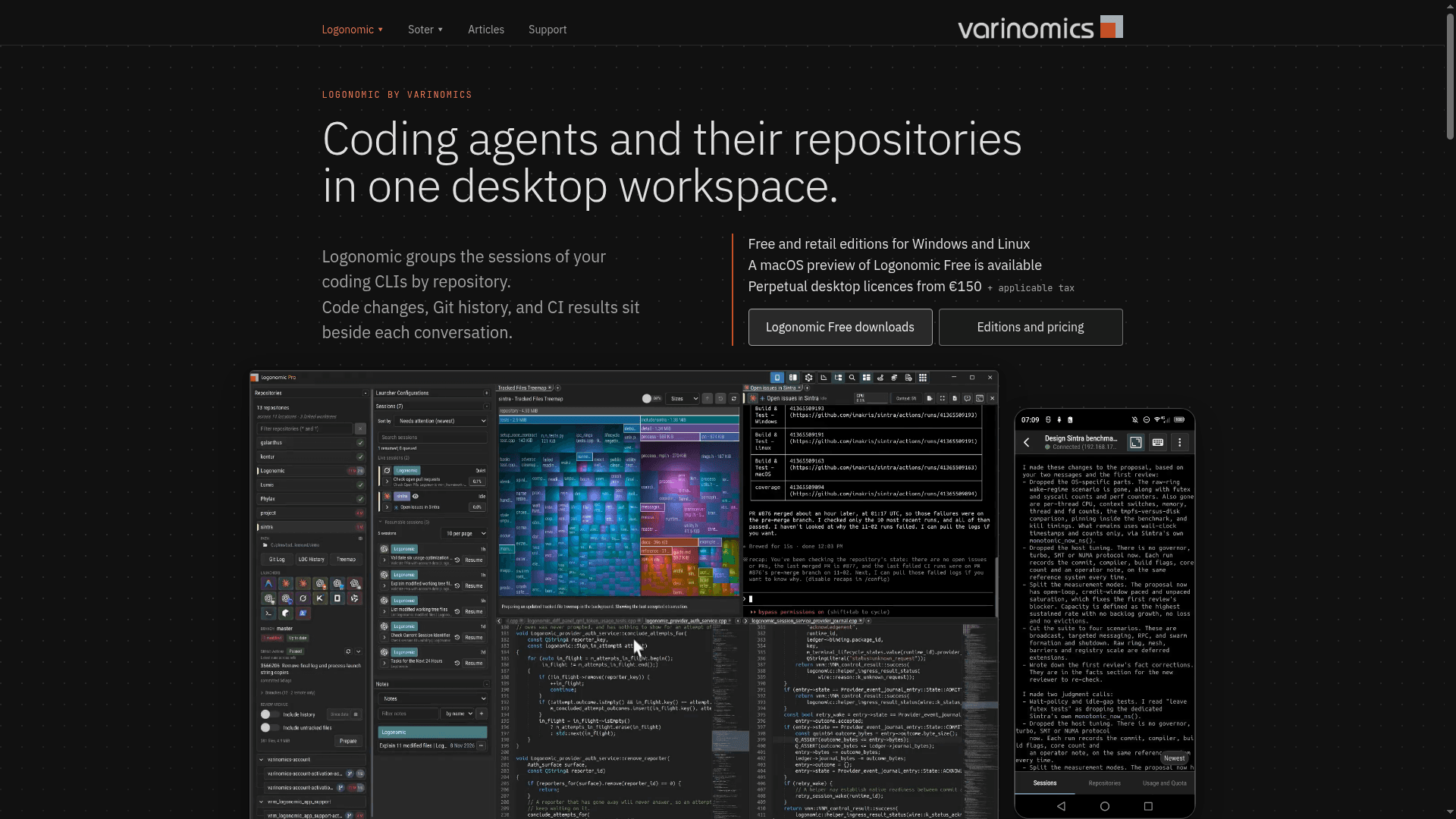
Logonomic is a desktop workspace from Varinomics that organizes the sessions of coding CLIs by repository. Code changes, Git history, and CI results sit beside each conversation. It is available for Windows and Linux, with a macOS preview of the Free edition, and a Companion app for Android and iOS.
What It Is
Logonomic does not replace the coding CLIs you already use. It organizes their accounts and sessions in one workspace, and the CLIs keep their existing accounts, models, and configuration. The site lists Codex, Claude Code, Antigravity, Kimi Code, OpenCode, Grok Build, and Qwen Code. Model access comes from the accounts or endpoints configured in those CLIs, not from Logonomic.
Working With Agents and Repositories
Terminals are grouped by repository so you can see which agents need attention. Diffs open beside the agent conversation for review. Agents add a session trailer to their commits, which Logonomic uses to resume the conversation behind a change. The repository view shows GitHub and GitLab workflows and pipelines, with the latest result per workflow and a run form that accepts parameters. A codebase overview charts line counts over time by directory or language and shows changed files per commit.
Delegation and Messaging
"Continue in" carries a session's discussion into another coding CLI. Sessions can hand implementation or review tasks to other sessions, and a Session Timeline shows the delegated sessions. Sessions can also send direct messages and broadcasts to each other, with receipts and unread counts shown in each session's details.
Companion and Crash Recovery
Logonomic Companion shows the same running sessions on a phone. You can read output, answer questions, approve changes, and start sessions or workflows, and alerts announce when an agent needs input or finishes. Companion needs the desktop workspace to be running and reachable, because agents, repositories, and credentials stay on that computer. Terminals run in a separate process, so if the main window crashes, Soter for Logonomic opens with the terminals still running and they can be moved back with sessions intact.
Technology and Licensing
Logonomic is proprietary software developed primarily in C++ with Qt, with a custom GPU-accelerated terminal renderer. Varinomics publishes several core components under open-source licences. Direct Companion connections stay on your own network; when Relay is used, the phone and desktop encrypt the connection end to end.
Community Discussions
Be the first to start a conversation about Logonomic
Share your experience with Logonomic, ask questions, or help others learn from your insights.
Pricing
Logonomic Free
Free edition of the Logonomic desktop workspace for Windows and Linux; macOS preview available.
- Windows and Linux
- macOS preview of Logonomic Free available
- Model access comes from the accounts or endpoints configured in your coding CLIs
Logonomic
Perpetual desktop licence including one year of feature updates; further years can be added for €50.
- Perpetual licence; the latest covered version keeps working indefinitely
- Includes a year of feature updates
- Each further year of updates can be added for €50
- Price excludes applicable tax
Logonomic Pro
Pro perpetual desktop licence including one year of feature updates; further years can be added for €130. The base price is not shown in the supplied evidence.
- Perpetual licence
- Includes a year of feature updates
- Each further year of updates can be added for €130
- GitHub Actions workflows and pipelines in the repository view
Capabilities
Key Features
- Coding CLI sessions grouped by repository
- Code review diffs beside the agent conversation
- Commit-to-session links to resume conversations
- GitHub and GitLab workflow status and run forms
- Codebase line-count history and Git log
- Continue sessions in another coding CLI
- Delegation of implementation or review tasks between sessions
- Agent-to-agent direct messages and broadcasts
- Companion mobile app for Android and iOS
- Account usage and quota view
- Crash recovery via Soter with terminals kept running
- GPU-accelerated terminal renderer