
Markdown Preview
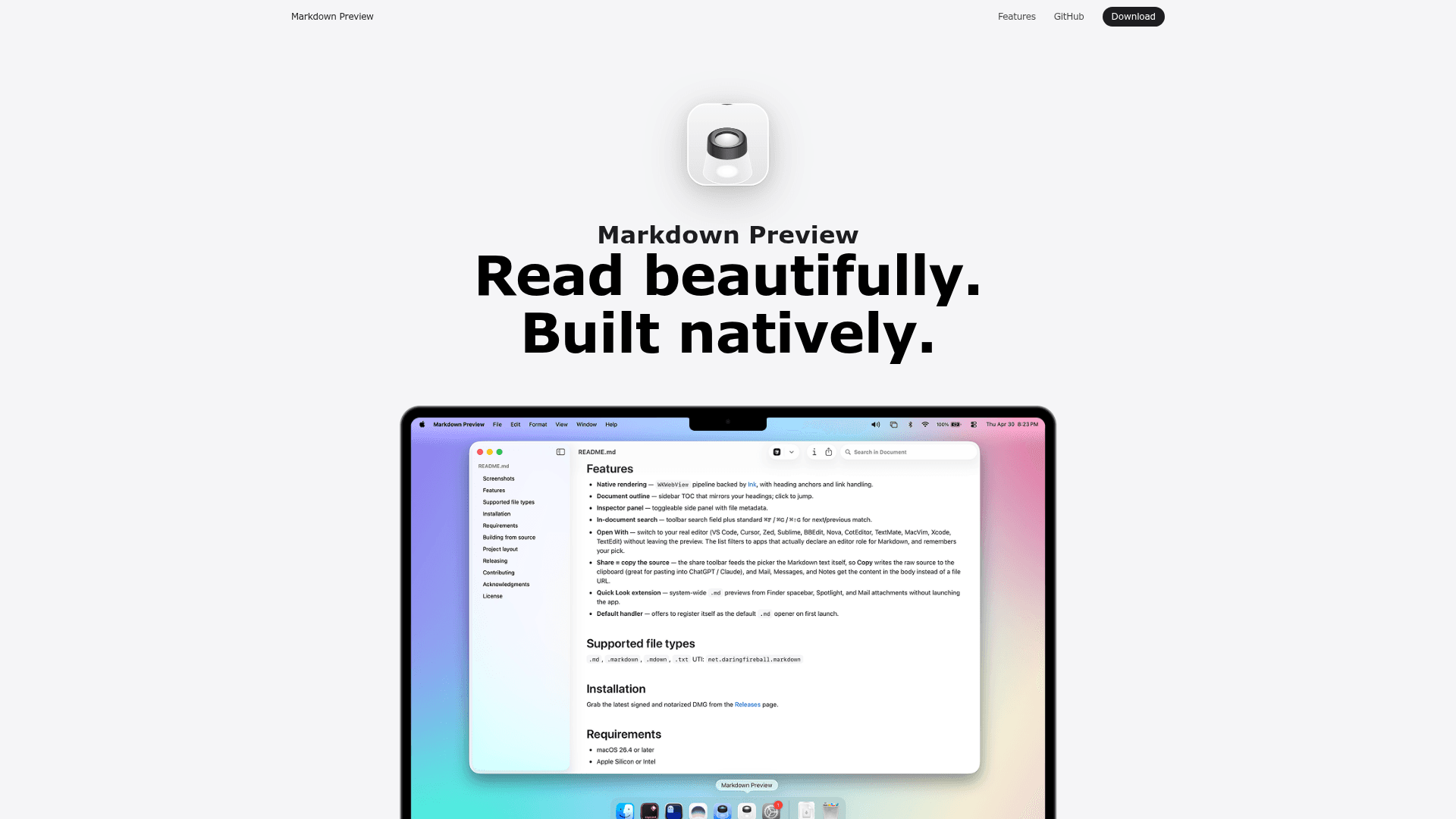
A fast, native macOS app for reading Markdown files with Quick Look integration, document outline, and editor handoff.
At a Glance
Fully free, open-source, and MIT licensed. No account or setup required.
Engagement
Available On
Listed Jul 2026
About Markdown Preview
Markdown Preview is a free, open-source macOS application built by Pluk for reading .md files natively — no Electron, no browser tab, no account required. It is written in Swift 6.0, requires macOS 15 or later, and is distributed as a signed and notarized DMG or via Homebrew Cask. The project has accumulated over 1,400 stars on GitHub since its creation.
What It Is
Markdown Preview is a dedicated Markdown reader for macOS, not an editor. It sits alongside tools like VS Code, Cursor, Zed, or Sublime Text and handles the reading side: rendering documents cleanly, providing a navigable outline, and handing off to your preferred editor when you want to make changes. The core rendering pipeline uses Apple's swift-markdown library (backed by cmark-gfm) inside a WKWebView, giving it GitHub-Flavored Markdown compatibility with heading anchors and link handling.
Core Features
- Native Quick Look extension — pressing Space on any
.mdfile in Finder renders the formatted document inline, without launching the app. Spotlight and Mail attachments use the same renderer. - Document outline sidebar — every heading becomes a navigable table of contents; the active heading tracks your scroll position.
- Edit Mode — toggle with ⌘E to edit Markdown in place using a formatting toolbar for headings, emphasis, lists, quotes, code, and links; save with ⌘S.
- Mermaid diagrams — fenced
mermaidcode blocks render as diagrams using a bundled renderer, so previews work offline. - Math equations — LaTeX inline, display, and fenced
mathblocks render with a bundled KaTeX; copying a rendered formula yields the original LaTeX source. - Open With — hands off to VS Code, Cursor, Zed, Sublime, BBEdit, Nova, CotEditor, TextMate, MacVim, Xcode, or TextEdit; the picker filters to apps that declare an editor role for Markdown and remembers your last choice.
- Open in LLM — sends the current file to Codex, Claude, or ChatGPT from the toolbar.
- Command line tools — installs
mdp,md-preview, andmarkdown-previewshell commands from the app menu. - In-document search — toolbar search field plus standard ⌘F / ⌘G shortcuts.
- Text zoom — trackpad pinch, toolbar controls, or keyboard shortcuts; discrete Safari-style stops from 50% to 300%.
Architecture and Build
The project is structured as an AppKit + WKWebView main app target alongside a Quick Look extension (.appex). Dependencies resolved via Swift Package Manager include Sparkle (auto-update), Sentry (privacy-filtered crash reporting), and swift-markdown. Release builds are automated through Amore, which handles code signing, notarization, DMG creation, S3 upload, and Sparkle appcast publishing. Crash reporting collects no document contents, file paths, user information, or performance traces, and can be disabled from the app menu.
Setup Path
Installation is straightforward via two routes:
- Homebrew:
brew install --cask markdown-preview - DMG: download the latest signed and notarized release from GitHub Releases
No account, no setup wizard, and no network dependency for core rendering — Mermaid and KaTeX are bundled.
Update: v0.0.41
The latest release is Markdown Preview 0.0.41, published on 2026-07-26. The repository shows active development with the last push on 2026-07-26 and 9 open issues. The project homepage claims the app is trusted by teams at 250+ companies (a vendor-published claim), and the GitHub repository lists 1,438 stars and 68 forks as of the data snapshot.
Community Discussions
Be the first to start a conversation about Markdown Preview
Share your experience with Markdown Preview, ask questions, or help others learn from your insights.
Pricing
Free
Fully free, open-source, and MIT licensed. No account or setup required.
- Native Markdown rendering
- Quick Look extension
- Document outline sidebar
- Edit Mode with formatting toolbar
- Mermaid diagram support
Capabilities
Key Features
- Native macOS rendering via WKWebView and swift-markdown
- Quick Look extension for Finder spacebar previews
- Document outline sidebar with click-to-jump navigation
- Edit Mode with Markdown formatting toolbar
- Mermaid diagram rendering (bundled, offline)
- LaTeX math equations via bundled KaTeX
- Open With handoff to VS Code, Cursor, Zed, Sublime, and more
- Open in LLM (Codex, Claude, ChatGPT)
- In-document search with ⌘F / ⌘G shortcuts
- Command line tools (mdp, md-preview, markdown-preview)
- Text zoom via trackpad pinch or keyboard shortcuts
- Customizable toolbar
- Share copies raw Markdown source to clipboard
- Inspector panel with file metadata
- Auto-update via Sparkle
- Privacy-filtered crash reporting via Sentry