
MemoryWhale
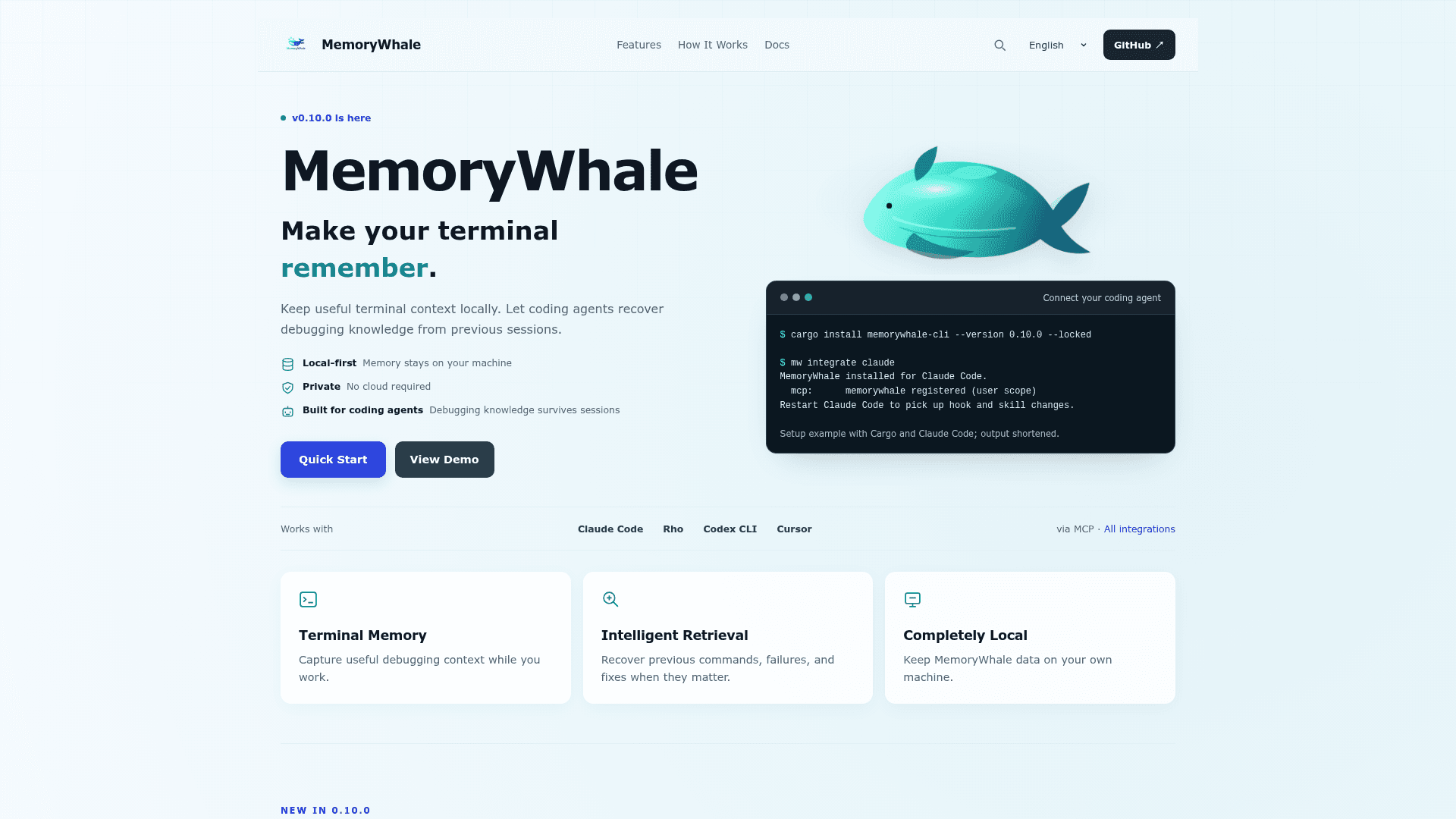
A local-first CLI and MCP server that records terminal commands, errors, and fixes into SQLite so developers and coding agents can retrieve debugging knowledge across sessions.
At a Glance
Fully free and open source under the MIT License. No account, hosted service, or per-token memory bill required.
Engagement
Available On
Alternatives
Listed Sep 2026
About MemoryWhale
MemoryWhale is an open-source, local-first debugging memory tool built in Rust and Tauri by Isabella Wu (wuisabel-gif). It captures terminal commands, output, failures, and the fixes that worked, storing everything in a local SQLite database so that both developers and coding agents can retrieve that knowledge after a session ends. Version 0.10.0, released September 6, 2026 and tagged "Agent-Native Memory," is the current stable release.
What It Is
MemoryWhale sits between your terminal and your coding agents as a persistent debugging memory layer. When you run a command through mw-run or enable global capture with mw global on, MemoryWhale records the command, its output, and any failure context into a local SQLite store. You can then annotate that record with a lesson (mw remember), search past failures (mw search), and expose the entire store to coding agents via a local MCP server (mw-mcp). It is not an autonomous coding agent, a general-purpose personal memory system, or a replacement for project documentation — it is specifically a debugging memory layer.
How the Capture-Store-Retrieve Loop Works
The core workflow has four stages:
- Capture — paste a terminal run, wrap a command with
mw-run, start a crash-resistant live session withmw --live, or let agent hooks record failures automatically. - Store — SQLite saves command runs, arguments, output, and lessons locally at
~/.local/share/MemoryWhale/(Linux) or~/Library/Application Support/MemoryWhale/(macOS); the path is configurable viaMEMORYWHALE_DATA_DIR. - Extract — Rust extracts keywords from commands, notes, and error text to power search.
- Explore —
mw search,mw tui,mw-serve(web dashboard), or the desktop app surface the knowledge graph;mw contextprints a paste-ready digest for any agent or chat.
Agent Integration via MCP
mw-mcp is a local stdio MCP server exposing six memory tools: recent_errors, search_memory, get_context, remember, similar_failures, and stats. It is also available over HTTP through mw-serve. A single mw integrate claude or mw integrate rho command installs MCP access, capture hooks, and a memory-use skill for that client; mw doctor checks each component independently. The integration matrix covers Claude Code, Rho, Claude Desktop, Cursor, VS Code / GitHub Copilot, Windsurf, Zed, Codex CLI, Cline, Continue, Gemini CLI, Goose, and other compatible clients. MCP provides retrieval and explicit writing; it does not automatically capture ordinary terminal activity.
Update: v0.10.0 — Agent-Native Memory
Version 0.10.0 (September 6, 2026) is the current release across the CLI, web UI, and desktop app; the reusable Rust core is versioned separately at 0.5.0. Key changes in this release include:
- Agent provenance — Schema 10 stores command agents as
claude,rho, orNULL; the display labelterminalcovers manual or legacy provenance. - Worktree-aware repositories — Canonical repository IDs group linked worktrees while preserving each worktree root.
- HTTP MCP and JSON API —
mw-serveaddsPOST /mcp;--apiopts into a read-only JSON API sharing the dashboard's access controls. - Explicit GitHub context —
mw github context <pr>reads PR metadata, checks, commit statuses, and reviews via an existingghlogin without checking out code or background sync. - The Rust
Memoryliteral now requiresagent: Option<String>; older JSON remains readable through its serde default.
Local-First Security Model
All interfaces — CLI, TUI, MCP server, web dashboard, and desktop shell — use the local store. The dashboard binds to loopback by default; non-loopback access requires a Bearer token and should only be exposed on a trusted network. HTTP does not encrypt the connection. Redaction helps with common secrets but is not a security boundary. Capture controls include .mwignore, path policy, and commands-only mode; mw audit, mw rm, and mw prune let users inspect and delete records.
Installation and Platform Support
Prebuilt binaries are available for Linux x86_64/aarch64 and macOS, including a .deb for Debian and Jetson. Installation options include a pinned, checksum-verified shell installer, cargo install memorywhale-cli --version 0.10.0 --locked, and a Homebrew tap. Windows is not a native target; WSL can use the Linux build. The project is licensed under the MIT License.
Community Discussions
Be the first to start a conversation about MemoryWhale
Share your experience with MemoryWhale, ask questions, or help others learn from your insights.
Pricing
Open Source
Fully free and open source under the MIT License. No account, hosted service, or per-token memory bill required.
- Full CLI, TUI, web dashboard, and desktop app
- Local SQLite storage with no upload
- MCP server for coding agent integration
- Prebuilt binaries for Linux and macOS
- MIT License — free to use, modify, and distribute
Capabilities
Key Features
- Local-first SQLite storage of terminal commands, output, and failures
- MCP server (mw-mcp) exposing 6 memory tools to coding agents
- One-command agent integration: mw integrate claude / rho
- mw doctor health checks for MCP, hooks, and skills
- Live crash-resistant shell session recording (mw --live)
- Keyword extraction and full-text search (mw search)
- Interactive TUI browser (mw tui)
- Local web dashboard and desktop app (mw-serve)
- HTTP MCP endpoint (POST /mcp) and read-only JSON API
- Explicit GitHub PR context fetch via mw github context
- Agent provenance tracking (claude, rho, terminal) in Schema 10
- Worktree-aware canonical repository IDs
- Cross-machine memory transfer via mw push / mw pull and SSH
- Capture controls: .mwignore, path policy, commands-only mode
- Audit, delete, and prune tools (mw audit, mw rm, mw prune)
- mw context for paste-ready agent/chat digests
- mw memory compact for store maintenance
- mw demo for sample data exploration without real capture