
Mergepond
A macOS Git client that manages worktrees, coding agents and SSH-hosted repos in one window.
At a Glance
About Mergepond
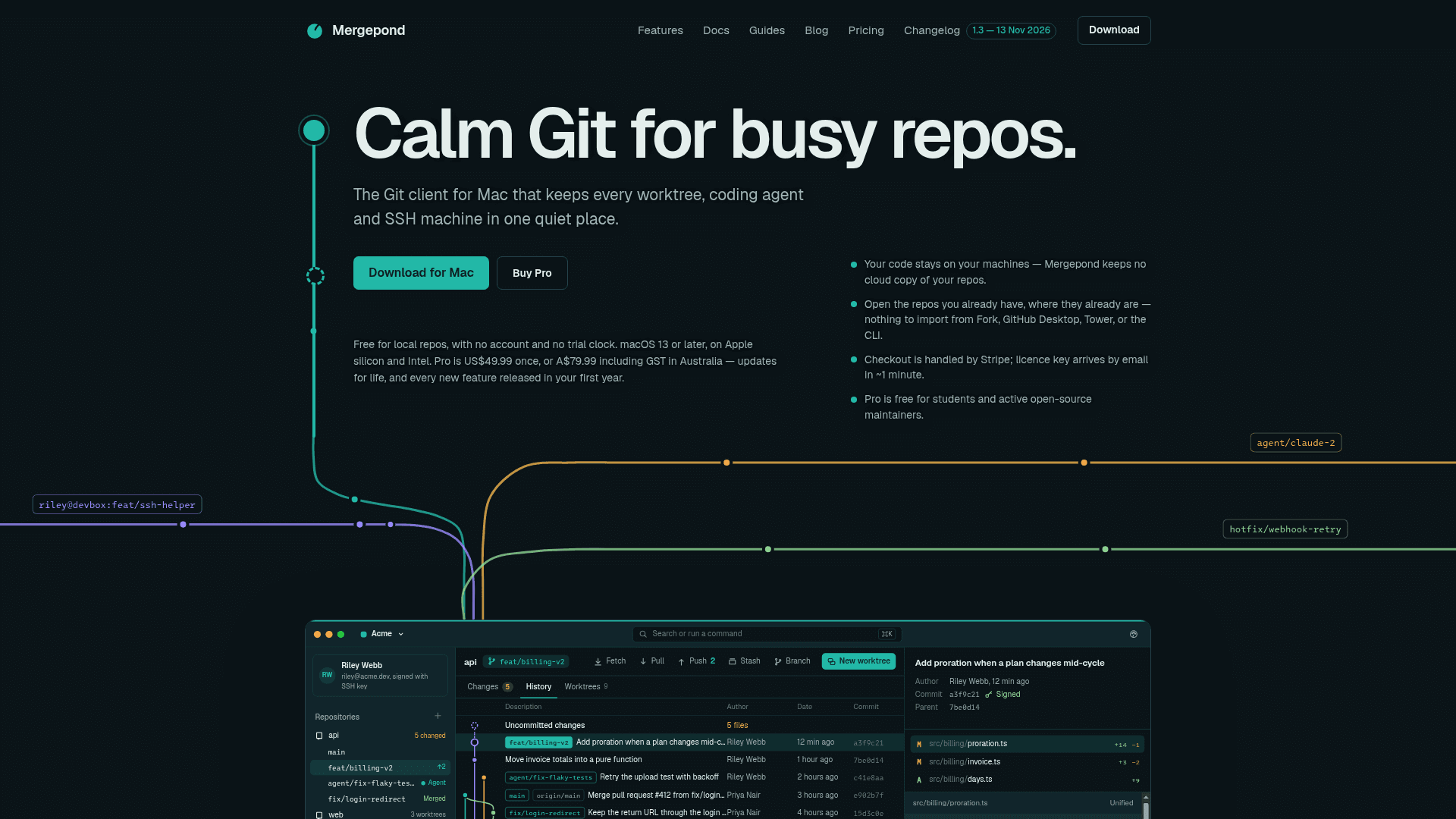
Mergepond is a desktop Git client for Mac from Webb Ventures Group. It covers everyday Git work such as history, staging, rebase and conflict resolution, and adds worktree management, a board for coding agents, repos on other machines over SSH, and per-project workspaces with Git identities. It runs on macOS 13 or later, on Apple silicon and Intel, and the site says Windows and Linux are coming soon.
What It Is
Mergepond is a native-style Git GUI that runs the Git already installed on your Mac, so existing hooks, config, repos and SSH keys carry over with nothing to import. The site positions it as an alternative to Fork, GitHub Desktop and Tower. Local repos are free to use with no account; some features are marked as Pro.
Worktrees and Coding Agents
A worktree can be created from a branch, a new branch or a pull request number. Mergepond picks the folder, copies .env files, links node_modules and runs an install command from a saved setup recipe. A bundled tool called pond works as a command line tool and MCP server, so Claude Code, Codex and other agents can start each task in its own worktree and mark it working, ready for review or done. Agents cannot remove worktrees. The Pro worktree board shows each worktree by state (working, ready for review, merged), and a clean-up action removes merged or missing worktrees.
Remote Repos and Projects
Repos on Linux or macOS machines can be opened by typing host:path or picking a host from ~/.ssh/config. Mergepond copies a small helper, pond-agent, to the host. It runs Git as your SSH user, opens no ports and stops when the session ends. Workspaces group repos by folder, remote URL, SSH host or tag, each with its own window, colour and Git identity, and Mergepond warns before committing under the wrong identity.
Everyday Git and Privacy
The client offers commit search and graph filtering, line, hunk and file staging, drag-to-reorder interactive rebase, a conflict resolver, unified or split diffs, blame, stashes, submodules, Git LFS, and a ⌘K command palette. A Pro Pull Requests tab supports reviewing and merging GitHub pull requests. The site states that Mergepond keeps no cloud copy of repos and that usage stats are off until enabled.
Community Discussions
Be the first to start a conversation about Mergepond
Share your experience with Mergepond, ask questions, or help others learn from your insights.
Pricing
Free
Free for local repos, with no account and no trial clock. macOS 13 or later.
- History, staging, rebase, conflicts, worktrees
- Unlimited Git identities
- One account per Git server
- Three workspaces
- Type a pull request number and check it out into a worktree
Pro
One-time purchase with fixes for life and every new feature released in your first year. Free for students and active open-source maintainers. Also A$79.99 including GST in Australia.
- Pull Requests tab for reviewing and merging GitHub pull requests
- Several accounts per Git server chosen by identity
- Repos on other machines over SSH
- Worktree board for coding agents
- Unlimited workspaces
- Fixes for life
- Every new feature released in your first year
Capabilities
Key Features
- Worktrees that set themselves up from a recipe (copy .env, link node_modules, run install)
- Worktree board showing agent states (Pro)
- pond CLI and MCP server for Claude Code, Codex and other agents
- Clean up merged worktrees
- Repos on other machines over SSH via pond-agent (Pro)
- Workspaces with per-window colour and Git identities
- Identity check before each commit
- Commit graph search and filtering
- Staging by file, hunk or line
- Interactive rebase by dragging
- Hunk-level conflict resolver
- Unified and split diffs with changed-word highlighting
- Submodules and Git LFS support
- Pull request checkout into worktrees and Pull Requests review tab (Pro)
- Command palette and keyboard shortcuts
- Four colour schemes