
Mote
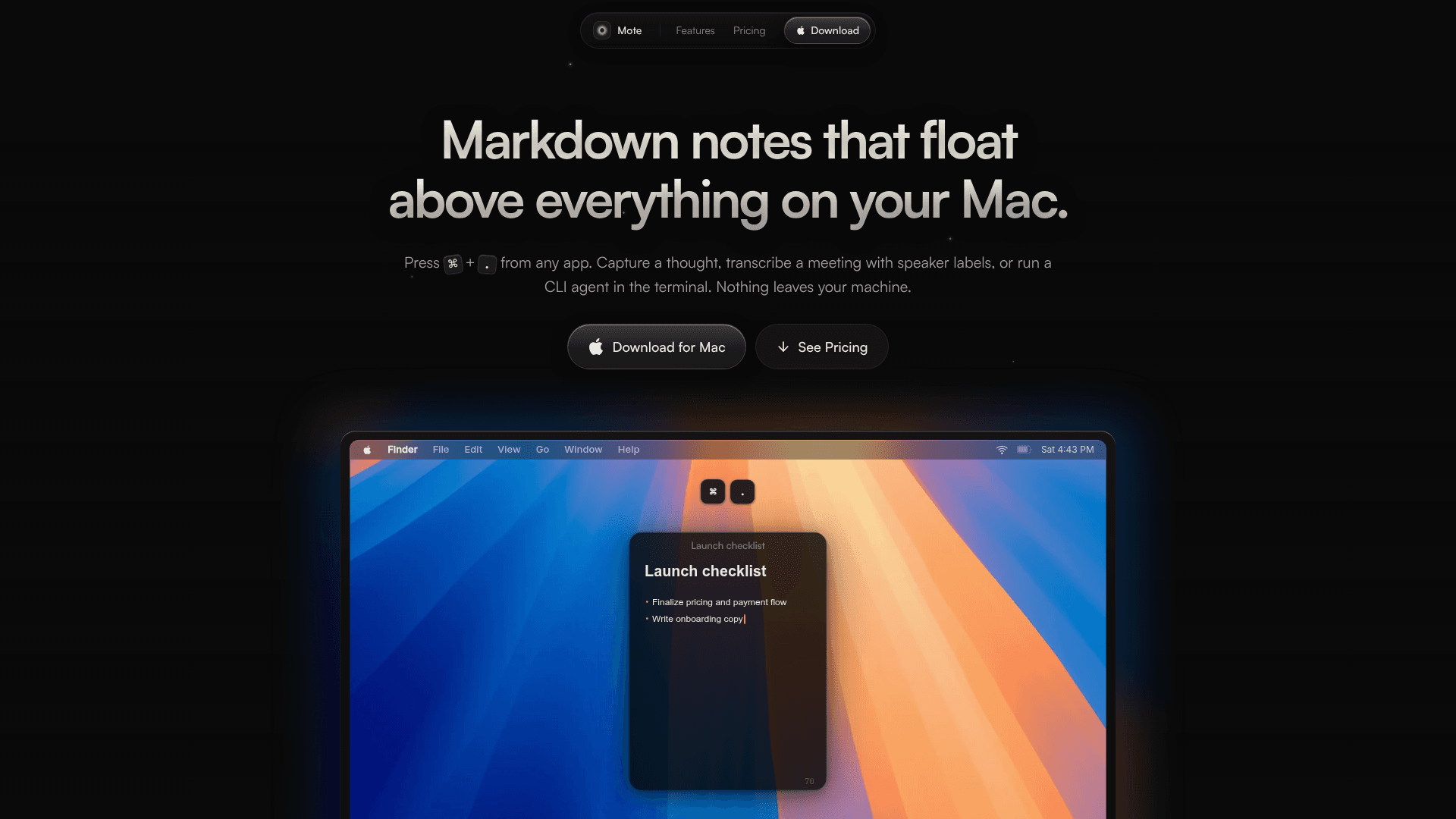
A native macOS floating markdown note editor that appears over any app with a single shortcut, with local transcription, Obsidian integration, and a built-in terminal — all on-device, no cloud.
At a Glance
About Mote
Mote is a native macOS floating note panel built with Swift and AppKit, summoned from any app with ⌘+. It keeps all notes local — no accounts, no cloud sync, no tracking — and ships as a one-time purchase with lifetime updates. The app targets writers, developers, and researchers who want a fast, private scratch pad that never interrupts their workflow.
What It Is
Mote is a floating markdown editor for macOS that sits above every other window. It is not a full-featured note-taking suite; it is a lightweight, always-accessible panel designed to capture thoughts, transcribe meetings, clip web pages, and run terminal commands without breaking focus. Notes are stored as local files on disk, making them portable and vendor-lock-in-free.
Core Feature Set
The homepage lists a focused set of capabilities, each tied to the floating panel concept:
- Floating Editor — the panel stays on top of any app (browser, IDE, Figma) and disappears just as quickly
- Live Markdown — headings, bold, code, and task checkboxes render inline as you type, with no separate preview pane
- YouTube Mode — notes that are aware of what video is playing
- Meeting Transcription — local, on-device transcription with speaker labels; no bot, no cloud upload required
- Obsidian Integration — a single shortcut (⌘⇧E) promotes a scratch note into a named, formatted file in an Obsidian vault
- Web Clipper — saves the current webpage as markdown
- Terminal — a CLI panel embedded in the floating window, described as capable of running a CLI agent
- Check-in Timer — a focus/accountability timer built in
- Tasks — checkbox-based task management inside notes
Architecture and Performance
Mote is written in Swift and AppKit — not Electron. The homepage states the app runs under 150 MB even while transcribing, and launches in milliseconds. All processing, including meeting transcription, happens on-device. macOS 15 (Sequoia) or later is required.
Privacy and Local-First Design
Every note lives on the user's Mac as a plain file. There are no accounts to create, no sync servers, and no telemetry. The homepage explicitly states "nothing leaves your machine," which is the central design constraint the app is built around. This also means Obsidian vault files remain under the user's control and can be opened by any markdown-compatible editor.
Current Status
The GitHub releases repository shows the latest version as v1.0.0, published June 8, 2026. The repository was created in March 2026 and last pushed in July 2026, indicating active early development. The homepage notes the product is "still shipping" and links to a public roadmap. A 3-day free trial is available via direct download (.dmg), and the full app is sold as a one-time purchase at an early-bird price point. The developer's contact email is marcel@getmote.md and a Discord community is available for questions.
Community Discussions
Be the first to start a conversation about Mote
Share your experience with Mote, ask questions, or help others learn from your insights.
Pricing
Free Trial
Download and try Mote free for 3 days before purchasing.
- Full app access for 3 days
- Download via .dmg
Early Bird
One-time purchase with lifetime updates at early-bird price.
- Unlimited notes
- Lifetime updates
- Local transcription — no cloud, no accounts
- Obsidian vault export (⌘⇧E)
- Native Swift — under 150 MB, even while transcribing
- macOS 15+ (Sequoia)
Capabilities
Key Features
- Floating markdown editor over any app
- Summon with ⌘+. keyboard shortcut
- Live inline markdown rendering
- Local on-device meeting transcription with speaker labels
- Obsidian vault integration (⌘⇧E)
- YouTube Mode for video-aware notes
- Built-in terminal/CLI panel
- Web clipper (saves pages as markdown)
- Check-in focus timer
- Task/checkbox management
- No cloud, no accounts, no tracking
- Native Swift and AppKit (no Electron)
- Under 150 MB footprint
- Unlimited notes
- Lifetime updates with one-time purchase
- 3-day free trial