
Obeya
A spatial canvas workspace for directing AI coding agents, with narrated demos for approval and voice control.
At a Glance
Obeya app and source are MIT-licensed and run locally on your machine; agents use your own Claude Code or Codex subscription (external cost).
Engagement
Available On
Listed Nov 2026
About Obeya
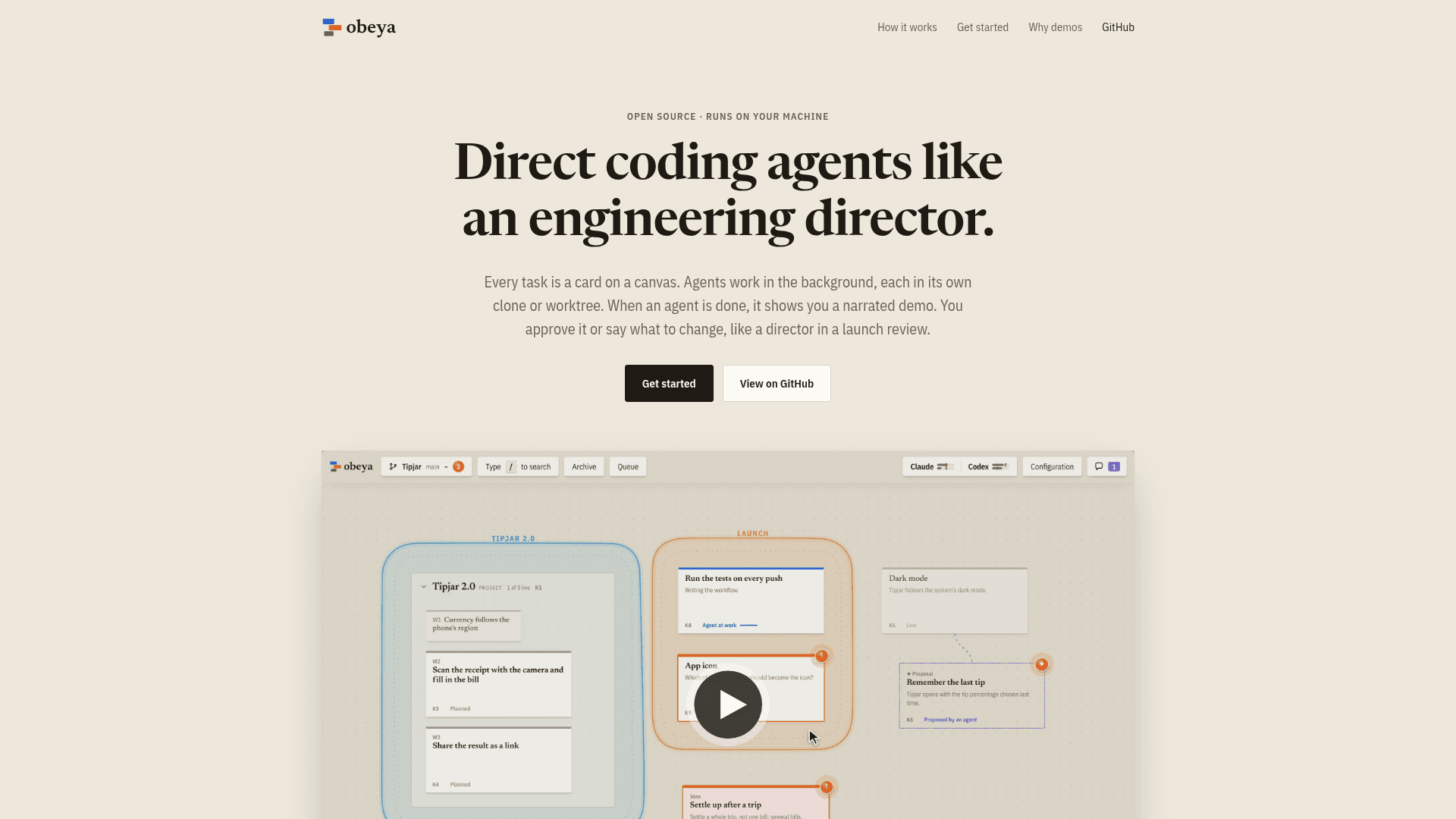
Obeya is an open-source desktop app by Daniel Sadilek that turns every coding task into a card on a canvas. Agents (Claude Code or Codex) work in the background, each in its own clone or worktree, and return a narrated demo that you approve or send back with feedback. It runs locally on macOS, Windows and Linux.
What It Is
Obeya is a spatial workspace for orchestrating AI coding agents. Instead of juggling terminal tabs or chats, each task, idea or project workstream is a card whose position you choose and whose colour shows its state (agent working, waiting for you, approved). Agents run on your own Claude Code or Codex login, and each product you build gets its own canvas covering one or several repositories.
Demo-based review and approval
When an agent finishes, it hands back a short report and a demo: usually a narrated screen recording with chapters, or a page showing layouts or variants side by side. You approve it or say what to change; feedback can be tied to a paused moment in the video, and the agent receives that frame with your words. Approved work lands on main or goes out as a pull request on GitHub, Forgejo or Gitea, which Obeya tracks until merged. Approvals can be taken back even after landing.
Parallel work, ordering and pull request review
Obeya inspects what a card will change and what is already running. Independent cards start immediately, while cards that build on or would collide with others wait, and you can draw arrows to force an order. Large tasks can be split into parallel packages. Saying "Review PR #14" creates a card whose agent reads a contributor's diff before the code runs locally, records before-and-after demos, and lets you decide per finding whether to send it to the contributor, fix it, turn it into a task or ignore it.
Voice, phone and remote machines
Hold the space bar to dictate tasks, answers or feedback; transcription uses Parakeet locally, with optional cloud services. A phone view, reached over your own Tailscale or other VPN, lists cards waiting for you, plays demos, and sends notifications, with nothing routed through Obeya's servers. Agents can also run on other computers over SSH, and non-git folders are supported. The interface and voice input work in English and German.
Current Status
The README describes Obeya as early but in daily use. The latest listed release is v0.14.0. The Windows installer is not yet code-signed, so SmartScreen shows a warning.
Community Discussions
Be the first to start a conversation about Obeya
Share your experience with Obeya, ask questions, or help others learn from your insights.
Pricing
Open Source (MIT)
Obeya app and source are MIT-licensed and run locally on your machine; agents use your own Claude Code or Codex subscription (external cost).
- MIT licensed core
- Runs locally on macOS, Windows and Linux
- Agents use official Claude Code or Codex installation with your own subscription (external cost)
- Canvas of task cards, narrated demos, voice input, PR review, phone access over your own private network
- Agents can run on other machines over SSH
Capabilities
Key Features
- Spatial canvas of task cards with state colours
- Background agents in separate clones or worktrees
- Narrated demo recordings for review and approval
- Voice input via push-to-talk
- Parallel execution with automatic queuing of colliding cards
- Pull request review cards with per-finding decisions
- Phone view over private network with notifications
- Agents on remote machines over SSH
- Support for non-git folders
- GitHub, Forgejo and Gitea pull request landing
- Idea cards and throwaway prototypes
- Plan docs shown as projects with workstream cards
- English and German interface