
Otty
A native, GPU-accelerated terminal app designed for keyboard-first workflows and first-class support for code agents like Codex, Claude Code, and OpenCode.
At a Glance
About Otty
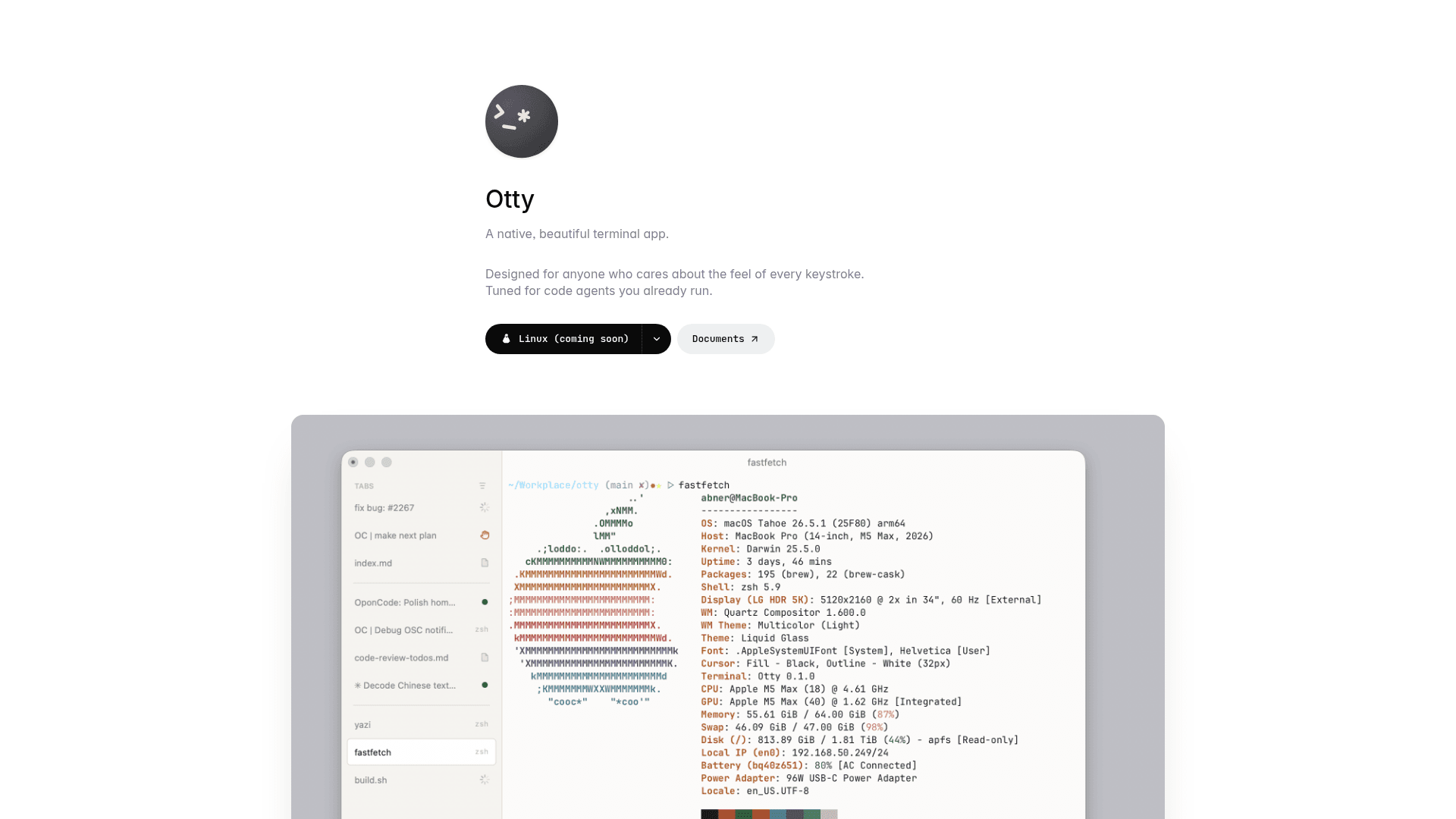
Otty is a native, GPU-accelerated terminal emulator built by appmakes.io, currently available for macOS (Apple Silicon and Intel), with Windows, Linux, and iOS listed as coming soon. It positions itself between a traditional terminal and a full agent development environment, aiming to keep a focused, keyboard-first UI while adding workflows tailored for code agents. The homepage states it is free for macOS with no account required.
What It Is
Otty is a desktop terminal emulator that targets developers who run AI coding agents — such as Codex, Claude Code, and OpenCode — directly inside their terminal. Rather than replacing an IDE, it layers agent-aware affordances on top of a modern terminal experience: session history, parallel agent task monitoring, prompt queuing, and a fork-and-branch workflow for chat sessions. The learn section describes it as sitting "between a traditional terminal and a full agent dev environment."
Modern Terminal Rendering
Otty is built on a GPU-accelerated renderer and supports a range of modern display features:
- Programming ligatures and full Unicode cluster support
- 24-bit true color, bold, italics, and rich underline styles
- Inline image rendering in the scrollback buffer
- Fully tunable color schemes with dark and light theme grids
- Clickable file names, URLs, and paths
- Natural word-jump and word-selection text editing
- Fluid, GPU-accelerated smooth scrolling
Agent-First Workflow Features
The homepage highlights several affordances specifically for code-agent sessions running inside the terminal:
- Parallels and task monitoring — run agents side by side and track each task's progress
- Session history — see every conversation at a glance
- Fork & Branch — take any chat session in a new direction without losing context
- Composer and Prompt Queue — draft prompts and queue them to run in sequence
- Send to Chat — pipe any terminal output directly into the agent
- OSC 26 Terminal Agent Protocol — Otty's proposed OSC sequence for letting code agents report identity, status, task progress, and session actions back to the terminal
Session and Layout Management
Otty supports tabs, panes, and free-form splits that can be dragged, snapped, and resized. Session recovery restores every pane to its previous state after closing and reopening. Additional layout tools include:
- Vertical or horizontal tab sidebar with live status badges and unread dots
- Watch process and notifications for long-running jobs
- Command palette with fuzzy-find for any action (⌘⇧P)
- Inline ghost-text autocomplete as you type
- Open Quickly for instant session jumping (⌘⇧O)
- Snippets, commands, and layout recipes (⌘S)
Current Status and Platform Availability
As of the homepage, Otty is available as a free macOS download for both Apple Silicon and Intel, with no account required. Windows, Linux, and iOS are listed as "coming soon" with a waitlist. The site footer references a changelog at docs.otty.sh/changelog and a pricing page at docs.otty.sh/pricing. Otty is built by appmakes.io and the contact email is otty@appmakes.io.
Community Discussions
Be the first to start a conversation about Otty
Share your experience with Otty, ask questions, or help others learn from your insights.
Pricing
Free
Free for macOS with no account required.
- GPU-accelerated terminal
- Tabs, panes, and splits
- Session recovery
- Command palette
- Inline autocomplete
Capabilities
Key Features
- GPU-accelerated rendering
- Programming ligatures and full Unicode support
- 24-bit true color and rich text styles
- Inline image rendering in scrollback
- Fully tunable color themes (dark and light)
- Clickable files, URLs, and paths
- Natural word-jump and word-selection editing
- Smooth GPU-accelerated scrolling
- Tabs, panes, and free-form splits
- Session recovery after restart
- Command palette with fuzzy-find
- Inline ghost-text autocomplete
- Open Quickly for instant session jumping
- Snippets, commands, and layout recipes
- Parallel agent task monitoring
- Session history for agent conversations
- Fork & Branch for chat sessions
- Composer and Prompt Queue
- Send to Chat (pipe output to agent)
- OSC 26 Terminal Agent Protocol support
- Live status badges and unread dots on tabs
- Watch process and notifications for long-running jobs