EveryDev.ai
Subscribe
Home
Tools

6,671+ AI tools

  • Featured
  • Gems
  • Trending
  • New
  • Rate tools
  • Compare
  • Arena
Categories
  • Agents3542
  • Coding2670
  • Infrastructure1126
  • Projects931
  • MCP913
  • Research774
  • Analytics603
  • Marketing553
  • Design537
  • Testing500
  • Data456
  • Security449
  • Communication330
  • Prompts310
  • Integration308
  • Extensions264
  • Voice236
  • DevOps204
  • Commerce192
  • Learning145
  • Web136
  • Finance44
AI Tools by Topic
  • AI Coding Assistants
  • Agent Frameworks
  • MCP Servers
  • AI Prompt Tools
  • Vibe Coding Tools
  • AI Design Tools
  • AI Database Tools
  • AI Website Builders
  • AI Testing Tools
  • LLM Evaluations
Follow Us
  • X / Twitter
  • LinkedIn
  • Reddit
  • Discord
  • Threads
  • Bluesky
  • Mastodon
  • YouTube
  • GitHub
  • Instagram
Get Started
  • Users
  • Rate Tools
  • About
  • Editorial Standards
  • Corrections & Disclosures
  • Community Guidelines
  • Advertise
  • Contact Us
  • Newsletter
  • Submit a Tool
  • Start a Discussion
  • Write A Blog
  • Share A Build
  • Terms of Service
  • Privacy Policy
Explore with AI
  • ChatGPT
  • Gemini
  • Claude
  • Grok
  • Perplexity
Agent Experience
  • llms.txt
Theme
With AI, Everyone is a Dev. EveryDev.ai ©
    1. Home
    2. Tools
    3. Pi Desktop
    Pi Desktop icon

    Pi Desktop

    AI Coding Assistants

    Open-source Electron desktop client for the pi coding agent with Code and Work modes, approvals, git worktrees and PR/CI tracking.

    Visit Website

    At a Glance

    Pricing
    Open Source

    Pi Desktop desktop client for pi coding agent, released under the MIT License; free to use, copy, modify and distribute.

    Engagement

    Available On

    Windows
    macOS
    Linux
    iOS
    API

    Resources

    WebsiteGitHubllms.txt

    Topics

    AI Coding AssistantsDevelopment EnvironmentsAgent Harness

    Alternatives

    Localix StudioGooeyPiForge
    Developer
    LiusCraftShanghai, China

    Listed Nov 2026

    About Pi Desktop

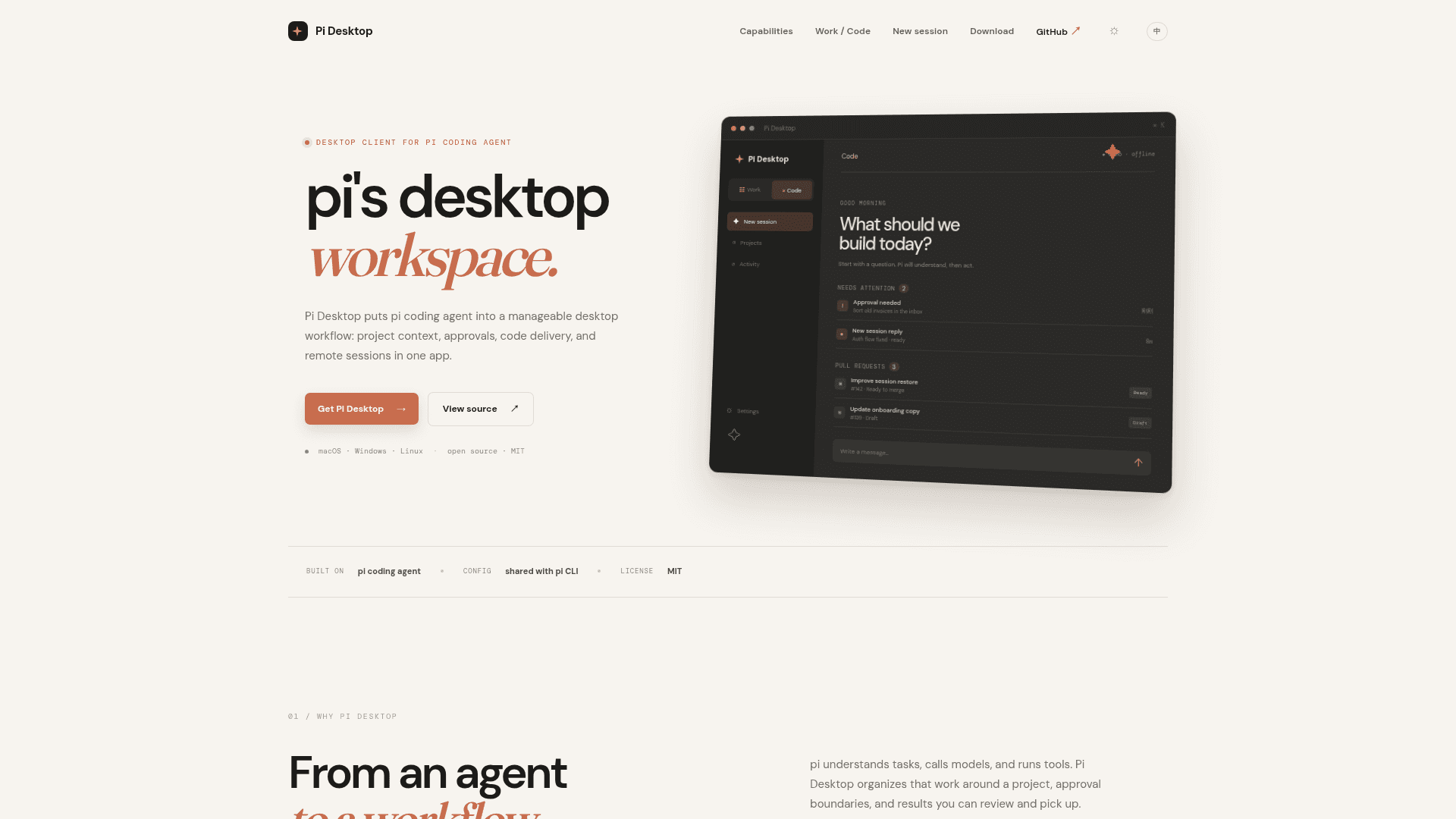
    Pi Desktop is an MIT-licensed desktop client for the pi coding agent, published by LiusCraft. It wraps the pi SDK in a Claude-desktop-style interface with two modes: Code for software projects and Work for files and knowledge tasks. Installers for macOS, Windows and Linux are listed on the project site, with v0.1.18 shown as the latest release.

    What It Is

    Pi Desktop is a desktop workspace built with Electron, React and TypeScript that runs the pi coding agent through the pi SDK in a persistent utility process. Features pi lacks natively, such as permission modes, plan approval, todos, subagents and background tasks, are supplied by a built-in desktop-kit extension. Model configuration is shared with the pi CLI, including OAuth logins, API keys and custom endpoints.

    Code and Work modes

    In Code mode each session gets an isolated git worktree, with a Diff panel, terminal, preview, and a PR bar showing PR and CI status. The app can watch PRs, start a turn to fix failing CI or resolve conflicts, and enable auto-merge when a PR is ready. Work mode operates on a chosen folder or a temporary workspace to organize files, write documents and generate briefs, asking for confirmation before moves and deletes.

    Controls and long-running work

    Permission modes (Auto, Ask, Accept edits, Plan, Bypass) decide whether edits and commands are allowed, blocked or confirmed, and high-risk commands still prompt. Subagents, background tasks, scheduled tasks (including cron) and a /goal command let work continue beyond a single turn. Scheduled tasks only fire while the app is running.

    Customization and remote sessions

    A Customize page edits pi's skills, MCP servers, packages, prompt templates and subagent identities, reading and writing pi's own files. Remote support lets one Pi Desktop control sessions on another machine running Pi Desktop or pi with the pi-remote plugin, over an authenticated HTTP protocol. Remote access is off by default, and the token grants command execution on the host machine.
    Pi Desktop - 1

    Community Discussions

    Be the first to start a conversation about Pi Desktop

    Share your experience with Pi Desktop, ask questions, or help others learn from your insights.

    Pricing

    OPEN SOURCE

    Open Source (MIT)

    Pi Desktop desktop client for pi coding agent, released under the MIT License; free to use, copy, modify and distribute.

    • MIT License
    • macOS, Windows and Linux installers from GitHub Releases
    • Code mode with isolated git worktrees, diff, PR/CI status
    • Work mode for knowledge tasks
    • Permission modes and approval boundaries

    Capabilities

    Key Features

    • Code and Work dual modes
    • Isolated git worktree per Code session
    • Permission modes with approval cards
    • Diff panel, terminal and preview
    • PR bar with CI status, auto-fix and auto-merge
    • Subagents and background tasks
    • Scheduled tasks with cron support
    • Customize page for skills, MCP, plugins and prompt templates
    • Remote control of other machines via pi-remote
    • Custom model endpoints and OAuth/API key login
    • Attachments, file references and code comments
    • Session context compaction and idle context rebuild
    • Offline demo model

    Integrations

    pi coding agent
    pi SDK
    MCP servers
    GitHub CLI (gh)
    GitLab CLI (glab)
    Cloudflare Tunnel
    models.dev
    Anthropic
    OpenAI
    GitHub Copilot
    OpenRouter
    Homebrew
    API Available

    Ratings & Reviews

    No ratings yet

    Be the first to rate Pi Desktop and help others make informed decisions.

    Rate other tools you’ve used

    Developer

    LiusCraft

    🚀

    Shanghai, China
    Read more about LiusCraft
    WebsiteGitHub
    1 tool in directory

    Similar Tools

    Localix Studio icon

    Localix Studio

    An open-source desktop agentic development environment where an AI agent and subagents work with you in an editor, terminals and browser on any model, including local ones.

    GooeyPi icon

    GooeyPi

    A cross-platform desktop workspace that gives Pi, OMP, and Prime Agent coding agents a unified native interface on macOS, Linux, and Windows.

    Forge icon

    Forge

    Open-source desktop coding environment that combines AI agents, editor, shell, diffs and approvals with durable multi-project sessions.

    Browse all tools

    Related Topics

    AI Coding Assistants

    AI tools that help write, edit, and understand code with intelligent suggestions.

    1422 tools

    Development Environments

    AI-enhanced code editors and IDEs that improve the coding experience.

    340 tools

    Agent Harness

    Infrastructure, orchestrators, and task runners that wrap around LLM coding agents — covering session management, context delivery, worktree isolation, architecture enforcement, and issue-to-PR pipelines.

    810 tools
    Browse all topics
    Back to all toolsSuggest an edit
    ratings
    discussions