
Skillsync App
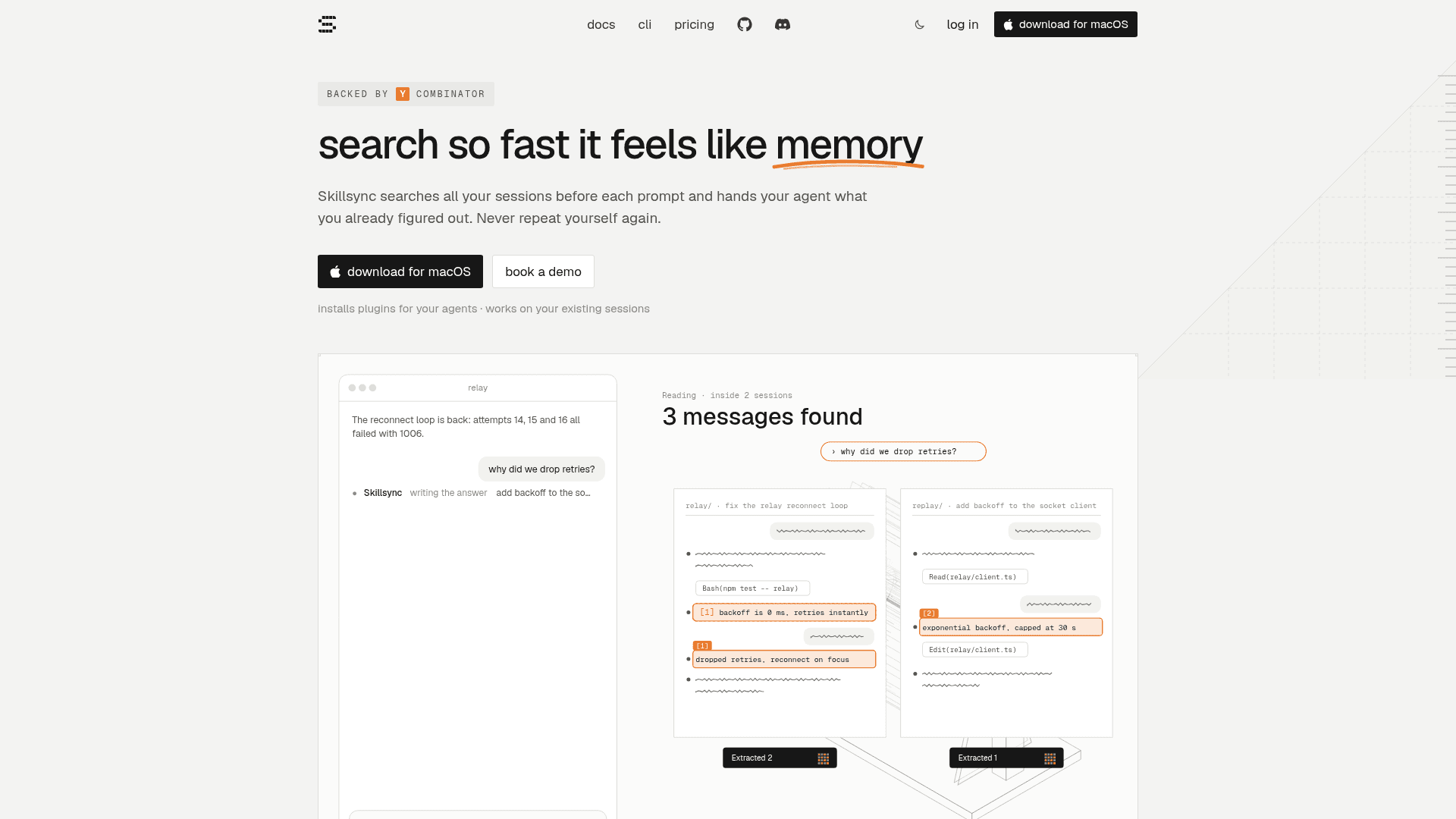
A Mac app that searches your past coding-agent sessions before each prompt and gives your agent a sourced recollection of prior work.
At a Glance
txcript, free forever; Apache-2.0 licensed open-source CLI/library
Free trial of Pro, 5 days, no card
Engagement
Available On
Listed Nov 2026
About Skillsync App
Skillsync is a Mac app and CLI that reads the session histories your coding agents already keep and searches them on every prompt, handing the agent a short recollection of relevant past work. The homepage lists Claude Code, Codex, Cursor, OpenCode, Amp, pi, Grok, Antigravity and Hermes as supported agents. It is backed by Y Combinator per the homepage, and the related open-source txcript library (Apache-2.0) handles session conversion between agents.
What It Is
Skillsync is a session-memory and search tool for coding agents. After you install the Mac app, it installs plugins for your agents. Each prompt is then checked against your past sessions with no manual indexing or configuration. If past work is relevant, a short recollection with sources is delivered alongside the prompt so the agent builds on earlier decisions instead of starting over. If it is not relevant, Skillsync stays out of the way.
How Search and Recall Work
Skillsync decides in under a second whether past work matters, scopes the search to the current folder or all sessions, and reads them for what you did, decided and found. A global shortcut (Option+Shift+Space) opens search over any app. Search covers prompts, replies, reasoning, commands and file paths, and smart search answers in plain language with cited sessions. You can open a session, copy part of it, or resume it in the same or a different agent.
Privacy and Workspaces
The homepage states sessions are read and indexed on your Mac and never uploaded unless you share one, and that smart search runs with zero data retention. Teams can create workspaces to share sessions by link, username or email, keep a common skill library, and search shared sessions by typing @. Individual sessions stay private until shared. A skills view shows each agent's skills, lets you toggle them per agent, and finds sessions that used them.
CLI and txcript
The SKL CLI covers Linux, Windows and remote servers: install with a shell script, run skl init, and use skl login --device on remote machines. The linked txcript repository is an open-source Rust library, CLI and WebAssembly package that converts sessions between agent formats, with search, view, crop, export and a read-only MCP server.
Community Discussions
Be the first to start a conversation about Skillsync App
Share your experience with Skillsync App, ask questions, or help others learn from your insights.
Pricing
Open Source
txcript, free forever; Apache-2.0 licensed open-source CLI/library
- Search your sessions over MCP
- Move sessions between agents
- Open source
- Apache-2.0 licensed txcript
Free trial
Free trial of Pro, 5 days, no card
Pro
Per seat, billed monthly
- Everything in Open source
- Instant recall
- Shared workspaces
- Skill library
Team
Custom pricing for your whole team, agreed on a call
- Everything in Pro
- APIs
- Runtime agent traces
- Support on Slack
Capabilities
Key Features
- Searches all past agent sessions on every prompt with no manual indexing
- Delivers sourced recollections to agents with each prompt
- Global shortcut search over any app
- Resume or continue sessions in a different coding agent
- Plain-language smart search with cited sessions
- Local reading and indexing of sessions on your Mac
- Team workspaces with shared sessions and a shared skill library
- Per-agent skill management and toggling
- SKL CLI for Linux, Windows and remote servers
- txcript library for converting sessions between agent formats