
Slashspace
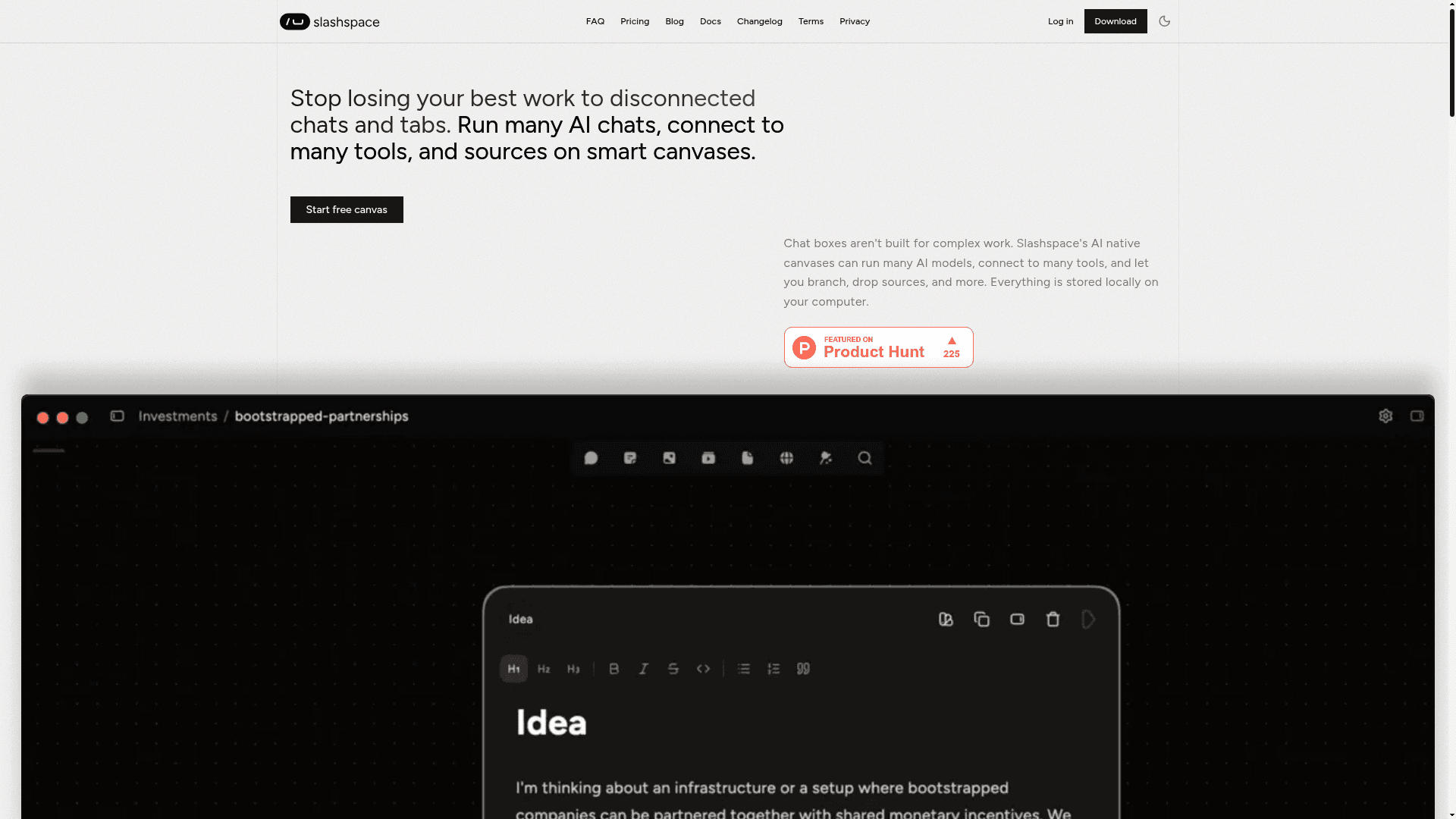
Slashspace is a desktop AI canvas that lets you run multiple AI models, connect to tools and data sources, and organize complex work spatially — all stored locally on your device.
At a Glance
Get started with a single device and limited AI models.
Engagement
Available On
Alternatives
Listed Jun 2026
About Slashspace
Slashspace is a desktop application built by Lokus LLC (formerly known as RabbitHoles AI) that replaces disconnected AI chat tabs with a spatial, canvas-based workspace. It runs locally on your computer, keeping all data on-device, and supports multiple AI models simultaneously across an infinite canvas. The product is available for Mac, Windows, and Linux.
What It Is
Slashspace is an AI-native canvas harness — a desktop environment where users can run many AI agents, connect external tools and data sources, and organize work spatially rather than linearly. Instead of copy-pasting between chat windows, users place AI chat nodes, documents, web sources, and tool connections on a shared canvas where every agent can see the full context. The homepage describes it as a solution to "context collapse," the problem of losing work and continuity across fragmented AI sessions.
How the Canvas Works
The core unit is a canvas — an infinite, spatial workspace where users can:
- Create multiple AI chat nodes and branch conversations
- Drop in sources such as PDFs, websites, YouTube videos, and spreadsheets
- Connect to external tools (email, Slack, calendar, and 1,000+ others via MCP)
- Run deep research agents that synthesize across dozens of sources
- Generate images directly within the workspace
All canvas data is stored locally on the user's device, with no cloud sync required. Users can resume sessions exactly where they left off, and every agent on the canvas shares the same accumulated context.
Model Access and Tool Integrations
Slashspace provides access to frontier models including GPT-5, Claude 4, and Gemini 3 through its own credit system (RHAI models), and also supports Bring Your Own Key (BYOK) for users who want to connect their own API keys from OpenAI, Anthropic, Google, and other providers. BYOK models do not consume Slashspace credits — usage is billed directly by the provider. The platform also supports Model Context Protocol (MCP) servers for extended capabilities and includes a dedicated Cursor Agent integration for coding workflows.
Target Audience and Use Cases
The homepage positions Slashspace for power AI users who currently manage many parallel AI conversations. Specific use cases highlighted include:
- Founders: investor research, competitive analysis, financial modeling, strategy
- Developers: architecture planning, debugging across files, coding agent workflows via Cursor
- Researchers and academics: deep learning, multi-source synthesis, long-form research
- Writers and educators: content creation with multiple model variants and summaries
Testimonials on the homepage describe users replacing 15-tab browser workflows and switching between multiple LLMs for teaching and content creation.
Update: Relaunch as Slashspace
The docs include a migration guide titled "Moving from Rabbitholes — How to migrate your data and lifetime deal from Rabbitholes to Slashspace," confirming that Slashspace is a relaunch and rebrand of the earlier product RabbitHoles AI. The FAQ on the homepage also asks "What was RabbitHoles AI?", indicating the transition is recent and the product lineage is a notable part of the current story. The docs were last updated May 20, 2026, and the changelog is available at slashspace.ai/changelog/desktop.
Deployment Model
Slashspace is a downloadable desktop application for Mac, Windows, and Linux — not a web app. Installation follows a standard download-and-run flow with browser-based authentication. There is no cloud storage of canvas data; everything is local-first. The app requires an account for sign-in but operates offline after setup when using BYOK models.
Community Discussions
Be the first to start a conversation about Slashspace
Share your experience with Slashspace, ask questions, or help others learn from your insights.
Pricing
Free
Get started with a single device and limited AI models.
- 1 device
- $2 included usage (one-time)
- Limited AI models
- Full canvas workspace
- Unlimited branches & nodes
Pro
Most popular plan for regular AI power users.
- 2 devices
- $30 included usage / mo
- All AI models
- Faster response pools
- Credit top-ups
- Full canvas workspace
- Unlimited branches & nodes
- PDF, web & YouTube sources
- Local-first storage
- Community support
- Lifetime updates
Advanced
High usage plan with BYOK and priority support.
- 2 devices
- $80 included usage / mo
- All AI models
- Bring Your Own Key (BYOK)
- Faster response pools
- Credit top-ups
- Full canvas workspace
- Unlimited branches & nodes
- PDF, web & YouTube sources
- Local-first storage
- Priority support
- Lifetime updates
Lifetime
One-time purchase ideal for technical users with their own API keys.
- 2 devices
- $10 included usage (one-time)
- Bring Your Own Key (BYOK)
- Lifetime updates
- Credit top-ups
- Full canvas workspace
- Unlimited branches & nodes
- PDF, web & YouTube sources
- Local-first storage
- Priority support
- Community support
Capabilities
Key Features
- Infinite spatial AI canvas
- Multiple simultaneous AI chat nodes
- Local-first data storage
- MCP (Model Context Protocol) server support
- Connect to 1000+ tools (email, Slack, calendar, etc.)
- PDF, web, and YouTube source ingestion
- Deep research agents
- Image generation
- Cursor Agent integration
- Bring Your Own Key (BYOK) support
- Branch and node-based conversation structure
- Access to frontier models (GPT-5, Claude 4, Gemini 3)
- Unlimited branches and nodes
- Offline-capable with BYOK