
Topics
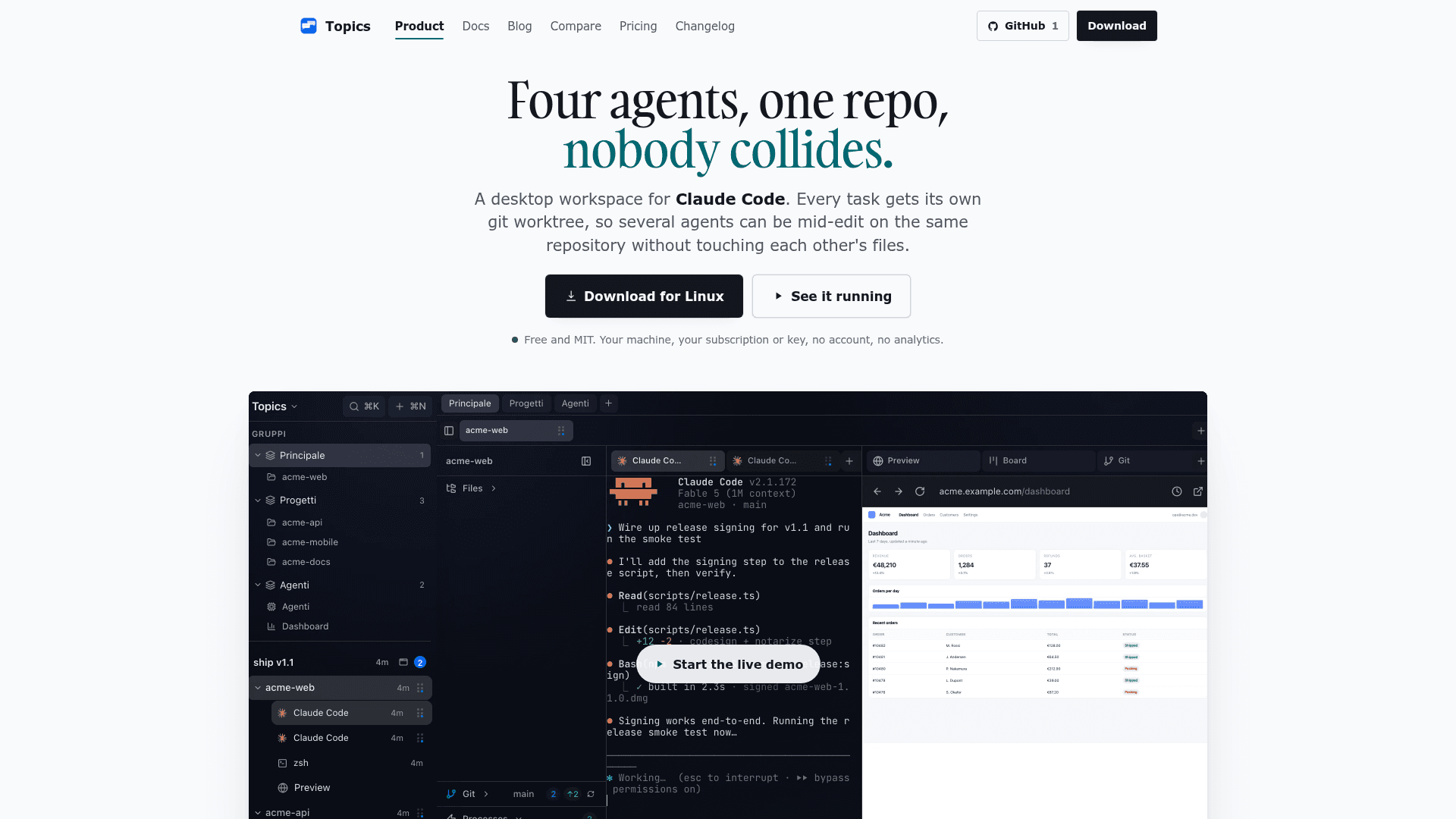
A desktop workspace for CLI coding agents that runs each task in its own git worktree with terminals, browser, diff review and a kanban board.
At a Glance
Full desktop app under the MIT license, running locally with no account. Everything local plus home network access, with unlimited topics, projects and agents.
Engagement
Available On
Listed Nov 2026
About Topics
Topics is a desktop workspace from Armonia for running CLI coding agents such as Claude Code, Codex, OpenCode and Gemini CLI side by side. Each task gets its own git worktree, so several agents can edit the same repository without touching each other's files. It is MIT licensed and local-first, with builds for macOS, Windows and Linux.
What It Is
Topics is a desktop app that hosts the terminal agents you already run, together with the surfaces around them. A topic is a session with a workspace attached: a chat or terminal, a file tree and editor, a Git view with diffs, and a browser pane. Layout, panes and tabs persist across restarts, and sessions reattach with their scrollback.
How the board and worktrees work
You write a task on a kanban board, and an agent picks it up in an isolated worktree on its own branch. It hands back committed work, a short summary and a screenshot or clip, then moves its card to review. Approving, landing (merging locally) and publishing (pushing) are three separate actions. Pre-review checks, approval gates with reject notes, checkpoints that roll back the conversation and working tree, and optional night mode and auto-merge are also described.
Monitoring and reach
Tabs show whether a session is working, finished or waiting on an answer, with native notifications. A context inspector, a dashboard of throughput, cycle time and token spend, and per-pane resource usage are included. Mobile/PWA access, remote browser control and cross-device sync work over a tunnel you run yourself; the site states there is no hosted version.
Providers and privacy
Topics drives the CLIs you already sign in to, or calls the Anthropic or OpenAI APIs with your own key, with no proxy in between. Conversations stay on your disk, and the project states it has no analytics. MCP is built in. The site notes macOS builds are signed ad-hoc, so first launch requires approval in System Settings. The project describes itself as young, and it is independent of Anthropic and OpenAI.
Community Discussions
Be the first to start a conversation about Topics
Share your experience with Topics, ask questions, or help others learn from your insights.
Pricing
Free
Full desktop app under the MIT license, running locally with no account. Everything local plus home network access, with unlimited topics, projects and agents.
- Free and MIT. Your machine, your subscription or key, no account, no analytics.
- Unlimited topics, projects and agents
- Everything local, plus your home network
- Runs Claude Code, Codex, OpenCode, Gemini CLI, Anthropic API, OpenAI GPT, MCP and any ACP agent
- Git worktree per agent task, board, terminals, browser pane
Capabilities
Key Features
- Git worktree per task so multiple agents edit one repo without collisions
- Kanban board with agent dispatch and approval gates
- Embedded terminals with lossless reattach and scrollback
- Built-in browser pane that agents can drive
- Diff review, file explorer and editor
- Separate approve, land and publish steps
- Checkpoints that roll back conversation and working tree
- Context inspector and dashboard for throughput and token spend
- Sub-agent tree visibility
- Cron jobs and webhooks
- Mobile/PWA and remote access over your own tunnel
- Cross-device tab and layout sync
- Local voice transcription via Whisper
- Command palette and slash commands
- MCP support
- English and Italian interface