
Xcode
Apple's IDE for developing, testing, debugging, and distributing apps for Apple platforms, with coding agents and models built in.
At a Glance
Free Mac IDE. Paid Apple Developer Program membership is not required for local development.
Engagement
Available On
Alternatives
Listed Nov 2026
About Xcode
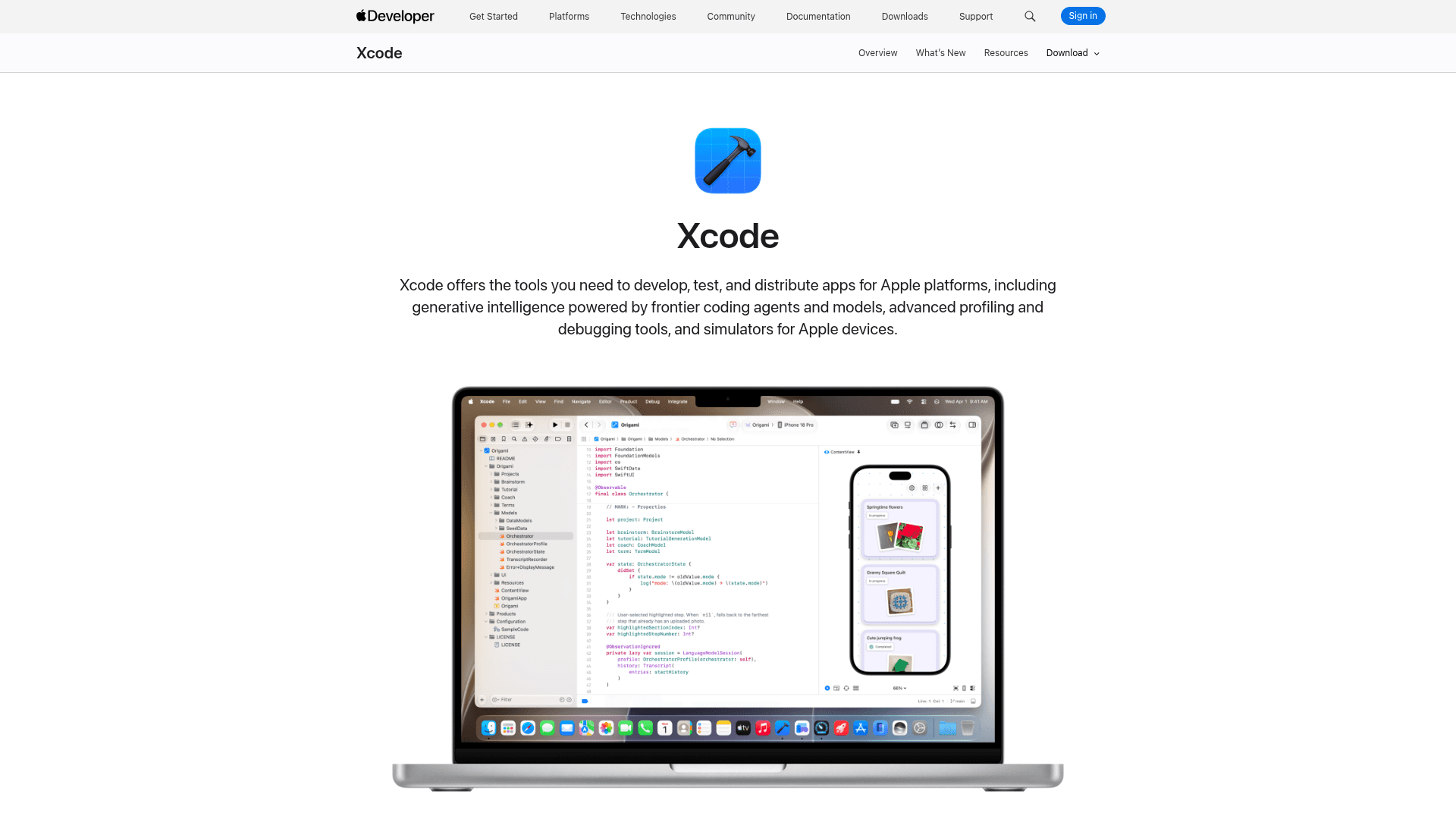
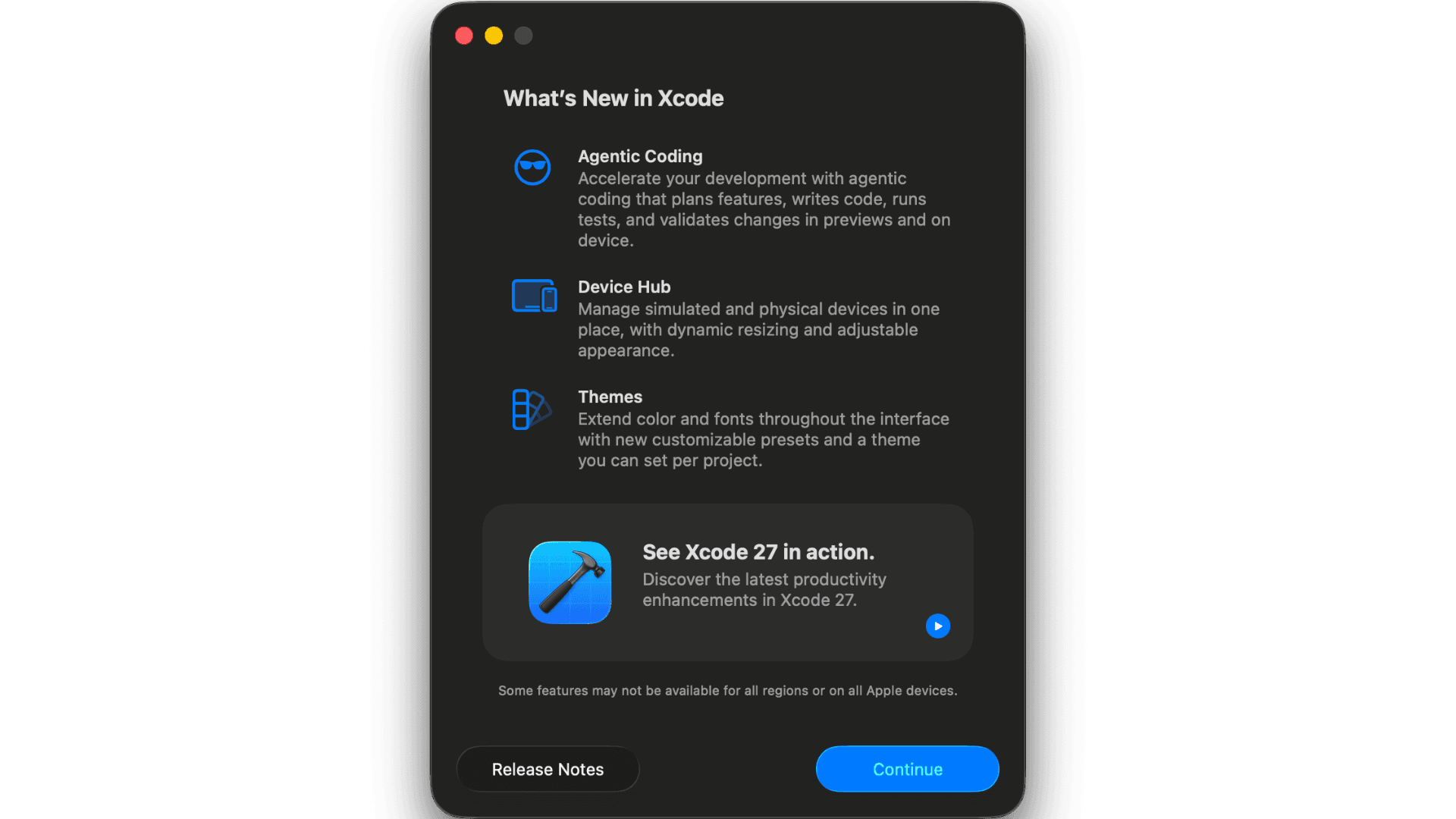
Xcode is Apple's integrated development environment for building, testing, and distributing apps for Apple platforms. Apple's Xcode 27 page describes it as offering generative intelligence powered by frontier coding agents and models, alongside debugging and profiling tools and simulators for Apple devices. Xcode 27 adds coding agents that work with the model of your choice, plus Device Hub, performance and testing updates, and localization enhancements.
What It Is
Xcode is the core toolchain for Apple-platform developers. It includes a source editor, SwiftUI/UIKit/AppKit previews, Swift Testing and XCTest, the Xcode debugger and Organizer, Instruments for performance profiling, and Xcode Cloud for continuous integration and delivery. Device Hub lets developers prototype and test on physical devices and simulators from the Mac, with dynamic resizing and adjustable appearance.
Agentic Coding Intelligence in Xcode 27
Apple's documentation says you work with an agent of your choice using natural language prompts. The agent refines its responses based on earlier interactions and the project context you supply. Xcode shows responses and the changes made to project files for review, and you can enter another prompt or roll back to a previous state. Apple's product page says Xcode supports frontier coding models and agents from Anthropic, Google, and OpenAI. You can also add any agent compatible with the Agent Client Protocol and extend Xcode with your own skills and tools through the Model Context Protocol. Before starting, you set up one or more agents in Intelligence settings and pick one in the coding assistant sidebar.
Conversations, Transcript, and Artifacts
The coding assistant opens from a toolbar button or Command-0. Each conversation appears in a sidebar that behaves like the Project navigator, with a transcript pane and an artifacts pane that can be laid out in tabs like editor panes. Developers can run multiple agents in parallel while editing files elsewhere. Conversations can be renamed, archived, deleted, and organized into groups, for example one per feature. Prompts can reference symbols and files with the @ character, and files from inside or outside the project can be attached. The model can be switched from a pop-up menu in the message field.
While responding, Xcode may iterate, build the app to verify code, and fix build warnings and errors automatically. It can ask permission to use a command-line tool, or show a question-and-answer interface when it needs a decision. The artifacts pane shows a comparison view or preview for each added or modified file, with change bars, and supports annotations on files or specific lines that are sent back as prompts.
Plan Mode and Rollback
Typing /plan at the start of a prompt enters plan mode, in which Xcode proposes changes in the artifacts pane instead of applying them. You can annotate the plan, approve it with the Implement the plan dialog, or leave with /exit-plan. A History view with a slider unwinds or reapplies changes prompt by prompt, and Xcode keeps the edits so later prompts can be reapplied. Changes can also be discarded using source control.
Agents in the Source Editor
The coding tools popover opens via the contextual menu, the gutter coding assistant button, or Command-Option-0. It offers prompts and buttons such as Explain, Generate a Preview, and Generate a Playground. Generated playgrounds run in the canvas and previews are added to interface files, often with sample data. When a compilation warning or error appears, a Generate Fix for Issue action produces a fix shown in the transcript and artifacts pane.
Localization with Agents
Prompting an agent with something like translating the app into Italian makes Xcode add the language, build all targets to collect strings into string catalogs, and localize human-readable text in the Info property list. During translation Xcode provides context on where strings appear, identifies plural and device variations, stays consistent with existing terminology, and follows requested styles such as a formal business tone. Agentic translations are marked machine_translated in the string catalog, and leveraged-mt in the XLIFF state-qualifier on export. A Generate Translations button in the string catalog editor handles all languages, one language, or selected strings. Translation guidance, such as a glossary, can go in AGENTS.md or CLAUDE.md files.
Extending and Customizing Agents
Permissions for command-line tools and agent tools are managed in Intelligence settings under Agents. Xcode includes built-in skills that it applies automatically based on prompts, such as localization with translation subagents or plan mode, and skills can be invoked via slash commands. Agent-specific configuration files live under ~/Library/Developer/Xcode/CodingAssistant, for example ClaudeAgentConfig, codex, and gemini folders, and can set a default model, add MCP servers, or define skills. Agentic coding plug-ins can add subagents, MCP servers, and skills, installable from a URL or other import options. Apple also documents giving external agents access to Xcode capabilities via the Model Context Protocol and a JSON project configuration format that is more readable and editable by agents.
Community Discussions
Be the first to start a conversation about Xcode
Share your experience with Xcode, ask questions, or help others learn from your insights.
Pricing
Xcode
Free Mac IDE. Paid Apple Developer Program membership is not required for local development.
- Code editor, compilers and Apple platform SDKs
- Simulators, debugging and performance tools
- Test on personal devices with a free Apple Account
- Free personal-device provisioning expires after 7 days
- Requires a compatible Mac
Apple Developer Program
Annual membership for App Store distribution and additional developer services. Separate from the free Xcode download.
- App Store distribution
- TestFlight beta distribution
- Developer signing and distribution capabilities
- 25 Xcode Cloud compute hours per month included
- App Store sales commissions may apply separately
- Fee waivers available for eligible organizations
- Local pricing and applicable taxes may vary
Apple Developer Enterprise Program
Alternative membership for eligible organizations distributing proprietary apps privately to employees.
- Private internal-use app distribution
- Organization eligibility and approval required
- Not an App Store distribution membership
Xcode Cloud — 100 hours
Optional cloud build subscription, charged in addition to Apple Developer Program membership.
- 100 total compute hours per month
- Replaces the included 25-hour allowance
- Unused hours do not roll over
Xcode Cloud — 250 hours
Optional cloud build subscription, charged in addition to Apple Developer Program membership.
- 250 total compute hours per month
- Unused hours do not roll over
Xcode Cloud — 1,000 hours
Optional cloud build subscription, charged in addition to Apple Developer Program membership.
- 1,000 total compute hours per month
- Unused hours do not roll over
Xcode Cloud — 10,000 hours
Optional cloud build subscription, charged in addition to Apple Developer Program membership.
- 10,000 total compute hours per month
- Unused hours do not roll over
Optional AI provider services
Variable third-party costs, not an Apple Xcode subscription. Charges depend on the selected provider, account, model and usage.
- Provider subscriptions or usage charges may apply
- Free access and usage limits vary by integration
- Existing eligible subscriptions may provide access
- Apple Developer Program membership does not include paid AI provider subscriptions
Capabilities
Key Features
- Coding agents with choice of model (Anthropic, Google, OpenAI)
- Support for Agent Client Protocol-compatible agents
- Model Context Protocol extensibility
- Conversation sidebar, transcript, and artifacts panes
- Parallel agent conversations
- Plan mode (/plan, /exit-plan)
- Conversation history rollback
- Source editor coding tools popover
- Generate previews and playgrounds
- Generate fixes for build issues
- Agent-based app localization and string catalog translation
- Agent permissions, skills, and plug-ins
- Xcode Previews
- Device Hub
- Swift Testing and XCTest
- Debugger and Organizer
- Instruments
- Xcode Cloud