
Android Studio
Google's official IDE for Android app development, featuring Gemini AI assistance, an intelligent code editor, Android Emulator, and Gradle-powered build system.
At a Glance
Full-featured Android IDE available at no cost, including Gemini AI assistant, emulator, build tools, and all core features.
Engagement
Available On
Alternatives
Listed Jul 2026
About Android Studio
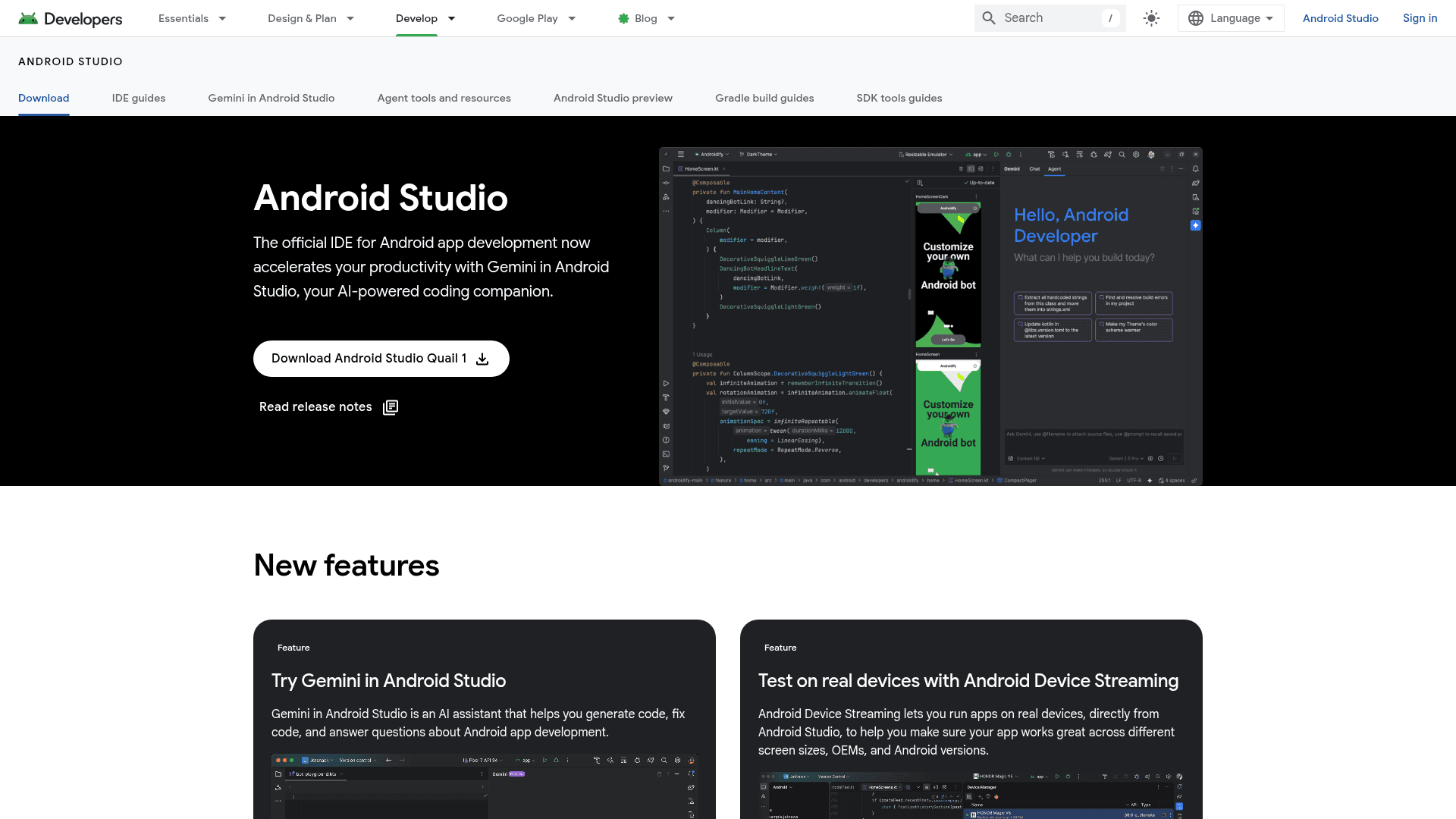
Android Studio is Google's official integrated development environment for building Android applications, available as a free download for Windows, macOS, Linux, and ChromeOS. It combines a full-featured code editor with Android-specific tooling including an emulator, build system, and device streaming capabilities. The current stable release is Android Studio Quail 1 (2026.1.1 Patch 2), actively maintained by Google's Android developer tools team.
What It Is
Android Studio is a desktop IDE purpose-built for Android app development. It covers the full development lifecycle — writing and editing code, building with Gradle, testing on emulated or real devices, profiling performance, and preparing apps for Google Play distribution. The IDE supports Kotlin, Java, and C/C++ with intelligent code completion, and includes Jetpack Compose design tools for building modern Android UIs.
Gemini in Android Studio
A central feature of recent releases is Gemini in Android Studio, described by Google as "your AI-powered coding companion." Gemini integrates directly into the IDE to help developers generate code, fix bugs, and answer questions about Android development. The June 2026 video content on the Android Developers channel confirms that Gemini 3.5 Flash is now available within Android Studio, reflecting ongoing model upgrades inside the IDE.
Core Tooling and Workflow
Android Studio bundles a comprehensive set of tools that cover every stage of Android development:
- Intelligent code editor — code completion for Kotlin, Java, and C/C++; Live Edit for Jetpack Compose lets code changes appear immediately in the preview
- Compose design tools — preview layouts on any screen size and inspect animations with built-in inspection tools
- Android Emulator — test apps across phones, tablets, foldables, Wear OS, TV, and ChromeOS device profiles
- Android Device Streaming — run apps on real physical devices directly from the IDE to verify behavior across OEMs and Android versions
- Flexible build system — powered by Gradle, supports multiple build variants from a single project; Build Analyzer surfaces performance bottlenecks
- APK/App Bundle Analyzer — inspect manifest, resources, and DEX files; compare APK sizes across versions before publishing
Platform and Device Coverage
The IDE targets the full Android device ecosystem. Developers can build and test for phones, tablets, foldables, Android XR headsets and glasses, Wear OS, Android TV, Android for Cars, and ChromeOS. The download page lists installers for Windows (64-bit), macOS (Intel and ARM), Linux (64-bit), and ChromeOS, each approximately 1.5 GB. Standalone command-line tools are also available separately for CI/CD pipelines that do not require the full IDE.
Update: Quail 1 (2026.1.1 Patch 2)
The current stable release as of mid-2026 is Android Studio Quail 1, version 2026.1.1 Patch 2. Google also maintains a preview channel (Android Studio preview) for developers who want early access to upcoming features. Recent video content from the Android Developers YouTube channel highlights Android XR development support — including the ability to build XR apps without physical hardware — as a key direction for the platform in 2026. The Android 17 source code release and API 37 support are concurrent ecosystem milestones that Android Studio is positioned to support.
Community Discussions
Be the first to start a conversation about Android Studio
Share your experience with Android Studio, ask questions, or help others learn from your insights.
Pricing
Android Studio
Full-featured Android IDE available at no cost, including Gemini AI assistant, emulator, build tools, and all core features.
- Gemini in Android Studio AI assistant
- Intelligent code editor (Kotlin, Java, C/C++)
- Android Emulator
- Android Device Streaming
- Gradle build system
Capabilities
Key Features
- Gemini AI coding assistant (code generation, bug fixing, Q&A)
- Intelligent code editor with completion for Kotlin, Java, and C/C++
- Live Edit for Jetpack Compose
- Compose design tools with animation inspection
- Android Emulator for phones, tablets, foldables, Wear OS, TV, ChromeOS
- Android Device Streaming for real device testing
- Gradle-powered flexible build system with Build Analyzer
- APK and Android App Bundle Analyzer
- Profiling and performance tools
- Command-line tools (sdkmanager, etc.)
- Android XR development support
- Multi-device form factor support
Integrations
Demo Video