Cursor Projects: The Coordinator Agent That Never Writes Code

In January, Cursor published research on running hundreds of coding agents on a single codebase. The first design gave every agent equal rank, one shared file to coordinate through, and a lock so two agents couldn't claim the same task. Twenty agents produced about as much as two or three, because most of their time went to waiting. With nobody in charge, the agents also turned timid. They avoided hard problems, made small safe edits, and spun for long stretches without getting anywhere.
On September 10, Cursor turned that lesson into a product. Cursor Projects, in beta and rolling out to all users, puts one coordinator agent in charge of work too big for a single chat, like a multi-PR feature, a migration, or an entire app. The coordinator plans the work, hands pieces to as many subagents as the job needs, keeps notes that every later agent reads, and starts work on its own when a PR opens or a bug report lands in Slack. It doesn't write code.
If you've run three agent chats in three tabs, you've already done the coordinator's job by hand. You held the plan in your head, re-explained the codebase to every fresh chat, and kept track of which agent touched what. Projects hands that job to an agent. The trade can pay off, depending on the kind of work, how your team reviews it, and what you're willing to spend.
How Cursor Projects Works: A Kitchen With an Expediter
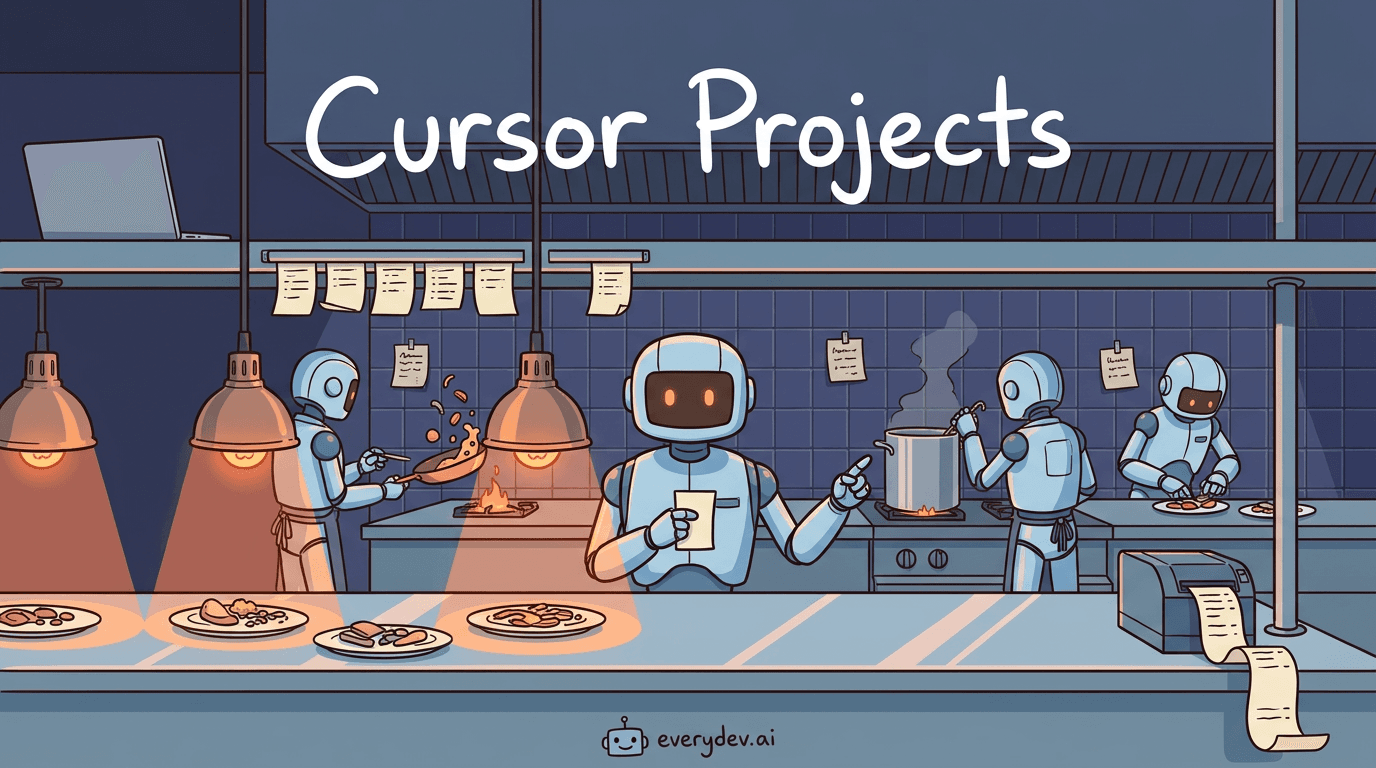
A busy restaurant kitchen works this way. The expediter stands at the pass and never cooks. They read incoming tickets, call orders to each station, and send finished plates to the head chef for a final look. Because their hands stay free, they can answer a question about table six in the middle of a rush. Each line cook works one station and ignores the rest of the menu. Notes taped to the wall outlast every shift, like which burner runs hot. Orders arrive on the ticket printer whether or not the chef is watching, and the kitchen starts cooking.
Projects maps onto that kitchen closely:
| In the kitchen | In Cursor Projects | Job |
|---|---|---|
| Head chef | You | Set direction, approve finished work |
| Expediter | Coordinator agent | Plan, delegate, collect results, write no code |
| Line cooks | Subagents | Build, test, or research one piece each |
| Notes on the wall | Shared context files | Hold lessons every new agent reads first |
| Ticket printer | Subscriptions | Start work from Slack, PR events, or a schedule |
| Kitchen that stays open after the owner goes home | The Project's cloud computer | Keep work going after your laptop closes |
According to Cursor's changelog, each Project gets a dedicated cloud machine, and the coordinator can launch an agent on your own machine for anything that has to be tested locally. Since the coordinator only delegates, Cursor says it stays available for new direction while builds and tests run elsewhere. You can message it in the middle of a task, and it answers.
Read the diagram from the top. Your messages and outside signals flow into the coordinator. Tasks flow down to agents, often each on its own cloud machine. What the agents learn flows into the shared files, and the next agent reads those files before it starts.
Why the Coordinator Never Writes Code
Cursor fixed its stalled swarm in January by splitting roles. Planners mapped the codebase and wrote tasks, handing big areas to sub-planners. Workers grabbed a single task each, stayed out of the big picture, and pushed code once finished. A judge agent decided at the end of each cycle whether to keep going. With that structure, Cursor ran hundreds of agents on one project for weeks, including a web browser built from scratch with more than a million lines of code written in about a week.
In July, Cursor's Wilson Lin explained why the split works. An agent working a big task alone has to keep everything in its context window, the model's working memory. That means the goal, the plan, its place in the plan, and the details of the file in front of it. Over a long run, something gives. Zoom in on the current file and the goal fades; keep the goal in view and the file gets less care. Splitting roles removes the tradeoff. The planner's memory holds the plan and nothing else, and each worker's memory holds one task and nothing else. Lin's team suspects this, more than running agents in parallel, is what lets the swarm scale.
The same post shows what happens when coordination breaks. An older version of the swarm, rebuilding SQLite from its documentation, made 68,000 commits in under two hours and piled up more than 70,000 merge conflicts before Cursor paused it. The newer design, running the same model, logged fewer than a thousand conflicts and reached 80% of the test suite in four hours. The old run was busier. The new one got further.
Lin connects this to economist Ronald Coase, who asked in 1937 why firms exist at all. In Lin's reading, coordination costs climb faster than output, so organizations break into layers of small teams. Projects applies that logic to multi-agent systems. You talk to one coordinator, and the coordinator talks to the workers. Keep your own messages at the coordinator's level too: goals, constraints, and review feedback, with file-by-file detail left to the agents and their notes.
Recommended
The Race to Make Personal AI Work

I tried using the Instacart app in ChatGPT today. It didn’t really work. After spending more time on it than I wanted to, I gave up and did the shopping myself. I wanted it to work. Ordering groceries is exactly the kind…
Read nextShared Context: Notes Agents Write for the Next Agent
A new agent chat starts cold. It doesn't know how your tests run, where a service's config lives, or that you want small PRs. Teams patch that gap with rules files such as AGENTS.md and CLAUDE.md, written by people for agents, and those formats have splintered across tools.
Projects adds files the agents write for each other, synced to every cloud and local machine a Project's agents use. Agents write down their research, the files they produce, quirks of the codebase, and your preferences for how work gets done. An agent that works out how to test a service leaves the steps behind for every agent after it. When Flavio Copes pasted a product spec into a new Project, the coordinator saved it as docs/project-context.md before starting its first worker.
Cursor's research pushes the idea further. In the July swarm, agents owned a folder called the Field Guide. Its index file loaded into every agent at startup, the agents decided what went in, and the only rule was a line budget. The reasoning holds up: a model's weights don't change between runs, so the surprises one agent hits are exactly what the next agent needs written down.
Shared notes also spread mistakes. A note that records the wrong convention gets read by every agent after it, and in a migration across hundreds of PRs, one bad lesson travels fast. Cursor also hasn't documented how a Project keeps months of history from bloating, which Copes says was the most common technical question in the launch threads.
Treat the context files like code you own. Read them after the first few tasks, delete lessons that are wrong, and review changes to them the way you'd review a diff. Context needs its own review loop in any agent setup, and a Project that writes its own notes makes that loop more urgent.
Subscriptions Let a Project Start Work on Its Own
Subscriptions came to Cursor's cloud agents on August 19, and Projects builds on them. A coordinator can follow your PRs and fix CI when it breaks, react when PRs open or merge, watch a Slack channel, or run on a timer. Connected to a bug-report channel in Slack, it hands out a fix for each new report.
This closes a gap Cursor named in January, when its research post listed "planners should wake up when their tasks complete" as unsolved. Subscriptions are that wake-up call, extended to events outside the swarm.
A cron job runs the same script every time it fires. A subscription wakes an agent that reads the situation and decides what to do, which is both the appeal and the risk. A coordinator watching a Slack channel takes direction from whatever people type there. Cursor has built network policies, secret redaction, and credential controls for its cloud agents, but the Projects launch post and changelog don't say how a coordinator handles instructions tucked inside a bug report or PR comment.
Anthropic took a stricter approach to a related risk in Claude Code. Its docs say the ultracode keyword, which launches a large multi-agent workflow, won't start one when the keyword arrives through a webhook payload, a scheduled task, or a relayed pull request comment. Before v2.1.210, it would. The two companies are drawing the trust boundary in different places.
Start with signals you control. A schedule is the safest first subscription, your own PRs come next, and a shared Slack channel comes last, with merging kept in human hands.
Features, Migrations, and Gardening: How Cursor Uses Projects
Cursor says its engineers have used Projects for several months, and three patterns cover most of that work.
| Pattern | What the coordinator does | Where the human stays involved |
|---|---|---|
| Feature work | Has agents research the system and record findings, then plans and builds parts in parallel | Tries the feature locally and gives feedback the Project learns from |
| Migrations | Applies an agreed approach across hundreds of PRs, like replacing a styling system | Reviews early PRs closely, then less as the fixes hold up |
| Gardening | Follows new PRs, Slack reports, or a schedule, and fixes what it finds | Checks in where attention is needed |
Gardening has the most concrete example. One Cursor engineer's design-system Project reads each new PR, moves reusable components into the design system, and writes a new lint rule once it spots a repeated mistake. Cursor says it's on track to touch 20 to 100 PRs a day.
Each pattern follows a trust curve: close review at first, looser review as the work holds up. Copes reports that some Cursor engineers let their Projects merge PRs and review afterward, but Cursor hasn't published a default for where that line sits. It's the same question as no-approval modes in AI coding tools, multiplied across a fleet.
The 30% and 6x Claims, and What They Leave Out
Cursor's launch post says new Projects users merge 30% more PRs, and people who mainly use Projects merge six times as many. Read both numbers carefully. The post gives no baseline, sample size, or time window. The 6x group is defined by heavy use, so it could be the most productive engineers adopting a new tool first, which says little about what Projects causes. Merged PRs also count output, and output isn't quality.
For comparison, a 2025 randomized study from METR found that experienced open-source developers took about 19% longer on tasks when they could use early-2025 AI tools, Cursor among them, even though they believed the tools had sped them up. That study predates Projects and didn't test agent fleets, so it settles nothing here. It does show that feeling faster and being faster can come apart.
The "thousands of subagents" line describes a ceiling. Fatih Arslan of the Cursor team posted that his coordinators each manage tens of agents, per Copes's roundup of the launch threads. For most teams, the headline number is the least important part of the launch.
The parts that matter more are easier to miss. In June, Cursor wrote that a complete development environment matters more than anything else for cloud agent output, and that a half-broken one seldom throws an error. Output gets subtly worse, and people blame the model. Michael Truell's February essay on the third era of AI coding made the fleet-sized version of the point: a flaky test that one developer learns to ignore can break every run in a fleet of agents.
Projects is also a beta. Some Linux users didn't see it on launch day, moving old chats into a Project works one drag at a time, and Cursor hasn't published pricing for Projects on its own.
What Cursor Projects Costs
Projects has no separate price in Cursor's launch materials. It runs on cloud agents, and Cursor's pricing docs bill agent usage at model API rates. Pro includes $20 of agent usage a month, and Cursor's own guidance says power users running multiple agents or automations often spend $200 or more. Cursor's forum support answers add that cloud agents need on-demand usage turned on and a spend limit set before the first run.
Cursor's July research shows where a fleet's money goes. Worker agents used most of the tokens in every SQLite run, more than 90% in most of them. Model choice moved the bill a lot and quality very little: Opus 4.8 planning with Cursor's Composer 2.5 as the workers rebuilt SQLite for $1,339, while GPT-5.5 in both roles cost $10,565.
That makes the model doing the grunt work the first thing to check on a Project's bill. Cursor's launch materials don't say which models a Project's coordinator and subagents use by default, so watch the usage dashboard closely in the first week.
SpaceX completed its acquisition of Cursor on August 14, and Cursor said the deal gives it access to SpaceX's GPU fleet to build stronger, cheaper models. A product that wakes agents on every PR, Slack message, and schedule puts that capacity to work, and every wake-up is billable. Set the spend limit before you set the first goal.
Cursor Projects vs Claude Code Workflows vs the OpenAI Agents API
Other companies sell fleets too. Claude Code's dynamic workflows fan one task out to as many as 1,000 agents per run. OpenAI put its Agents API in public beta on September 10. It offers the harness behind Codex as a managed service, where the harness is the code that runs an agent's loop, tools, and subagents. The fastest way to compare the three is to ask who holds the plan.
| Cursor Projects | Claude Code dynamic workflows | OpenAI Agents API | |
|---|---|---|---|
| Who holds the plan | A coordinator agent you can redirect anytime | A script Claude writes, then runs as written | Your app, on OpenAI's managed Codex harness |
| Where agents run | The Project's cloud computer, plus local agents | Your Claude Code session, local or cloud, up to 16 at a time | OpenAI sandboxes, your infrastructure, or a partner's |
| What persists | Shared context files that grow over months | Saved workflow scripts, plus run results within a session | Durable sessions, with context compaction handled by OpenAI |
| What starts work | You, Slack, PR events, schedules | You, or your scripts through claude -p and the Agent SDK | Your code |
| Steering mid-run | Message the coordinator anytime | No new instructions; pause, stop, or restart agents | Depends on what you build |
| Status | Beta, rolling out to all users | Available on paid Claude plans | Public beta |
Each fits a different job:
- Choose a Cursor Project for work that outlives a chat and reacts to events, like a weeks-long migration, CI upkeep, or a bug queue, on a team that already works in PRs inside Cursor.
- Claude Code's workflows suit a big, bounded batch you kick off on purpose, such as an audit or a language port, when you want the orchestration saved as a script anyone on the repo can rerun.
- The Agents API makes sense for teams building their own agent product or internal platform who want to own the interface, the context, and the environment.
- A plain agent chat still covers most solo work. If you commit straight to main and fix one thing at a time, Projects' PR and Slack machinery adds cost without much payoff.
My recommendation: if your team works in PRs and already pays for Cursor, learn Projects on one small job with a clear finish line this month, like the flag cleanup below, before trusting it with a big migration or a Slack channel.
How to Start a Cursor Project Without Wasting a Week
- Update Cursor and open the Agents view. Projects appear in its left sidebar, according to Copes, and don't show up in the editor. If the section is missing, the rollout hasn't reached your account yet.
- Turn on on-demand usage and set a spend limit first. Cloud agents won't start without them.
- Prove the cloud environment works. Give one cloud agent a throwaway task and confirm it can install dependencies, run your tests, and open a PR. If tests can't run there, every subagent's output degrades without an error.
- Pick one job with a clear finish line, where mistakes are cheap to undo.
- Let the coordinator open PRs, and keep merging for humans until you've seen a run of clean ones.
- After the first few tasks, read the shared context files and delete anything wrong. Add a subscription last, starting with a schedule.
Stale feature-flag cleanup, a job teams start eagerly and rarely finish, makes a good first Project. The opening prompt could look like this:
Clean up stale feature flags in this repo.
1. Have an agent work out how to run the test suite in the
   cloud, and record the steps in project context.
2. List every flag whose code path is always on or always off,
   with evidence for each. Wait for my approval of the list.
3. Remove approved flags in PRs under 300 lines each.
Open PRs only. Do not merge.
The prompt starts with the environment check, puts a human approval step before any code changes, and caps PR size so review stays quick.
Where Cursor Is Taking This
Projects is the top layer of a stack Cursor has been assembling fast. In August, Cursor started hosting code with Origin, gave cloud agents subscriptions and machines of their own, and closed its sale to SpaceX. Projects sits on top, turning a goal into delegated work.
Lin's July post argues that each jump in AI coding raised the unit of work, and that with swarms the unit becomes the spec. He compares a swarm to a compiler for intent, one that can lose meaning at every step where a real compiler keeps it.
In January, twenty agents with no one in charge moved like two or three. Cursor's answer was a coordinator. The coordinator still needs the one input only you can supply: a clear description of what done looks like. Write that well, and a fleet has something worth building. Write it vaguely, and you can pay thousands of agents to build the wrong thing in parallel.
Comments
Checking profile…